Sharp AR-151 Dokumentacja Strona 1
Przeglądaj online lub pobierz Dokumentacja dla Kopiarki Sharp AR-151. Sharp AR-151 Specifications Instrukcja obsługi
- Strona / 170
- Spis treści
- BOOKMARKI

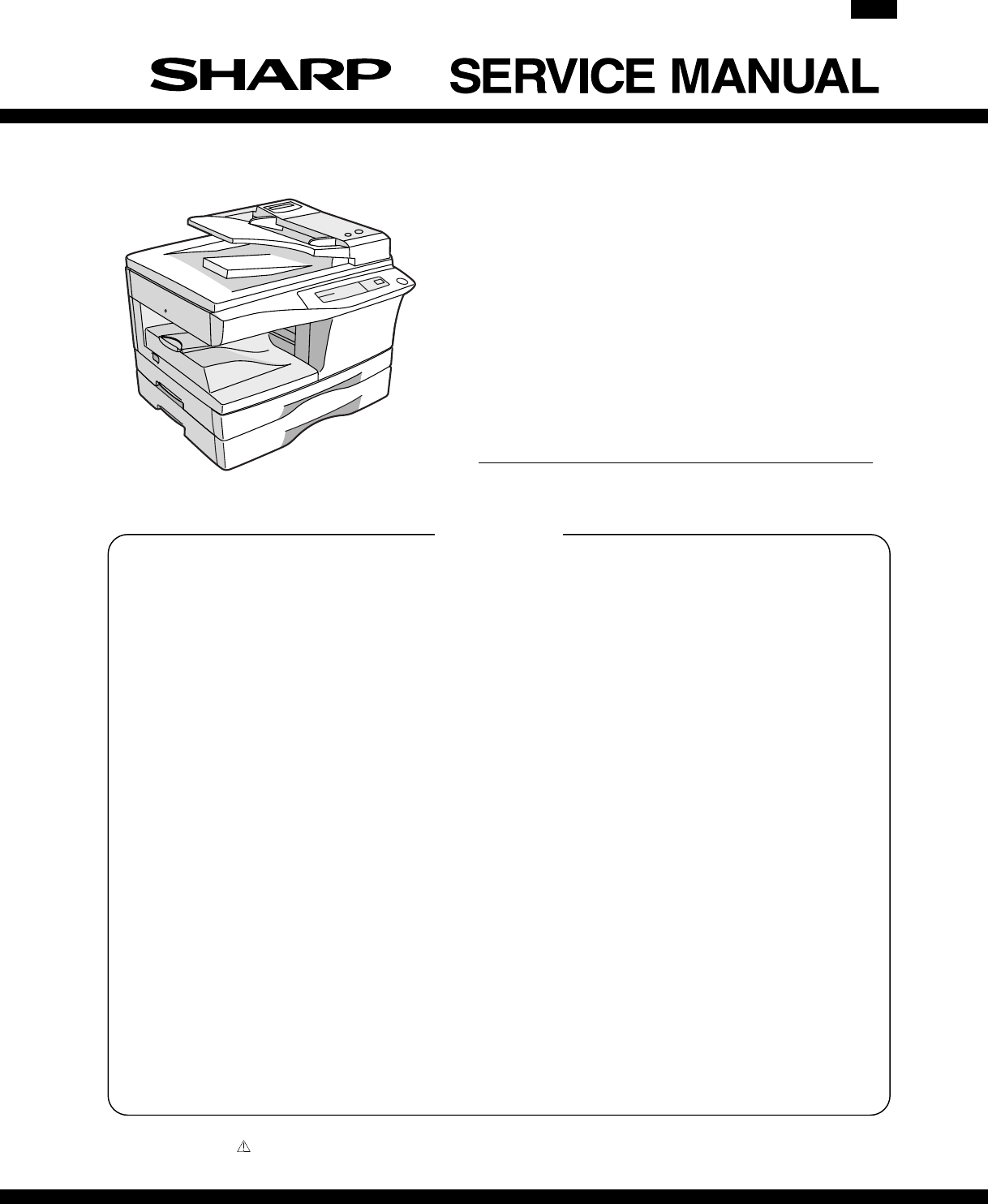
- DIGITAL COPIER 1
- VORSICHT 2
- ADVARSEL 2
- VARNING ! 2
- [1] GENERAL 4
- [2] SPECIFICATIONS 5
- C. Copy performance 6
- [3] CONSUMABLE PARTS 16
- 2. Environmental 17
- 4. TD cartridge replacement 18
- 1. Appearance 19
- 2. Internal 19
- 3. Operation panel 20
- 191817161514 20
- FAX STARTSTOP 21
- 5. Motors and solenoids 22
- 6. Sensors and switches 23
- 7. PWB unit 24
- 8. Cross sectional view 25
- 1. COPIER INSTALLATION 26
- 2. CAUTIONS ON HANDLING 26
- 8. LOADING COPY PAPER 28
- Paper guide (B) 29
- Paper guide (A) 29
- [6] OPERATIONAL DESCRIPTIONS 30
- 2. Scanner section 31
- 3. Laser unit 31
- 4. Fuser section 32
- A. Outline 36
- C. Operational descriptions 37
- A. Initial state 38
- B. Front copy 38
- C. Back copy 38
- Communicatinon error flag ON 39
- Response received? 40
- Command received? 42
- Auto dial sending 43
- [7] DISASSEMBLY AND ASSEMBLY 44
- C. Disassembly procedure 46
- D. Assembly procedure 46
- E. Charger wire cleaning 46
- 2. Operation panel section 47
- 3. Optical section 48
- 4. Fusing section 49
- B. Disassembly procedure 49
- PPD2 sensor 50
- Heat roller 51
- CAUTION:Attach 54
- 6. Manual paper feed section 56
- Wire treatment 57
- 7. Rear frame section 60
- 8. Power section 61
- 9. SPF section 61
- A. Sensor PWB 62
- B. Pickup solenoid 62
- C. Clutch 62
- F. SPF motor 63
- G. Paper entry sensor 63
- 10. 2nd cassette section 64
- B. Cassette detection SW 65
- C. Paper feed solenoid 65
- D. Transport roller 65
- E. Paper feed clutch 65
- F. 2nd paper feed roller 65
- B. Intermediate tray 67
- C. Upper cover 67
- D. Pickup unit 68
- F. Sensor PWB 68
- G. Pickup solenoid 68
- H. Clutch 69
- J. Transport unit removal 70
- K. Belt 1 70
- L. Belt 2 70
- M. SPF motor 70
- N. Solenoid 70
- O. Clutch 71
- P. PS roller 71
- Q. Paper entry sensor 71
- R. Transport roller1 72
- S. Paper exit roller 72
- 14. FAX, MCU PWB section 73
- (AR-F152 only) 73
- D. Remove the PWB cover FAX 74
- E. Remove the MCU PWB 74
- B. Remove the metal fixtures 74
- ROM (AR-F152 only) 77
- [8] ADJUSTMENT 78
- Set screw 79
- Scanner unit drive pulley 79
- Copy lamp unit projection 79
- Image distortion check chart 79
- Document 80
- Greater distortion 80
- Smaller distortion 80
- Copy image dimension 82
- Original dimension 82
- D. Image position adjustment 83
- B4 or 8 1/2″ × 14″ paper 84
- A4 size rear edge 84
- 2. Copy density adjustment 85
- 3. High voltage adjustment 86
- 4. Duplex adjustment 86
- Scale (D-D mode) 87
- 5. Density section 88
- 6. Communication section 89
- 1. List of simulations 90
- AE, Main cassette lamp 101
- AE lamp (Blinking) 101
- AE, TEXT lamp 101
- AE, TEXT, PHOTO lamp 101
- B. List of functions 103
- A. Software Switch List 109
- 5. TROUBLE CODES 118
- (1) Sending error 119
- (2) Reception error 119
- (1) LCD: FAX SERVICE ERROR(#) 119
- [10] USER PROGRAM 120
- [11] MAINTENANCE 121
- [12] ELECTRICAL SECTION 122
- B. MCU PWB unit 123
- FAX PWB UNIT 124
- 2. Circuit descriptions 125
- (2) ASIC (Signal table) 127
- LCD PWB 134
- NSFX200 (IC503) supplies 135
- Input Signals 135
- Output Signals 135
- Input/Output Signals 136
- (2) NS32FX164 (IC507) 136
- Input-Output Signals 137
- (4) CPU interface 138
- (5) Image memory interface 138
- (6) Others 138
- Motor control 140
- Bus control 140
- LBP module 141
- 6. LCD circuit (AR-F152 only) 142
- C. LCD panel pin arrangement 143
- [13] CIRCUIT DIAGRAM 144
- MCU 2 (INPUT SECTION) 145
- MCU 3 (OUTPUT SECTION 1) 146
- MCU 4 (OUTPUT SECTION 2) 147
- MCU 5 (ASIC SECTION) 148
- MCU 7 (CONNECTOR SECTION 2) 150
- MCU 8 (CONNECTOR SECTION 3) 151
- FAX LCD PWB (AR-F152 Only) 162
- ACTUAL WIRING DIAGRAM 1/5 164
- ACTUAL WIRING DIAGRAM 2/5 165
- ACTUAL WIRING DIAGRAM 3/5 166
- ACTUAL WIRING DIAGRAM 4/5 167
- ACTUAL WIRING DIAGRAM 5/5 168
- SHARP CORPORATION 170
Podsumowanie treści
CODE: 00ZARF152/A1EDIGITAL COPIERAR-151AR-156MODEL AR-F152[ 1 ] GENERAL . . . . . . . . . . . . . . . . . . . . . . . . . .
Large Item Middle Item Small Item Sub Item Spec.Trans-missionfunctionsystemPriority functionTransmission reservationinterruptNOBroadcast interrupt NOR
Main code Sub code Content50 01 Lead edge image position adjustment + Paper lead edge/rear edge void adjustment(Outline)This adjustment is used to adj
Main code Sub code Content50 10 ✩ Machine with a single manual paper feed unit18 Memory reverse position adjustment in duplex copyWhen this simulation
Main code Sub code Content51 02 Resist quantity adjustmentUsed to adjust the contact pressure of paper onto the copier resist roller and the RSPF resi
Main code Sub code Content66 None Simulation on the FAX panel (For details, refer to the FAX simulation.)67 14 PCL PWB program downloadUsed to downloa
03 ROM & RAMcheck modeThis mode is used to perform ROM check sum and RAM read/write test.The result is shown with the buzzer and the LCD.No error:
6 Press FUNCTION to highlight the bit in the cursorposition.SW10 = 10010101bit # = 123456787 Press ENTER to register. SW # = Return to Step 3.Press ST
Procedure LCD Operation30 <signal type>SELECT SPEED31 Press ← or → to select the target speed. <signal speed>PRESS ENTER KEYFor <signal
TABLE-5: Data which is sent in the Signal send modeMODE # MENU (DATA) DISPLAY1 00000000b 1:00000000b2 11111111b 2:11111111b3 01010101b 3:01010101b(5)
(9) Panel check modeProcedure LCD Operation1 Press FUNCTION, 9, ∗, 8, #, 7. DIAGNOSTIC MODEROM VERSION =<version>2 Press ENTER. DIAGNOSTIC MODES
4. Software switch for FAX (AR-F152 only)A. Software Switch ListThis machine is provided with the following software switches for the use by a service
Large Item Middle Item Small Item Sub Item Spec.ReceivingfunctionsystemVariable scalefactor receivingReductionReduction madewithin RegularsizeYES (ON/
SWNo.BitNo.ITEM Soft SW setting and function Factory Setting412Silent detection end time Used to set the silent detection end time in the answeringand
SWNo.BitNo.ITEM Soft SW setting and function Factory Setting6 8 Busy tone detection Used to set ON/OFF of busy tone detection. When thisfunction is se
SWNo.BitNo.ITEM Soft SW setting and function Factory Setting8 5 EOL detection timer Used to set the EOL (End of Life) detection time to 25sec or13sec.
SWNo.BitNo.ITEM Soft SW setting and function Factory Setting11 1 Header Used to set the header attachment to the transmittingdocument.02 Header in dat
SWNo.BitNo.ITEM Soft SW setting and function Factory Setting15 1 Reserved 02 Reserved 03 Reserved 04 Reserved 05 Reserved 06 Reserved 07 Reserved 08 R
SWNo.BitNo.ITEM Soft SW setting and function Factory Setting21 12Record paper size Used to set the reception document size and the reportoutput paper
SWNo.BitNo.ITEM Soft SW setting and function Factory Setting24 7 Auto cover paper Used to set whether a cover is attached to the last page inevery tra
SWNo.BitNo.ITEM Soft SW setting and function Factory Setting27 6 Reserved 07 Telephone line kind Used to select the kind of telephone line (tone or pu
5. TROUBLE CODESA. Trouble codes listMain codeSubcodeTrouble content Detail of troubleE7 01Duplex model memory setup error,memory not-detected errorTh
B. FAX Service Error Code Table(1) LCD: FAX SERVICE ERROR(#)Code # Content Remedy1ROM error Turn OFF/ON the power.If the error is not canceled, checkt
Large Item Middle Item Small Item Sub Item Spec.RegistrationsystemNumberregistrationRapid key dialingNumber of otherparties20 other partiesNumber of o
[10] USER PROGRAMThe conditions of factory setting can be changed according to the use conditions.Functions which can be set with the user programFunc
[11] MAINTENANCE1. Maintenance table✕: Check (Clean, adjust, or replace when required.) : Clean ▲: Replace : Adjust ✩: LubricateSection Parts 25K
[12] ELECTRICAL SECTION1. Block diagramA. Overall block diagramSRAMJITTERSYNC ICASICCPUEPROMSRAMEEPROMRESET IC5VCN5CN15CN9CN3CN20CN23CN30CN26Toner Mot
B. MCU PWB unitFAX OPE PWBCN5FAX PWB/SCANST/PRSTART/POFF/FRTSetc..AR-F152 MCU PWB UNITCN23PMCLK-A/PMD/VIDEOS/H/LDENPMRDYGDI-IN/1284-ENUSB-ENUSB-ON/FAX
C. FAX PWB unit (AR-F152 only)BT501LithiumBatteryIC505LC8213IC512ImageMEMORY256kbit SRAMIC510SCANMEMORY16Mbit DRAMC515SUPERCapacitorIC507CPUNS FX164IC
2. Circuit descriptionsA. Man PWB (MCU)(1) CPU signal tablePINNo.SignalcodeInput/output Operating1 /CS1 Output Chip Select for SRAM2 /CS0 Output Chip
PINNo.SignalcodeInput/output Operating69 PSW Input Print switch input70 KIN1 Input Key input 171 KIN2 Input Key input 272 TMCLK Timer output Clock for
(2) ASIC (Signal table)PIN No. Signal name IN/OUT Connected to Description1 /SCANSP IN CPU (I/O) Scanner process interrupt signal2 /PRSTART IN CPU Pri
PIN No. Signal name IN/OUT Connected to Description47 GND Power48 MAD1 OUT DRAM Address bus of DRAM (page memory)49 MAD2 OUT DRAM Address bus of DRAM
PIN No. Signal name IN/OUT Connected to Description96 /FAXCS IN FAX board OUTD bus enable signal H bus impedance HIGH state97 /ESPRD INElectric sort b
Large Item Middle Item Small Item Sub Item Spec.TelephoneFunctionSystemHandset NOOn-hook YESHold NOPause YES (2 second fixed)Phonetransmission atpower
PIN No. Signal name IN/OUT Connected to Description141 SOE0 OUT SRAM (separation) Read enable line to SRAM before area separation142 SWE0 OUT SRAM (se
PIN No. Signal name IN/OUT Connected to Description185 5V Power186 IDIN7 INCCD PWB (ADconversion)Image scan data (after 8bit A/D conversion)187 /SDCLK
PIN No. Signal name IN/OUT Connected to Description230 TM_ OUT Tr array IC Toner motor drive output (–)231 CPUD15 IN/OUT CPU CPU data bus232 CPUD14 IN
Table A (Signals used in the FAX PWB)PIN No.(CN5)SignalnameIN/OUT Descriptions3 /SCLINE OUT Effective input image area6 FTXD OUT Serial communication
117HBE118ADS119DDIN120AD0121AD1122AD2123AD3124AD4125VCCD9126AD5127AD6128AD7129AD8130AD9131GNDD9132AD101AD112AD123AD134AD145VCCD16AD157A168A179A1810A19
NSFX200 (IC503) suppliesSignal Pin Numbers DescrlptionGNDA1 ∼ 2 77 82 Analog ground.GNDD1 ∼ 9 11 25 38 51 75 90 102 116 131Digital ground.VCC
Signal Pin Numbers DescriptionSDIS/DMAK2 27 General purpose output pin.SDOUT 20 Sigma-Delta Data Out —Input to the SDC analogtransmitter.SEL0 108 Z
Output SignalsA16 ∼ A23 ∗ High-Order Address Bits.These are the most significant 8 bits of the memory ad-dress bus.HBE ∗ High Byte Enable.Status signa
(4) CPU interfaceTerminalnamePinNo.I/O FunctionCS 1 I Chip select for the CPU to accessthe LC8213 (low sctive).RD 2 I Read.Set to “L” when the CPU ist
(7) MBCG46533-175 (IC 509) Pin LoyoutPin# Signal Description1:18 IA14:IA0 Image bus address19 AI_LINEINT Scanner line interuppt toFX200 INT1 pin20 CEP
Large Item Middle Item Small Item Sub Item Spec.Record tablesystemCommunicationrecord functionCommunication record tablesizeA4, LETTER, Legal (not out
5. FAX PWB circuit description(AR-F152 only)(1) SummaryThe FAX PWB performs the following operations:• Interface with the MCU PWB (Scan data input, pr
The LBP block controls the laser printer engine and the FIFO memory.Since sending/receiving of command/status with the LBP engine ismade in the serial
The FAX data stored in the main memory are transmitted to LC8213,where they are converted into bit map data, which are sent to ASICand transmitted to
C. LCD panel pin arrangementPin No. Signal name Input/Output Remark1 LCDRS InputH: Data input;L: Instruction input2 LCDRW InputH: Data read;L: Data wr
[13] CIRCUIT DIAGRAM11223344EEDDCCBBAAUSB-INTMON/F-RESET/POFFD15(FRXD)(/FRTS)(/FCTS)(FTXD)(OP-CLK)SIN4/CS0/HWRD8D1D14D13D12D11D10D9D7D6D5D4D3D2D0/CPUS
11223344EEDDCCBBAA24V1(DSWS)24V1DSWS(PSW2)(/PREADY)(PSH2)(PSW2)(PSH2)(/FREADY)(/PAGE)(POFD)(SDOD)(MHPS)(TCS)MMLDDVS1(MMLD)(MFD)(TCS)TCSDVSEL(MFD)(MMLD
11223344EEDDCCBBAADAHCCDHICCDLODAL/SMSEL/LD /VIDEOPMCLK PMCLK-ALEDMHPSLEDSPPDLEDMFD/MRPS2MRMT2MRMT0SPMT-2MRMT1MRMT-3SPMT-1MRMT3MRMT-0SPMT-3/MRPS1MRMT-
11223344EEDDCCBBAADMT3TMON24Vdup/DMT2/DMT3/DMT1/DMT0DMT2DMT0DMT1/BIASH/TC/GRIDLBIASHTCGRIDL/SGSSGS/SPFSSPFS/SRRCSRRC(OP-DATA)(OP-CLK)OP-DATAOP-CLKTM-
11223344EEDDCCBBAA/1284-ENUSB-ON/USB-EN/READY/SCANSP/HSYNCOUTD11/FAXACKOUTD2OUTD1OUTD12OUTD10OUTD5OUTD9OUTD15OUTD7/PCLREQOUTD3OUTD8/PCLPRDOUTD4OUTD6OU
11223344EEDDCCBBAA/MC24V1PSW2PSH2/BIASHSELIN2OSELIN1OPPD3SCLSDA/RST/CLMMLD24V1/MMPMRDYMRMT-0MRMT-2MRMT-3MRMT-1/BIAS /BIASLHLOUT/TCFW /PR/GRIDLOP-LATCH
Large Item Middle Item Small Item Sub Item Spec.OthersAuto startupmodeNODistinctive Ring(Only NorthAmerica andAustralia)YESPowerconsumptionEnergy star
11223344EEDDCCBBAA(POFD)PSW124Vdup/PAGE(/PAGE)(/FRTS)/FRTS(FRXD)FRXD/FCTS(/FCTS)/FREADY(/FREADY)FTXD/PREADY(/PREADY)(FTXD)OUTD6OUTD1OUTD13/PCLPRD/F-RE
11223344EEDDCCBBAASCLSDACCDHICCDD2CCDD5CCDD1CCDLOCCDD4CCDD6CCDD0CCDD3CCDD7BCLKCPSPRS/SH/f2/f1USB-IN/1284-ENUSB-ON/USB-EN/GDI-IN/ACKPARAAD5SLCTPARAAD6P
2AR-F15213 – 9
AR-F15213 – 10
AR-F15213 – 11
AR-F15213 – 12
AR-F15213 – 13
AR-F15213 – 14
AR-F15213 – 15
AR-F15213 – 16
[3] CONSUMABLE PARTS1. Supply system tableA. SEC governmentsNo. Name Content Life Product name Package Remark1 Toner CA(Black) with IC Toner(Toner :Ne
AR-F15213 – 17
AR-F15213 – 18
11223344EEDDCCBBAA5.2V5V5V5.2V5V5V5V5VJumperJ746C-LCDIC70220KJR737N,MR751N,MR755N,MC719CN701-3 SODN,MC713DTA143EKAQ701HD404344IC7010.1uC71820KJR7151KJ
4E3D21EDBA43B2A1CCRD39ESAB1ZD32.2uF/50VC19Z0651T1891112161543176514132CN1B16B-PHDSS-B(Option)100uF/35VC18(Option)1SS270AD5TF541CR6PM-10BCR5PM-10TM541S
11AA/H SYNCPKYEYEBLGY7 3.3V410 /PSOFFD-GND183.3VGY2512/PSOFFD-GNDBL24V1LBBIAS1PLRDCN654/MCBR/TC2PKGRIDL34321DV unSCL24SDA5V68D-GNDGYD-GNDBRMHPSCN27LED
AA11 GDI/USB PWB/INITMDATA3MAD3PARAAD63.3VMAD29375V1810MDATA0MDATA1422MDATA27/AUTOFDMDATA74GDIMEMORYPWB10PARAAD53.3V8PE28MDATA51PARAAD215/RAS114MDATA1
11223344EEDDCCBBAABLBRGYGYD-GNDPSW2PSW2CED2PSW2D-GND 21GYBR46119BRGYBRGYBRD-GNDPSW21211GYGYFG69FGFGBRBLRDORGYGYBRBRGYBRORRDBLMCU PWBCED213D-GNDD-GND14
11223344EEDDCCBBAALBLBLBGYBLPKD-GNDLEDSDODSDODSDOD321CN31CN26FGMCU PWBSB4DSenser PWBPAPER FEED UNITBRPK213SPPDGYFG6PKPLRDRDBRBLBLORBRPLRDGY24VmirSPMT-
11223344EEDDCCBBAACN701CN501CN50312497261613310111415815D-GNDASIGASIGND-GNDHS ENH VOL2-5VHS OFFHKH VOL0H VOL1-A12VVCCA12V-A12VA12VVCCFGCN601CN5FAX-SPF
(Danish) ADVARSEL !Lithiumbatteri – Eksplosionsfare ved fejlagtig håndtering.Udskiftning må kun ske med batteriaf samme fabrikat og type.Levér det bru
F. SRH/SOCC Chinese language versionNo.Name Content Life Product name Package Remark1 Toner CA(Black) with IC Toner(Toner :Net Weight 210g)Polyethylen
COPYRIGHT © 2000 BY SHARP CORPORATIONAll rights reserved.Printed in Japan.No part of this publication may be reproduced,stored in a retrieval system,
Division No.Ex production 1Option 2Same pack 3∗1 The production control label is not attached to the cartridge of aChina product.4. TD cartridge repla
[4] EXTERNAL VIEWS AND INTERNAL STRUCTURES1. Appearance1 Operation panel 2 Original table 3 SPF exit area ∗14 Original guides ∗1 5 Document feeder tra
CAUTION This product is a class 1 laser product that complies with 21CFR 1040.10 and 1040.11 of the CDRH stand-ard and IEC825. This means that this m
3. Operation panel1Exposure mode selector key and indicatorsUse to sequentially select the exposure modes: AUTO,MANUAL or PHOTO. Selected mode is show
4. Operation Panel (AR-F152 only)1Left arrow key ( ) and right arrow key ( )Press these keys to scroll through a menu. Duringinput mode, these ke
5. Motors and solenoidsNo. Part name Control signal Function operation1 Toner motor TM Supplies toner.2 Mirror motor MRMT Drives the optical mirror ba
6. Sensors and switchesNo. Name Signal Type Function Output1Mirror home positionsensorMHPS Transmission sensorMirror (scanner unit) homeposition detec
7. PWB unitNo. Name Function1 Exposure lamp invertor PWB Exposure lamp (Xenon lamp) control2 GDI/USB PWB For GDI/USB interface3 Main PWB (MCU) Copier
8. Cross sectional viewNo. Part name Function and operation1 Paper exit roller Roller for paper exit2 Lens unit Scans the original image with the lens
[5] UNPACKING AND INSTALLATION1. COPIER INSTALLATIONImproper installation may damage the copier. Please note thefollowing during initial installation
3. CHECKING PACKED COMPONENTS ANDACCESSORIESOpen the carton and check if the following components and ac-cessories are included.4. UNPACKINGBe sure to
12) Rotate the MG roller gear to distribute developer evenly.Note: Never rotate the gear in the reverse direction.Note: When carrying Developer unit,
3) Store the pressure plate lock which has been removed instep 2 and the screw which has been removed when un-packing (see page 4-2, step 2 of REMOVIN
At the production line, the output powerof the scanner unit is adjusted to 0.57MILLI-WATT PLUS 20 PCTS and ismaintained constant by the operation ofth
[6] OPERATIONAL DESCRIPTIONS1. Outline of operationThe outline of operation is described referring to the basic configuration.(Basic configuration)(Ou
2. Scanner sectionA. How to scan documentsThe scanner has sensors that are arranged in a line. These sensors scan acertain area of a document at a tim
No. Component Function(1) Semiconductor laser Generates laser beams.(2) Collimator lensConverges laser beams inparallel.(3)Polygon mirror,polygon moto
(3) Thermal control1. The heater lamp, thermistor, main PWB, DC power supply PWB,and triac within the power supply unit are used to control thetempera
(1) Cassette paper feed operation1) The figure below shows the positions of the pick-up roller, the paperfeed clutch sleeve, and the paper feed latch
(2) Manual multi paper feed operation1) Before paper feed operation, the manual paper feed solenoid(MPFS) is turned OFF as shown in the figure below.2
c. POD jam 1) POD does not turn on within 2.9 secafter turning on the resist roller.2) POD does not turn off within 1.5 sec ∼2.7 sec after turning off
C. Operational descriptionsD. Cases where a document jam is causeda. When SPPD is ON (document remaining) when the power is turned on.b. When SPPD is
Gate OFFLower Side of GateGate ONGate ONUpper Side of GateGate ONGate OFF8. D-D (Duplex to Duplex) modepaper/document transport (AR-156 only)A. Initia
9. FAX-OPERATION FLOWCHART (AR-F152 only)TDERDRDLWTTD1TDLine out routineCML signal OFFBeep alamEND beepCML signal OFFSend DCNCommunicatinon error flag
[1] GENERAL1. AR-151/156/F152 major functionsItemCPM SB/MB 2 tray SPF R-SPF FAXGDI withUSBGDIwithoutUSBSOPM DuplexModelAR-151 15CPM MB Opt ∗1 Opt ∗1 O
TXTX3TX1Tum on TEL LEDCommand received?DIS or DTC Polling mode? Set modeERRX1Insert documentSend DCSMake 75msec delaySend traningSend TCFResponse rec
FLOW-VE-3RX2sec delaySend CED75ms delayPolling mode Send (NSF) DISRX1ERT1 elapsed?TDTX1Send (NSC) DTC?TX2Send DCNCML OFFBeepSTOPEOMRX1DTCDISDCSEnough
1T4 elapsed?NONOFLOW-VE-4Response received?Flag?Flag received?FCS error?CRP?RCNOption response?Retum "YES"Retum "NO"1ERNONO3sec el
Auto dial sendingEnterRelay ONDial Tone?OVER 3sec?RecallPulse or toneSignal send byMODEMRegistrationTEL endPulse send byrelayPause 2secSend CNGBusy or
[7] DISASSEMBLY AND ASSEMBLYBefore disassembly, be sure to disconnect the power cord for safety.The disassembly and assembly procedures are described
5) Remove the cleaning blade. Note: Dispose the cleaning blade which was removed. 6) Clean the cleaning section and the waste toner pipe to removewas
12) Attach the detection gear.Note:• The detection gear is not installed to the drum cartridge packedwith the main body. Add a new one.13) Attach the
(2) Set the charger cleaner to the transfer unit, and move it reciprocal-ly a few times in the arrow direction shown in the figure below.F. Charger wi
C. Assembly procedureFor assembly, reverse the disassembly procedure3. Optical sectionA. ListNO. Part name Ref.1 Copy lamp unit2 Copy lamp3 Lens unitB
(5) Remove the screws (2 pcs.), the harness, and the optical unit.When installing the lens unit, refer to “8-6. Lens unit installation refer-ence.”C.
[2] SPECIFICATIONS1. Basic specifications of copierA. Basic specificationsItem Spec.Type DesktopCopy system Dry, electrostaticSegment (class) Digital
(4) Remove the screw and remove the U-turn guide.Pressure roller section disassembly(5) Remove the three screws, remove the fusing cover lower on the
(10) Remove the pressure release levers on the right and the leftsides.(11) Remove the pressure roller, the pressure bearing, and the spring.Note: App
5. Tray paper feed/transport sectionA. ListNo. Part name Ref.1 PPD1 sensor PWB2 LSU unit3 Intermediate frame unit4 Paper feed rollerB. Disassembly pro
(5) Remove the pulleys on the both sides and remove the paper exitroller.(6) Pull out the paper exit roller knob and remove the belt.(7) Release the b
(9) Remove the harness guide.(10) Remove five screws and remove the main drive plate and thebelt.(11) Remove the parts as shown below, and remove the
(13) Remove two screws and remove the fusing connector.(14) Remove five screws and the connector, and lift the intermediateframe unit to remove.(15) R
(19) Remove two E-rings and remove the paper feed roller.(20) Remove three E-rings and remove the clutch unit.C. Assembly procedureFor assembly, rever
(2) Remove the screw and remove the side door detection unit.(3) Remove three screws and remove the single manual feed upperframe.(4) Remove the PPD1
(6) Remove the cassette detection switch.(7) Remove the multi cover.Multi unit(1) Remove the screw and remove the multi upper cover.(2) Remove the scr
(3) Remove three screws and remove the multi paper feed upperframe.(4) Remove two screws and remove the multi feed bracket unit fromthe multi paper fe
Section Item Details Spec.Paper exit sectionExit way Face downCapacity of outputtray100 sheetsOriginalsOriginal set Center Registration (left edge)Max
(7) Cut the binding band and remove the multi paper feed solenoid.C. Assembly procedureFor assembly, reverse the disassembly procedure.D. Pressure pla
(3) Remove two screws and one harness, and remove the mainmotor.(4) Remove two screws and one connector, and remove the exhaustfan motor.C. Assembly p
1) Remove the belt, the paper feed frame SP, and two harnesses.2) Remove the pickup unit.∗ When installing the parts, be careful of the hole position
D. Manual paper feed roller, pickup roller1) Lift the paper stopper.2) Slide the takeup roller unit.3) Slide the bushing in the arrow direction.4) Rem
H. PS roller1) Remove the parts.2) Remove the PS roller.I. Paper exit roller1) Remove the parts.2) Remove the paper exit roller.10. 2nd cassette secti
B. Cassette detection SW1) Remove the pawl.2) Remove the cassette detection SW.3) Remove the harness.C. Paper feed solenoid1) Remove the screw.2) Remo
11. DUP motor section (AR-156 only)A. Remove the rear cabinet.1) Remove four screws.2) Remove the rear cabinet.B. Remove the shield plate.1) Remove si
13. RSPF section (AR-156 only)A. RSPF(1) Remove the rear cabinet.1) Remove four screws.2) Remove the rear cabinet.(2) Remove the shield plate.1) Remov
D. Pickup unit1) Remove the belt, the paper feed frame spring, and two harnesses.2) Remove the pickup unit.NOTE: When reassembling, be careful of the
H. Clutch(1) Remove the clutch unit.1) Remove the E-ring.2) Remove the pulley and the bushing.3) Slide the bushing in the arrow direction.4) Lift the
Section Item Details Spec.Copy speed First copy timeTray paper feed9.6 sec. or below (A4), 9.4 sec. or below (8-1/2" ×14") (Pre-heat mode: 1
J. Transport unit removal1) Remove the harness.2) Remove two screws.3) Remove the document tray unit.4) Remove five screws.5) Remove the transport uni
O. Clutch1) Cut the band with nippers.2) Remove the harness.3) Remove the clutch.P. PS roller(1) Remove the parts.1) Remove the two screws.2) Remove t
R. Transport roller1.(1) Remove the parts.1) Remove the parts.(2) Remove the parts.1) Loosen the screw.2) Open the paper exit PG.3) Remove the parts.(
T. Solenoid(1) Remove the reverse gate1) Remove the ring2) Remove the reverse gateNOTE: When reassembling, be careful of the groove and the holepositi
D. Remove the PWB cover FAX.1) Remove six screws.2) Remove the PWB cover FAX.E. Remove the MCU PWB.Disconnect the connectors.1) Remove seven screws.2)
D. Remove the FAX operation panel unit.1) Remove five screws.2) Remove the FAX operation panel unit.E. Remove the Fax panel PWB.1) Remove eleven screw
J. Remove the pickup unit.1) Lift the paper stopper.2) Slide the pickup roller unit in the arrow direction.3) Slide the bushing.4) Remove the pickup r
O. Remove the paper entry sensor.1) Loosen the screw.2) Open the paper exit PG.3) Remove the paper entry sensor.4) Remove the connector.P. Remove the
[8] ADJUSTMENT1. Optical sectionA. Image distortion adjustmentThere are following two types of image distortion.●Horizontal image distortion●Vertical
5) Loosen the copy lamp unit/No.2/3 mirror unit drive pulleysetscrew in the side where No.2/3 mirror unit does not makecontact with No.2/3 mirror unit
Large Item Middle Item Small Item Sub Item Spec.ScanningsystemDocument size Long document 500 mm (Single Feed with hand hold)ScanningsystemAutomaticdo
10) Check the horizontal image distortion.If LL = LR, there is no horizontal distortion11) If LL is not equal to LR, perform the following procedure.L
3) If the right-left distortion balance is improper, loosen the fixingscrew of No.2/3 mirror unit rail to change and adjust the right-leftbalance of N
4) Measure the length of the copied scale image. 5) Calculate the main scanning direction magnification ratio.Main scanning direction magnification ra
100110 120 130150140mm1/2mmJAPANHARDDENCDSTAINLESSShizuoka100110 120130150140mm1/2mmJAPANHARDDENCDSTAINLESSShi zuoka110102010 20Original (Scale)Paper
5mm10mm(Example)Distance between paper leadedge and image: H = 5mmImage loss:R = 3mmB4 or 8 1/2″ × 14″ paperA4 size rear edgeScale imagePaper rear edg
4) If the measured value is out of the specified range, change the setvalue and repeat the adjustment procedure.When the set value is increased by 1,
3) Make a copy. Check the adjustment level (shown in the above table) of the ex-posure test chart (Sharp Gray Scale).Sharp Gray Scale adjustment level
2) Set the test chart so that the scale is positioned as shown below,in the S-D mode and the D-S mode.3) Execute simulation 50-18 to make a copy and c
5. Density sectionA. FAX mode density adjustment (Overall mode)(<FAX mode> SIM 46-12)1) Set the test chart (TRAP23109SCZZ <CCITT #3 chart>
6. Communication sectionNote: These items are factory adjusted when shipping according toFCC standards. Therefore, do not change the setting in themar
Large Item Middle Item Small Item Sub Item Spec.Trans-missionfunctionsystemRecall modeAutomatic recall modewhen other party is busyIntervals 1 to 15 m
[9] SIMULATION, FAX SOFTWARE SWITCH, TROUBLE CODES1. List of simulationsThe simulations for the AR-F152 (with Fax functions) are shown in bold fonts.S
2. Contents of simulations (new or revised simulations only)Input method: Clear key → Exposure Select key → Clear key → Exposure Select keyMain code S
Main code Sub code Content07 01 Warm-up display and aging with jam(Operation/Procedure)1. When the simulation is executed, warming up is started.2. Wa
Main code Sub code Content22 01 Maintenance/mini-maintenance counter displayThe display is the same as the total counter value display.When the destin
Main code Sub code Content24 14 SPF jam total counter clearWhen the PRINT switch is pressed, the SPF jam total count value is reset to 0.25 01 Main mo
Main code Sub code Content26 07 Machine conditions check(Operation/Procedure)When this simulation is executed, the current machine setting is displaye
Main code Sub code Content26 42 Transfer ON timing control setup(Operation / Procedure)1. When this simulation is executed, the currently set code num
Main code Sub code Content30 01 Paper sensor status displayThe paper sensor status is displayed with the lamps on the operation panel.43 01 Fusing tem
Main code Sub code Content46 01 Copy density adjustment(Outline)Used to adjust the copy density in each copy mode.(The copy density can be set by chan
Main code Sub code Content46 14 FAX density adjustment (Fine mode)Used to set the denisty set value in the small character mode individually.(Operatin
Więcej dokumentów dla Kopiarki Sharp AR-151

Powiązane produkty i podręczniki dla Kopiarki Sharp AR-151
 (88 strony)
 (34 strony)
(181 strony)
(12 strony)
(5 strony)
(13 strony)
(58 strony)
(24 strony)
(41 strony)
(56 strony)
(34 strony)
(181 strony)
(12 strony)
(5 strony)
(13 strony)
(58 strony)
(24 strony)
(41 strony)
(56 strony)
 (43 strony)
© 2020, manymanuals.pl. Wszelkie prawa zastrzeżone. | 0.023 s |
 Manymanuals.com
 Manymanuals.de
 Manymanuals.fr
 Manymanuals.it
 Manymanuals.pl
 Manymanuals.cz
 Manymanuals.es
 Manymanuals-pt.com
Komentarze do niniejszej Instrukcji