Sharp AR-FX11 Dokumentacja Strona 49
- Strona / 120
- Spis treści
- BOOKMARKI

- CAUTION: 2
- WARNING: 2
- INTRODUCTION 3
- CONNECTING AN EXTENSION PHONE 3
- CONTENTS 4
- CONVENIENT METHODS OF USE 5
- PROGRAMMING 5
- TROUBLESHOOTING 5
- KEY OPERATOR PROGRAMS 5
- A FACSIMILE 6
- Lithium battery 7
- Please note 7
- FCC NOTICE TO USERS 8
- IMPORTANT SAFETY INFORMATION 9
- NOTICE FOR USERS IN CANADA 10
- BEFORE USING THE FAX 11
- FUNCTION 11
- PART NAMES AND FUNCTIONS 12
- (2) (3) (4) (5) (6) (7) (8) 13
- FAX MODE (BASE SCREEN) 14
- AUDITING MODE 15
- ORIGINALS 16
- PLACING THE ORIGINAL 17
- Stand-by. 100% 18
- MAY 10 MON 10:25 AM 18
- MEMORY AUTO 18
- CONT 8 x11R 18
- STANDARD 18
- V W XYZ SP 20
- U V W XYZ 20
- BASIC OPERATIONS 21
- SENDING A FAX 22
- Using the SPF 23
- Using the document glass 23
- REDIAL/PAUSE SPEED 24
- COMM. SETTING 24
- 26 27 28 29 30 25
- 31 32 33 34 35 25
- 36 37 38 39 40 25
- Booklet Tablet 26
- Faxing by direct transmission 27
- ENTER DIAL # 28
- MANUAL AUTO 28
- Quick On-line 29
- Image rotation 29
- CANCELING A FAX TRANSMISSION 30
- FAX STATUS 31
- RECEIVING FAXES 32
- Enabling fax print hold 34
- ADVANCED TRANSMISSION 36
- ENTER RX STATION 37
- AUTOMATIC TRANSMISSION AT A 38
- SPECIFIED TIME 38
- Press the [OK] key 39
- Polling memory 40
- 26 27 28 29 41
- 31 32 33 34 41
- Serial polling 42
- READ-END 44
- Direction of 46
- FAXING A DIVIDED ORIGINAL 47
- A FAX TRANSMISSION 48
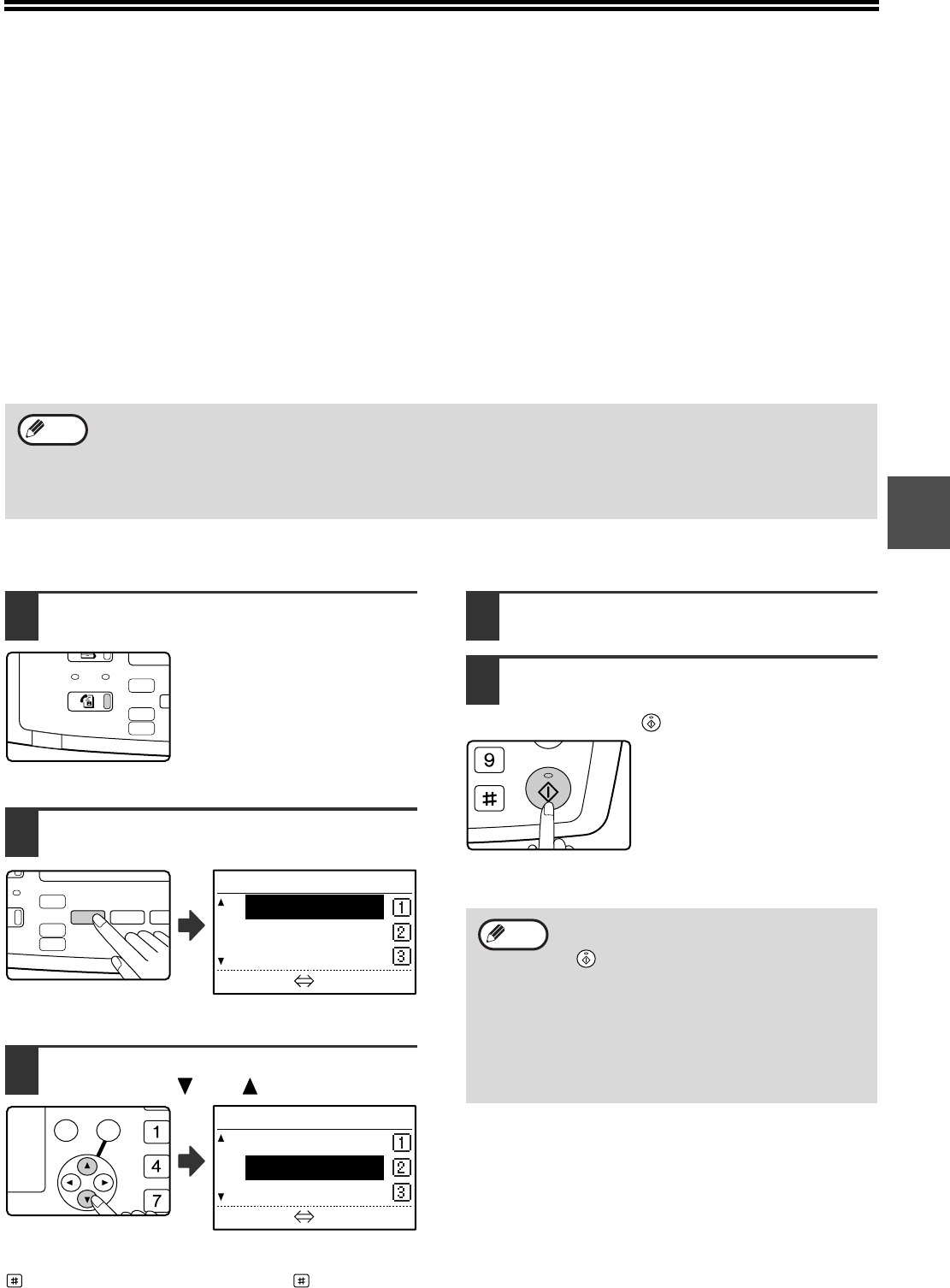
- T DUPLEX 49
- FORWARDING RECEIVED FAXES TO 50
- NOT POSSIBLE 50
- TRANSMISSION USING 52
- F-CODE POLLING MEMORY 54
- USING F-CODE POLLING MEMORY 55
- TRANSMISSION) 59
- ACC. #-C 61
- F-CODE RELAY BROADCAST 62
- TRANSMISSION 62
- CONVENIENT METHODS OF 64
- W XYZ SP 65
- 47 48 49 50 67
- [F-code settings] 68
- [Chain Dialing] 69
- [Transmission speed setting] 70
- [Storing a group key] 71
- Editing a group key 73
- Deleting a group key 75
- [STORING A PROGRAM] 76
- [EDITING PROGRAMS] 77
- [DELETING PROGRAMS] 77
- PROGRAMMING, EDITING, AND 78
- DELETING F-CODE MEMORY BOXES 78
- MEMORY) BOXES] 81
- PRINTING LISTS OF PROGRAMMED 85
- INFORMATION, SETTINGS, AND 85
- COMMUNICATION ACTIVITY 85
- ENTERING CHARACTERS 86
- CHARACTER ENTRY KEYS 87
- (example: TPS) 88
- Entering symbols 88
- SPEC. CHARACTER 89
- 1/ 2 89
- ENTER NAME 89
- REPORT AT REGULAR INTERVALS 92
- WHEN AN ALARM SOUNDS AND A 92
- WARNING MESSAGE IS DISPLAYED 92
- SELF-DIAGNOSTIC FUNCTION 93
- PROBLEMS AND SOLUTIONS 94
- KEY OPERATOR PROGRAM MENU 97
- PROCEDURE FOR USING THE KEY 98
- OPERATOR PROGRAMS 98
- FAX FUNCTION 99
- INITIAL SETTING 100
- OWN PASSCODE SET 101
- SPEAKER VOLUME 101
- TX/RX END SOUND 101
- TX/RX END SOUND LENGTH 101
- EXTENSION TEL 101
- ACCOUNT CONTROL 102
- ACCOUNT # SET 102
- DISTINCTIVE RING 102
- REMOTE RECEPTION 102
- DATE & TIME SET 103
- DAYLIGHT SAVING TIME SETTING 103
- SENDING FUNCTION 104
- PAGE COUNTER SET 105
- SEND MODE 105
- QUICK ON LINE TX 105
- PRINT STATION # IN RCVD DATA 105
- ACC. NAME PRINT 105
- RECALL SETTING (BUSY) 106
- RECALL SET (ERR) 106
- RCV. FUNCTION 107
- #OF RINGS AT. RX 108
- TRAY SELECTION 108
- RECEIVED DATA PRINT CONDITION 108
- DUPLEX RECEPTION 109
- A3 RX REDUCE 109
- FW. RX DATA 109
- RECEIVED DATA FW. STATION SET 109
- INDEX PRINT 110
- EARLIER OUTPUT 110
- ANTI JUNK FAX 110
- ENTER JUNK FAX # 110
- POLLING SECURITY 111
- APPENDIX 112
- SHARP ELECTRONICS CORPORATION 120
Powiązane produkty i podręczniki dla Kopiarki Sharp AR-FX11
 (56 strony)
(160 strony)
(88 strony)
(24 strony)
(28 strony)
(178 strony)
(113 strony)
(108 strony)
(56 strony)
(160 strony)
(88 strony)
(24 strony)
(28 strony)
(178 strony)
(113 strony)
(108 strony)
 (66 strony)
(84 strony)
(12 strony)
(12 strony)
(12 strony)
(19 strony)
(132 strony)
(45 strony)
(12 strony)
(66 strony)
(84 strony)
(12 strony)
(12 strony)
(12 strony)
(19 strony)
(132 strony)
(45 strony)
(12 strony)
© 2020, manymanuals.pl. Wszelkie prawa zastrzeżone. | 0.033 s |
 Manymanuals.com
 Manymanuals.de
 Manymanuals.fr
 Manymanuals.it
 Manymanuals.pl
 Manymanuals.cz
 Manymanuals.es
 Manymanuals-pt.com
Komentarze do niniejszej Instrukcji