Sharp UP-810F Instrukcja Użytkownika
Przeglądaj online lub pobierz Instrukcja Użytkownika dla Wideo Sharp UP-810F. Sharp UP-810F User Manual Instrukcja obsługi
- Strona / 80
- Spis treści
- BOOKMARKI

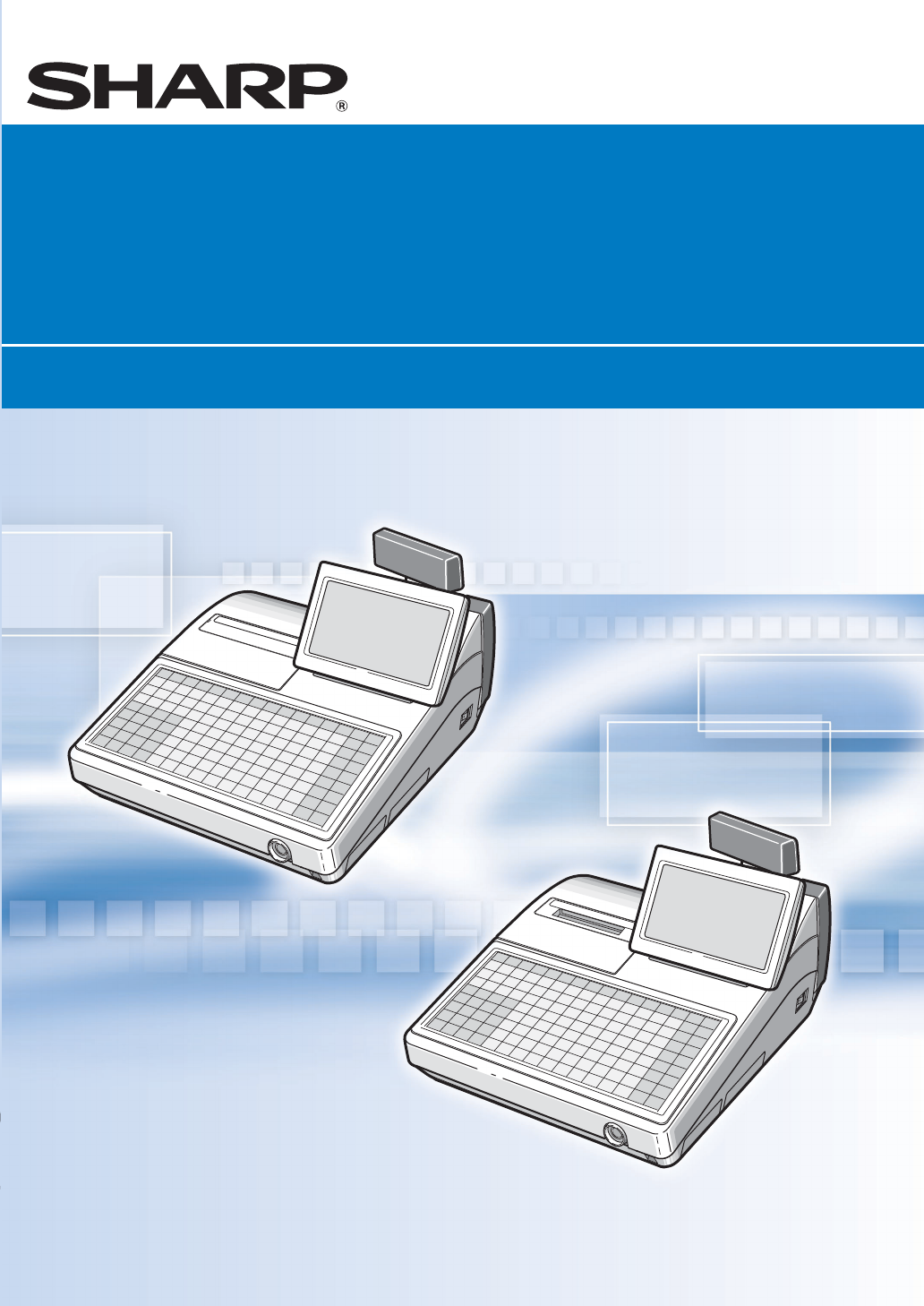
- POS TERMINAL 1
- POS-KASSENTERMINAL 1
- TERMINAL DE POINT DE VENTE 1
- TERMINAL POS 1
- INTRODUCTION 3
- IMPORTANT 3
- PRECAUTION 3
- CONTENTS 4
- Part Names and Functions 5
- Keyboard Layout 6
- Clerk Keys 7
- Selecting an Operating Mode 9
- Main Functions 10
- Repeat entries 11
- Multiplication entries 11
- Display of Subtotals 12
- Item Entries (for EAN) 12
- Auxiliary Entries 13
- Finalization of Transaction 13
- Guest Check (GLU) 14
- Correction 14
- Bill totalizing/bill transfer 15
- Bill separating 15
- Reporting 16
- Complete Functional Overview 17
- List of Options 19
- Specifications 20
- EINLEITUNG 21
- VORSICHTSMASSNAHMEN 21
- Bezeichnung der Bauteile und 23
- Funktionen 23
- Tastaturanordnung 24
- Bedienerschlüssel 25
- Bedieneranzeige (Touch Panel) 26
- Kundenanzeige (Pop-up-Typ) 26
- Wahl einer Betriebsart 27
- Hauptfunktionen 28
- Wiederholungsregistrierungen 29
- Anzeige von Zwischensummen 30
- Abschluss der Transaktion 31
- Tischfunktion (GLU) 32
- Korrekturen 32
- Rechnungsseparierung 33
- Erstellung von Berichten 34
- Komplette Funktionsübersicht 35
- Sonderzubehör 37
- Technische Daten 38
- TABLE DES MATIERES 40
- Noms et fonctions des pièces 41
- Disposition du clavier 42
- Clés des employés 43
- Affichage 44
- Sélection d’un mode de 45
- Fonctions principales 46
- Entrées répétées 47
- Entrées multiplicatives 47
- Affichage de totaux partiels 48
- Entrées d’articles (pour EAN) 48
- Entrées auxiliaires 49
- Achèvement d’une opération 49
- Rectification 50
- Procédure 51
- Edition de rapports 52
- Liste des options 55
- Données techniques 56
- INTRODUCCION 57
- IMPORTANTE 57
- PRECAUCION 57
- Nomenclatura y funciones 59
- Disposición del teclado 60
- Llaves de dependiente 61
- Visualizador 62
- Selección de un modo de 63
- Funciones principales 64
- Registros repetidos 65
- Registros con multiplicación 65
- Visualización de subtotales 66
- Registros auxiliares 67
- Cuentas de clientes (GLU) 68
- Correcciones 68
- Separación de facturas 69
- Informes 70
- Resumen completo de funciones 71
- Opciones 73
- Especificaciones 74
- MEMO MEMO 77
- NOTIZ NOTAS 77
- Geräuschpegel LpA 79
- : 58,9 dB (UP-800F) 79
- 56,1 dB (UP-810F) 79
Podsumowanie treści
Printed in China / Gedruckt in China / Imprimé en Chine / Impreso en ChinaTINSM2578RCZZ➁UP-800F/UP-810FPOS TERMINALPOS-KASSENTERMINALTERMINAL DE POINT
83Main FunctionsFor detailed information about each function, please refer to the UP-800F/810F INSTRUCTION MANUAL.Single item entriesDepartment entrie
9Repeat entriesYou can use this function for entering a sale of two or more the same items.You can use the èkey to repeat entry instead of department,
10Single item entriesScan the EAN code. You can also directly enter the code and press the skey.Repeat entriesYou can use this function for entering a
11Cash or check tenderingPress the skey to get an including-tax subtotal, enter the amount tendered by your customer, then pressthe cor Åthrough Ékey
12Correction of the last entry (direct void)If you make an incorrect entry relating to a department, PLU/subdepartment, EAN, percentage (¡through ª),d
13GLU opening by GLU codeEnter a GLU code and press the ©key to open a new check.GLU temporary closing by ı, for removal of the optional real clerk ke
14• Use the reading function (X) to take the reading of sales information entered after the last resetting. Youcan take this reading any number of tim
15ReceiptsPrinting on built-in printer (UP-810F)Single-/Double-/Addition receipt printingSorted receipt printingItem EntriesSingle item entriesRepeat
16Guest Check (GLU)Guest look up (GLU) systemDeposit entriesTransferring guest checks out or in (Transfer-in/out)Bill printingIntermediate GLU reading
174OptionsFor your UP-800F/810F POS terminal, the following options are available:For details, contact your authorized SHARP dealer. Do not try to ins
CAUTION: Please observe the following when an optional drawer is used.The drawer unit should be securely fitted to the supporting platform to avoid in
185SpecificationsModel: UP-800F/810FExternal dimensions: 349(W)* X 439(D) X 261(H) mm * Including the touch panel.Weight: UP-800F:6.1 kg / UP-810F:7.3
1EINLEITUNGWir danken Ihnen, dass Sie sich für den Erwerb des SHARP POS-Kassenterminals UP-800F/810Fentschieden haben. Bitte machen Sie sich vor Inbet
2INHALTEINLEITUNG·····································································································································
Bezeichnung der Bauteile undFunktionenUP-800FUP-810F (mit 1-Station-Thermodrucker)DruckwerkabdeckungKassenbonstreifenBedienerschlossTastaturSD-Kartens
4• Neben den in der Tastaturanordnung gezeigten Tasten sind zahlreiche zusätzliche optionaleTasten verfügbar. Näheres hierzu finden Sie unter “Optiona
5Zugang zum POS-KassenterminalZur Bedienung des POS-Kassenterminals sind die folgenden vier Identifizierungssysteme verfügbar:• Elektronisches Bediene
6Das POS-Kassenterminal verfügt über eine LCD-Bedieneranzeige.Bedieneranzeige (Touch Panel)Anzeigebeispiel (REG-Modus)Kundenanzeige (Pop-up-Typ)Anzeig
72Wahl einer BetriebsartBeim Einschalten des POS-Kassenterminals und Drücken der m-Taste erscheint das Modusauswahl-fenster auf dem Display mit der na
83HauptfunktionenNäheres über die einzelnen Funktionen finden sich in der BEDIENUNGSANLEITUNG der UP-800F/810F.EinzelpostenregistrierungenWarengruppen
9WiederholungsregistrierungenDiese Funktion ermöglicht die Eingabe des Umsatzes für zwei oder mehrere identische Posten.Mit der èTaste lässt sich die
1INTRODUCTIONThank you very much for your purchase of the SHARP POS Terminal Model UP-800F/810F. Please readthis manual carefully prior to operation.
10EinzelpostenregistrierungenDen EAN-Code scannen. Der Code lässt sich auch manuell eingeben, indem nach der Codeeingabe die sTaste gedrückt wird.Wied
11Bar- oder ScheckzahlungDie sTaste drücken, um die die Zwischensumme einschließlich Steuer zu ermitteln, das Zahlgeld desKunden eingeben und dann bei
12Korrektur der letzten Registrierung (Sofortstorno)Bei einer Falschregistrierungen bzgl. Warengruppe, PLU/Sub-Warengruppe, EAN, Prozentsatz (¡bisª),R
13GLU-Öffnen anhand GLU-CodeEine Tischnummer eingeben und durch Drücken der ©Taste eine neue Rechnung anlegen.Vorübergehende Tischschliessung überıbzw
14• Anwendung der Abruffunktion (X) zum Abrufen der Umsätze seit der letzten Nullstellung. Dieser Abrufkann beliebig oft vorgenommen werden. Der Speic
15KassenbonsAusdrucken über integriertes Druckwerk (UP-810F)Ausdrucken von Einzelbon/Doppelbon/AufrechnungsbonsAusdrucken von SortierbonsPostenregistr
16Tischfunktion (GLU)Tischabruffunktion (GLU)Anzahlungseingaben (Deposit)Abgabe und Übernahme von TischenRechnungsdruckTisch-ZwischenabrufRechnungszus
174SonderzubehörFür das UP-800F/810F POS-Kassenterminal ist folgendes Sonderzubehör erhältlich:Näheres erfahren Sie bei Ihrem SHARP-Vertragshändler. K
185Technische DatenModell: UP-800F/810FAbmessungen: 349 (B)* x 439 (T) x 261 (H) mm * Einschließlich des Touch PanelsGewicht: UP-800F: 6,1 kg
1INTRODUCTIONNous vous remercions beaucoup pour votre achat du Terminal de Point de Vente SHARP, modèle UP-800F/810F. Veuillez lire attentivement ce M
2CONTENTSINTRODUCTION ································································································································
2TABLE DES MATIERESINTRODUCTION ······················································································································
Noms et fonctions des piècesUP-800FUP-810F (Imprimante thermique à 1 station incorporée)Couvercle de l’imprimantePapier pour reçusCommutateur des empl
4• Outre les touches sur la disposition du clavier ci-dessus, plusieurs touches optionnelles sontdisponibles. Pour les détails, se référer à la sectio
5Accès au Terminal de Point de VenteDe manière à faire fonctionner le Terminal de Point de Vente, les quatre systèmes d’identification desemployés sui
6Le Terminal de Point de Vente est muni d’un écran pour l’opérateur avec affichage à cristaux liquides.Affichage de l’opérateur (écran tactile)Exemple
72Sélection d’un mode defonctionnementLorsque vous mettez en marche le Terminal de Point de Vente et appuyez sur la touche m, la fenêtre desélection d
83Fonctions principalesPour des informations détaillées au sujet de chaque fonction, veuillez vous référer au MANUELD’INSTRUCTIONS UP-800F/810F.Entrée
9Entrées répétéesVous pouvez utiliser cette fonction pour introduire la vente de deux ou davantage articles semblables.Vous pouvez utiliser la touche
10Entrées d’un seul articleExplorez le code EAN. Vous pouvez aussi introduire directement le code et appuyer sur la touche s.Entrées répétéesVous pouv
11Offre d’une chèque ou d’une somme au comptantAppuyez sur la touche spour obtenir un total partiel comprenant la taxe, introduisez la somme présentée
Part Names and FunctionsUP-800FUP-810F (1 Station Thermal Printer incorporated)Printer coverReceipt paperContactless clerk switchKeyboardSD card slotR
12Rectification de la dernière entrée (annulation directe)Si vous faites une entrée incorrecte relative à un rayon, un PLU/rayon auxiliaire, un EAN, u
13Ouverture d’un GLU avec un code GLUIntroduisez un code GLU et appuyez sur la touche ©pour ouvrir une nouvelle vérification.Fermeture temporaire d’un
14• Utilisez la fonction de lecture (X) pour obtenir la lecture d’informations sur les ventes introduites après ladernière remise à zéro. Vous pouvez
15ReçusImpression sur une imprimante incorporée (UP-810F)Impression d’un reçu simple-/double/additionnelImpression d’un reçu triéEntrées d’articlesEnt
16Vérification d’un client (GLU)Système de recherche des données d’un client (GLU)Entrées de payements anticipés Sortie ou entrée des vérifications d’
174OptionsPour votre Terminal de Point de Vente UP-800F/810F, les options suivantes sont disponibles:Pour les détails, consultez votre revendeur SHARP
185Données techniquesModèle: UP-800F/810FDimensions extérieures: 349 (L)* x 439 (P) x 261 (H) mm * Comprenant l’affichage de l’opérateurPoids: UP-80
1INTRODUCCIONMuchas gracias por la adquisición del Terminal SHARP POS modelo UP-800F/810F. Lea atentamenteeste manual antes de la operación. Guarde es
2INDICEINTRODUCCION···································································································································
Nomenclatura y funcionesUP-800FUP-810F (Impresora térmica de una estación incorporada)Cubierta de la impresoraPapel para recibosInterruptor electrónic
4• Besides the keys on the keyboard layout above, many optional keys are available. For details,refer to the section “Optional keys” in INSTRUCTION MA
4• Además de las teclas de la disposición de teclado de arriba, hay disponibles muchas teclasopcionales. Para ver los detalles, consulte la sección “T
5Acceso al terminal POSA fin de operar el terminal POS, están disponibles los cuatro sistemas siguientes de identificación dedependientes:• Llaves ele
6El terminal POS se sirve con un visualizador LCD para el operador.Visualizador para el operador (panel táctil)Ejemplo de pantalla (modo REG)Visualiza
72Selección de un modo deoperaciónCuando conecte la alimentación del terminal POS y pulse la tecla m, aparecerá la ventana de selecciónde modo en el v
83Funciones principalesPara ver la información detallada sobre cada función, consulte el MANUAL DE INSTRUCCIONES UP-800F/810F.Registros de un solo art
9Registros repetidosPodrá utilizar esta función para registrar una venta de dos o más artículos iguales.Podrá utilizar la tecla èpara registro repetid
10Registros de un solo artículoExplore el código de EAN. También podrá introducir directamente el código y pulsar la tecla s.Registros repetidosPodrá
11Importe recibido en metálico o chequePulse la tecla spara obtener un subtotal con impuestos incluidos, introduzca el importe recibido delcliente, y
12Corrección del último registro (cancelación directa)Si hace una entrada incorrecta relacionada con una sección, PLU/subsección, EAN, porcentaje (¡a
13Abertura de GLU mediante el código de GLUIntroduzca un código de GLU y pulse la tecla ©para abrir una cuenta nueva.Cierre temporal de GLU mediante ı
5Access to the POS TerminalIn order to operate the POS Terminal, the following four clerk identification systems are available:• Contactless clerk key
14• Emplee la función de lectura (X) para sacar la lectura de información de ventas introducida desde que seefectuó la última reposición. Podrá realiz
15RecibosImpresión con la impresora incorporada (UP-810F)Impresión de recibo sencillo/doble/sumaImpresión de recibo clasificadoRegistros de artículosR
16Cuentas de clientes (GLU)Sistema de codificación de cliente (GLU)Registros de depósitosTransferencia de salida o entrada de cuentas de cliente (tran
174OpcionesHay disponibles las opciones siguientes para el terminal POS UP-800F/810F:Para más detalles, póngase en contacto con su distribuidor SHARP
185EspecificacionesModelo: UP-800F/810FDimensiones exteriores: 349 (An)* x 439 (Prf) x 261 (Al) mm * Incluyendo el visualizador para el operadorPeso:
Hereby SHARP CORPORATION declares that this CONTACTLESS CLERK KEY UNIT (KEY Model:RUNTZ3844RCZZ and BODY Model: RUNTZ3845RCZZ) is in compliance with t
According to article 6 (3) of the directive 99/5/EC this manual contains a declaration of conformity for the“Contactless Clerk Key & Key Body”, wh
MEMO MEMONOTIZ NOTAS
MEMO MEMONOTIZ NOTAS
Environment ProtectionThe device is supported by a battery. To dispose the battery safely to protect the environment, please note the following points
6The POS terminal is provided with an LCD operator display.Operator display (touch panel)Screen Example (REG mode)Customer display (pop-up type)Total
Printed in China / Gedruckt in China / Imprimé en Chine / Impreso en ChinaTINSM2578RCZZ➁UP-800F/UP-810FPOS TERMINALPOS-KASSENTERMINALTERMINAL DE POINT
72Selecting an Operating ModeWhen you turn the POS terminal on and press the mkey, the mode selection window will appear on thedisplay, listing availa
Więcej dokumentów dla Wideo Sharp UP-810F


Powiązane produkty i podręczniki dla Wideo Sharp UP-810F

 (2 strony)
(2 strony)
(2 strony)
(2 strony)
(4 strony)
(2 strony)
(2 strony)
(8 strony)
(2 strony)
(2 strony)
(2 strony)
(2 strony)
(2 strony)
(4 strony)
(2 strony)
(2 strony)
(8 strony)

 (404 strony)
(2 strony)
(2 strony)
(404 strony)
(2 strony)
(2 strony)
 (176 strony)
(2 strony)
(2 strony)
(176 strony)
(2 strony)
(2 strony)
© 2020, manymanuals.pl. Wszelkie prawa zastrzeżone. | 0.038 s |
 Manymanuals.com
 Manymanuals.de
 Manymanuals.fr
 Manymanuals.it
 Manymanuals.pl
 Manymanuals.cz
 Manymanuals.es
 Manymanuals-pt.com
Komentarze do niniejszej Instrukcji