Sharp AM-300 Dokumentacja Strona 86: Press
 1
 2
 3
 4
 5
 6
 7
 8
 9
 10
 11
 12
 13
 14
 15
 16
 17
 18
 19
 20
 21
 22
 23
 24
 25
 26
 27
 28
 29
 30
 31
 32
 33
 34
 35
 36
 37
 38
 39
 40
 41
 42
 43
 44
 45
 46
 47
 48
 49
 50
 51
 52
 53
 54
 55
 56
 57
 58
 59
 60
 61
 62
 63
 64
 65
 66
 67
 68
 69
 70
 71
 72
 73
 74
 75
 76
 77
 78
 79
 80
 81
 82
 83
 84
 85
 86
 87
 88
 89
 90
 91
 92
 93
 94
 95
 96
 97
 98
 99
 100
 101
 102
 103
 104
 105
 106
 107
 108
 109
 110
 111
 112
 113
 114
 115
 116
 117
 118
 119
 120
 121
 122
 123
 124
 125
 126
 127
 128
 129
 130
 131
 132
 133
 134
 135
 136
 137
 138
 139
 140
 141
 142
 143
 144
 145
 146
 147
 148
 149
 150
 151
 152
 153
 154
 155
 156
 157
 158
 159
 160
 161
 162
 163
 164
 165
 166
 167
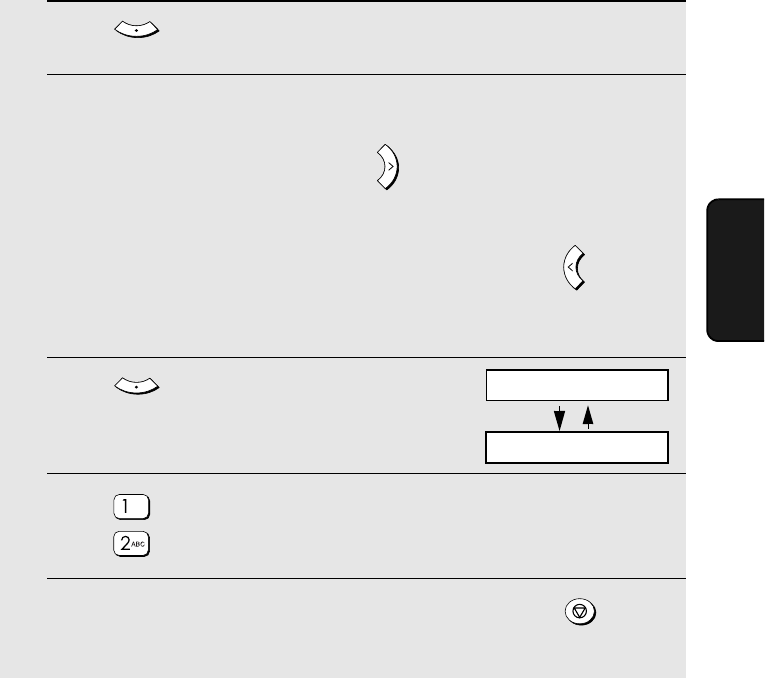
Storing a Number for Speed Dialling
79
3. Sending
Faxes
8
Press
.
9
Make the desired changes to the name.
•
To move the cursor to the right, press
. When the cursor is over a letter
that you wish to change, press the appropriate number key repeatedly until
the desired letter appears (see Step 7 on page 76). The new letter will
replace the old letter. To backspace and clear letters, press
.
•
If you do not wish to change the name, go directly to Step 10.
10
Press
.
11
Press
if you want the number to use Super G3 mode. Otherwise
press
.
12
Return to Step 4 to edit or delete another number, or press
repeatedly to exit.
ENTER
A
Z
ENTER
SUPER G3
1: ON, 2: OFF
Plik PDF · ·
Pytania o Sharp AM-300
Nie ma jeszcze pytań o tę instrukcję. Zadaj pierwsze.
Powiązane produkty i podręczniki dla Urządzenia wielofunkcyjne Sharp AM-300
- Urządzenia wielofunkcyjne Sharp AL-2060 Dokumentacja
 (112 stron)
- Urządzenia wielofunkcyjne Sharp AL-1555 Series Instrukcja Użytkownika
 (37 stron)
- Urządzenia wielofunkcyjne Sharp AL-2050 Dokumentacja
(116 stron)
- Urządzenia wielofunkcyjne Sharp AL-1552 Instrukcja Użytkownika
(81 stron)
- Urządzenia wielofunkcyjne Sharp AR-168N Instrukcja Użytkownika
 (108 stron)
- Urządzenia wielofunkcyjne Sharp MX-CFX1 Instrukcja Użytkownika
(12 stron)
- Urządzenia wielofunkcyjne Sharp MX-M363U Instrukcja Użytkownika
(12 stron)
- Urządzenia wielofunkcyjne Sharp AR-800 Instrukcja Użytkownika
(8 stron)
- Urządzenia wielofunkcyjne Sharp AL-2051 Instrukcja Obsługi
(139 stron)
- Urządzenia wielofunkcyjne Sharp AR-317 Operation Instrukcja Użytkownika
 (48 stron)
- Urządzenia wielofunkcyjne Sharp AM-900 Dokumentacja
(161 stron)
- Urządzenia wielofunkcyjne Sharp User Authentication Instrukcja Użytkownika
(38 stron)
- Urządzenia wielofunkcyjne Sharp MX-4101N Instrukcja Konfiguracji
(45 stron)
- Urządzenia wielofunkcyjne Sharp MX-M362N Instrukcja Użytkownika
(12 stron)
- Urządzenia wielofunkcyjne Sharp AR-5520D Instrukcja Użytkownika
(91 stron)
- Urządzenia wielofunkcyjne Sharp DC525 - FO B/W Laser Instrukcja Użytkownika
(6 stron)
- Urządzenia wielofunkcyjne Sharp MFP Series Instrukcja Użytkownika
(16 stron)
- Urządzenia wielofunkcyjne Sharp LC-70UD1X Dokumentacja
(96 stron)
- Urządzenia wielofunkcyjne Sharp MX-LCX3 Instrukcja Użytkownika
(12 stron)
- Urządzenia wielofunkcyjne Sharp MX-M753N Instrukcja Użytkownika
(12 stron)