Sharp FO-2950M - B/W Laser - All-in-One Dokumentacja
Przeglądaj online lub pobierz Dokumentacja dla Faksy Sharp FO-2950M - B/W Laser - All-in-One. Sharp FO-2950M - B/W Laser - All-in-One Specifications Instrukcja obsługi
- Strona / 287
- Spis treści
- ROZWIĄZYWANIE PROBLEMÓW
- BOOKMARKI

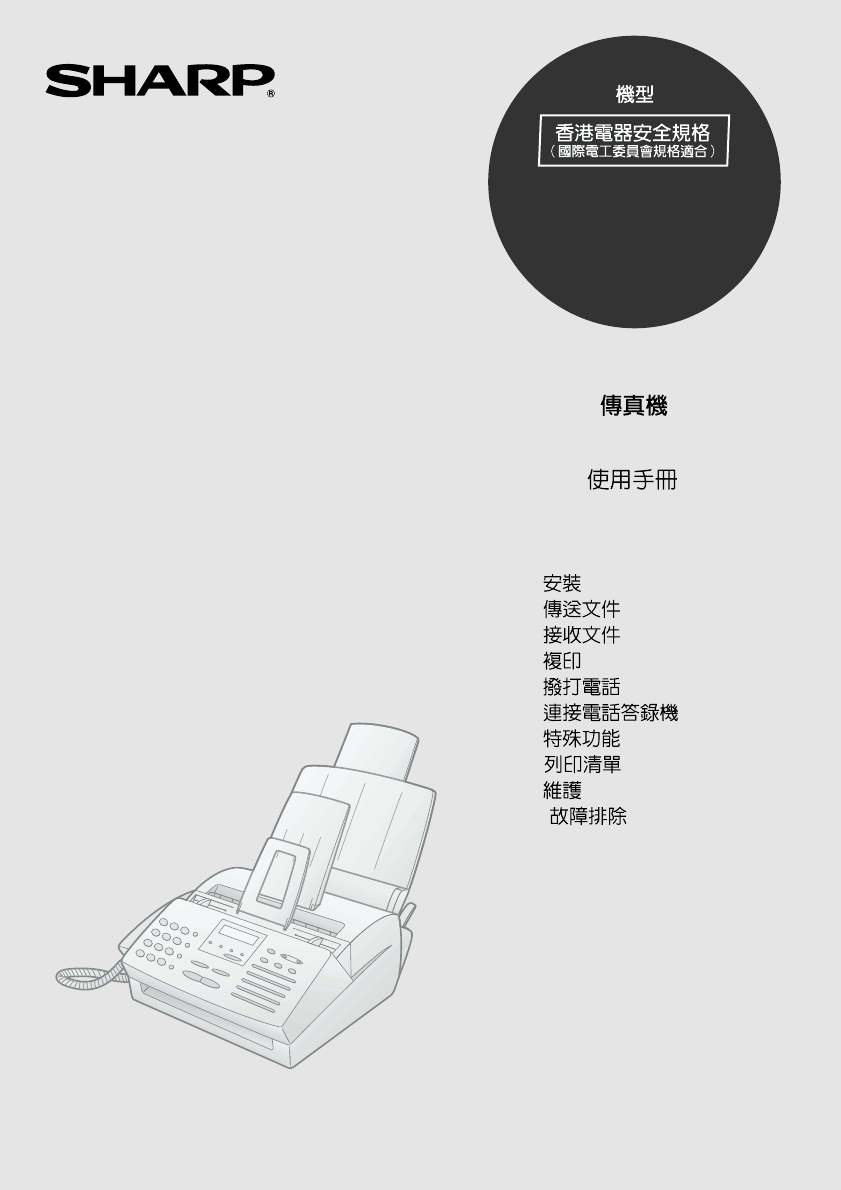
- FO-2950M 1
- Introduction 2
- Important safety information 4
- Table of Contents 6
- A Look at the Operation Panel 8
- 1. Installation 10
- 1. Installation 11
- Connections 12
- Connecting the Handset 13
- Loading Printing Paper 22
- Important: 23
- side of 23
- To enable the multifunction 24
- Press these keys: 28
- The display will show: 28
- OWN NUMBER SET 29
- PRESS START KEY 29
- ENTER FAX # 29
- ENTER YOUR NAME 29
- Setting the Date and Time 32
- Example: January 33
- Example: the 5th 33
- Example: 2000 33
- STORE JUNK FAX # 34
- Setting the Reception Mode 35
- RECEPTION MODE key 36
- Volume Adjustment 39
- 2. Sending Documents 42
- Letters in the 43
- Loading the Document 44
- Remove the document 46
- Resolution settings 47
- Contrast settings 47
- FINE PRIORITY 49
- Rapid Keys 52
- SPEED DIAL key 52
- 2. Sending 54
- Documents 54
- FAX/TEL # MODE 55
- 1=SET,2=CLEAR 55
- Step 3 or 55
- AUTO-DIAL E-MAIL 61
- RECALL INTERVAL 62
- ENTER (01-15) 05 62
- ECM MODE 65
- QUICK ON-LINE 66
- 3. Receiving Documents 67
- Using TEL/FAX Mode 68
- Using FAX Mode 69
- Using A.M. Mode 71
- Using TEL Reception Mode 72
- Phone goes dead 73
- RECEIVING 73
- TEL/FAX REMOTE # 74
- ENTER (0-9) (5) 74
- REMOTE RECEPTION 75
- FAX SIGNAL RX 76
- RECEPTION RATIO 77
- 1=AUTO, 2=100% 77
- AUTO 100% 77
- 5 RING TEL ANS 78
- 4. Making Copies 80
- Originals 80
- Not sorted 80
- Making Copies 82
- 5. Making Telephone Calls 83
- Making Telephone Calls 84
- Optional A.M. Mode Settings 88
- 7. Special Functions 90
- OPTION SETTING 95
- PRESS * OR # 95
- DUPLEX RINGING 95
- Cover Sheet 97
- Batch Page Numbering 100
- Comments: 101
- JUNK FAX # CHECK 102
- 1=YES, 2=NO 102
- FUNCTION 103
- 7 Special 104
- Functions 104
- (Example) 105
- RECEPTION 106
- ONCE REPEAT 107
- MEMORY POLL MODE 107
- 1=SET, 2=CLEAR 107
- SECURITY SELECT 108
- 1=ON, 2=OFF 108
- Timer Operations 110
- Example: 111
- Speed Dial #01 111
- Example: 9:25 111
- RESOLUTION 112
- 8. Printing Lists 113
- Explanation of headings 114
- AUTO PRINT OUT 115
- Printing Lists 116
- Option Setting List 117
- Junk Fax Number List 117
- TRANSACTION LIST 118
- 1:ALWAYS PRINT 118
- The selections alternately 118
- 9. Maintenance 120
- Replacing the toner cartridge 121
- Replacing the drum cartridge 122
- Maintenance 123
- Cleaning the drum cartridge 125
- 10. Troubleshooting 127
- Problems and Solutions 128
- Answering machine connection 130
- General problems 131
- Messages and Signals 133
- Audible signals 135
- Clearing Paper Jams 136
- Fusing unit 139
- Sending Faxes 141
- Receiving Faxes 141
- !"#$%& 146
- 1 2 3 4 7 8 9 13 150
- 14151620 1921 171822 150
- 10 11 125 6 150
- °±²;³´µ¶ 154
- ¬{¾¿À qÁÂÃÄÅKÆ 154
- Ò#øÏ/÷\+Òn¸0 155
- ÒS/0[,1}Úg2Ä·FÆ830 155
- ÚÐÛ!F; 156
- #6yz9:z 158
- ½í¡¢£¤¢0 166
- ¯F°ÀRS%9 170
- }¸.z}¸¹¸. 173
- QPRA6QPºº 173
- }Pz¸ÑRºq» 176
- Q}¸A6Q.¹¸qz 176
- ;<6¯ 179
- Fµ`abu´0 184
- ºR¸SzPz 191
- Q¸}A6QRP 191
- { 193
- &&s 204
- ¸.::PO¸ 207
- /.PR¹R¸ 208
- 5;<9: 209
- 5 ;<9: 210
- 9:;<yz 212
- { 213
- { 214
- z¸.¸R 215
- ;<&× 218
- QqPA6Q77 219
- '5 >? 222
- REDUCTION/ 223
- ENLARGEMENT 223
- COPY/HELP 223
- =5 F;CDG- 227
- ]" 228
- ÞÐCDG-F; 228
- & 230
- BROADCAST 232
- 19/G318/G217/G1 234
- ºq»}Rq¹z» 238
- ÑRºq». 244
- 16/POLL151413 247
- :¸:PzSP¹¹:PO¸ 249
- Î÷ !> 249
- :¸z:PO¸ 252
- ¹}R:PO¸ 255
- 259
- zqR}q.PR¹} 260
- ½q¹q}SzR 260
- 75 OPQR 269
- ;<>?OP 271
- { 274
- ""% 275
- ' 277
- '7 283
- SHARP CORPORATION 287
Podsumowanie treści
OPERATION MANUALFACSIMILEMODELFO-2950M1. 2. 3. 4. 5. 6. 7. 8. 9. 10. 1. Installation 2. Sending Documents 3. Receiving Docume
91. InstallationREDUCTION/ENLARGEMENT keyPress this key to select an enlargement or reduction setting when making a copy of a document.STOP keyPress t
Batch Page Numbering997. SpecialFunctionsBatch Page NumberingYou can change the page numbering of the fax from simple numbering (“P.01”, “P.02”, etc.)
Batch Page Numbering1004Dial the receiving machine and transmit the document.Comments:♦If you need to cancel a batch number entry, remove the document
Blocking Reception of Unwanted Faxes1017. SpecialFunctionsBlocking Reception of Unwanted FaxesThe Anti Junk Fax function allows you to block reception
Blocking Reception of Unwanted Faxes1023Entering: Enter a 1-digit number from 1 to 5 with the numeric keys. This number identifies the fax number that
Polling (Requesting a Fax Transmission)1037 SpecialFunctionsPolling (Requesting a Fax Transmission)Polling allows you to call another fax machine and
Polling (Requesting a Fax Transmission)1041Dial the fax machine you want to poll using one of the following methods:•Pick up the handset (or press the
Polling (Requesting a Fax Transmission)1057 SpecialFunctions2Press the RECEPTION MODE key to set the reception mode to FAX.3Press these keys:The displ
Polling (Requesting a Fax Transmission)1064Press 1 to select SET.5Press 1 to allow polling only once, or 2 to allow polling an unlimited number of tim
Polling (Requesting a Fax Transmission)1077 SpecialFunctionsPolling securityPolling Security allows you to prevent unauthorized polling of your machin
Polling (Requesting a Fax Transmission)108Storing and clearing fax numbers for polling permissionYou can store up to 10 fax numbers in your machine&ap
101. InstallationUnpacking ChecklistIf any are missing, contact your dealer or retailer.Before setting up, make sure you have all of the following it
Timer Operations1097. SpecialFunctionsTimer OperationsThe Timer function allows you to set up a transmission or polling operation to be performed auto
Timer Operations1107Press the START key.8Press a Rapid Key or enter a Speed Dial number for the receiving fax machine.•If this is a polling operation,
Timer Operations1117. SpecialFunctionsTo cancel a timer operationIf you need to cancel a timer operation after it has been set, follow the steps below
1128. Printing ListsYou can print lists showing settings and information entered in the fax machine. You can also print out reports on recent activit
Printing Lists1138. PrintingListsExplanation of headingsSENDER/RECEIVERThe name or fax number of the other machine involved in the transaction. If tha
Printing Lists114If desired, you can set the Activity Report to automatically print out whenever information on 30 operations has accumulated. (A repo
Printing Lists1158. PrintingListsTelephone Number ListThis list shows the fax numbers that have been programmed for automatic dialling.Passcode ListTh
Printing Lists116Option Setting ListThis list shows the current status of the option settings.Junk Fax Number ListThis list shows the numbers that are
Printing Lists1178. PrintingListsGroup ListThis list shows the fax numbers that have been programmed into each Group Key.Transaction ReportThis report
Printing Lists1182Press a number from 1 to 5 to select the condition for printing.ALWAYS PRINT A report will be printed after each transmission, recep
Connections111. InstallationConnectionsPoints to keep in mind when setting upDo not place the machine or the drum cartridge in direct sunlight.Do not
1199. Maintenance9. MaintenanceScanning glass and rollersClean the scanning glass and rollers frequently to ensure that your transmitted images and c
Maintenance120Replacing the toner cartridgeWhen the toner cartridge nears empty (about 100 pages can still be printed), the TONER EMPTY indicator on t
Maintenance1219. Maintenance3Install the new toner cartridge and reset the toner counter. (Refer to Installing the Toner Cartridge in Chapter 1.)Repla
Maintenance1222Grasp the finger hold on the toner cartridge handle where it is marked PUSH, and pull the handle out. Rehold the handle and pull the to
Maintenance1239. Maintenance5Insert the drum cartridge into the print compartment, aligning the guides on the cartridge with the runners on the sides
Maintenance124Cleaning the drum cartridgeIf you find that characters or parts of an image are missing from your printed pages, the drum in the drum ca
Maintenance1259. Maintenance4Take a sheet of clean paper and roll it into a tube. Roll it tightly so that the diameter of the holes at each end is les
12610. TroubleshootingProblems and SolutionsLine errorProblem SolutionLINE ERROR appears in the display.Try the transaction again. If the error persi
Problems and Solutions12710. Trouble-shootingDialling and transmission problemsProblem SolutionNo dial tone when you pick up the handset or press the
Problems and Solutions128Reception and copying problemsProblem SolutionThe power is on, but no reception takes place.• Make sure that the telephone li
Connections12Connecting the HandsetConnect the handset as shown and place it on the handset rest.♦The ends of the handset cord are identical, so they
Problems and Solutions12910. Trouble-shootingAnswering machine connectionProblem SolutionThe answering machine connection does not operate properly.•
Problems and Solutions130General problemsProblem SolutionNothing appears in the display.• Make sure the power cord is properly plugged into a power ou
Problems and Solutions13110. Trouble-shootingUsing the RESET keyIf the fax machine stops responding when you press any of the operation panel keys, yo
Messages and Signals132Messages and SignalsDisplay messagesCAN’T PRINT DATA A fax has been received to memory because printing is not possible. This m
Messages and Signals13310. Trouble-shootingMEMORY IS FULL The memory is full. This may occur during fax reception if too much data is received before
Messages and Signals134SEND READY A document has been loaded and the fax machine is waiting for you to begin faxing or copying.SIZE ERROR This message
Clearing Paper Jams13510. Trouble-shootingClearing Paper JamsClearing a jammed documentIf the original document doesn’t feed properly during transmiss
Clearing Paper Jams1362If the jammed page comes out, take out the rest of the paper in the tray, straighten the stack, put it back in the paper tray,
Clearing Paper Jams13710. Trouble-shooting5Grasp the tabs on the drum cartridge handle and gently pull the cartridge out of the machine.4Grasp the fin
Clearing Paper Jams1387Gently pull the jammed paper out of the machine.•If needed, turn the wheel on the right side of the fusing unit to eject the pa
Connections131. InstallationConnecting the power leadPlug the power lead into a 220-240 V, 50/60 Hz, earthed (3-prong) AC outlet.♦When disconnecting t
139Entering Your Name and Number1. Press:Display shows:2. Press:3. Enter your fax number (max. of 20 digits) by pressing the number keys. •To insert
Quick Reference Guide140Sending FaxesPlace your document (up to 20 pages) face down in the document feeder.Normal Dialling 1. Lift the handset or pres
141AA.M. reception mode, 34, 85Activity Report, 112Auto print-out, 114Answering machine connectionActivating, 85Connecting, 84Fax reception when A.M.
Index142LLetters, entering, 29Line error, 126LINE IN USE light, 8Loading printing paper, 21 - 22Loading the document, 43MMemoryChecking documents in,
!"#$"%&'()*+,-.&'/0 1234%5678%9124%5778%9 6:;<= >7
JK'L En67?W7o^p6q@r/MNOPQR( O@s8tuvwx56YOs/S'TUV 677yW7o^p6q@r/WXYZ ::z{:z{:|{}~C|6[H\]^ _u_V` ..
de 5>WO_`5>W_`5O_`{ <= Oa>_¡¢£¤¥¦§¨©¡ª«¬®¯°±²³´µb!¶0·¸¹º»¼®¯½[=¾¨¿ÀG08Á¾¨¿Â¸ÃGļÅÆÇÈÉ0!"#$%&a
'• Yì÷Z`FRST¸,ïabÍļcáâïãuèé0#6ùZ`VFRSTGdef÷gÙÚhºÊi(=RSTu>?@BCÿ¯DËE0• Êì÷RST[\Zjkl{mnïop¸0#6RSTVWqļrstuU0• vwxIyz
+,- u$ÙÚ" aaaaaaaaaaaaaaaaaaaaaaaaa>,- +./0123 45 #6 7í§¡ aaaaaaaaaaaaaaaaaaaaaaaaa
¿=+5 ABCD E=5 F;CDG- E'uTaaaaaaaaaaaaaaaaaaaaaaaa W@ÄÀqa:auT/«$Gaaaaaaaaaaaaaa WX45 HI E@Á
Connections14Connecting the telephone line cordInsert one end of the line cord into the socket on the left side of the machine marked TEL. LINE. Inser
4|}~~33&(ÙÚ3·ÓÛÜ6-½124%%9q4ÝRSïÞR%909~3&{(ÙÚ3·HIu4E@4Ý%90}&}~94~4'(r¤er{Ør{¥T,ßÝaïryFàáâ&ã0/
E êëÚìíîïI·ÝaÏý®ð0}4|~FGHI(RSTuvORVïñ&~æ0~|~(RSTÓuS&ã09~4~}//3~ijkl(ÙÚ3·Àò0èÏó¸
@5 #69~34/?~&9¨~~X ? (ÙÚ3·÷¥µ`&Àò[FïÛà«$G0|/}©ª(ÙÚ3·hósÏý0|&9«¬(Ó124%{34%ïOP4%&ÙÚ3·aRV04/}?~}
75 #6\]^_KL`abcdefghijklmjnogpqr#6stua),STvwx9:;<yz{|}~CDyz9:zF;#6r¡¢£¤¢¥¦§¨©
5 #6F;#6ª«()g¬k®¯r°±²;³´µ¶g¬®¯r·¸¹º6¯k»¼½tµ¶¬{¾¿À qÁÂÃÄÅKÆÇÈÉÊË#6÷RST<M'(M)*RSTwxиļ+s',ZÍ-
F;Ò#øÏ/÷\+Òn¸0ÒS/0[,1}Úg2Ä·FÆ830Ì{|ÍABÎÏCDfk}Ð8;<gÑÒpqF;ÓÔÕ0waÖ×ÓØ
5 #6F;CÙ÷uSF6676@7Y7^O7|k>/4u0ÂRST&Ê;=uS?@A=uS0ª«*ÊËÌ÷$3/Ùî«Ô+ô= 0[*#6ø56P7¾~uïu7
'F;CD÷uSÆ0FRSTGHù~·~H\](3Â?@÷µÆ0FI¸uÂ0[*RSTJ«$=RK4%0#6OÓLM4%SÌ÷RST«$=LM4%0ÊÙ·øÃÙÏý®ð¸Ù35ÙÍÇ35èÏó¸÷èÏ5Ù¸·
+5 #6#6yz9:zÙîrTn0ÙîOص`mUn0V¥mUnõ0íîHWmUnXYZ[î\]/0Ùîµ`Tn0
=ò)#ùÌ$Ä·÷TRST¸~·|~H\¹º(30$÷uTRSTÊOuT0÷TuS ~·|~H\¹º(30h^ß~·|~H\¹º(3È_0
Connections151. InstallationAttaching the paper tray and document supportsAttach the paper tray.Attach the original document support.♦Make sure the fr
! "#$%& '()(((& *& +,& -./0123456&7
Ù¤EÓÔ¢£¤ºn&J6Ùîo0ppïryq·r¢£¤sf¥;r0• Yìrtry]f÷ru¦RSTG0 <êîÂhºE¢£¤0GvwI¢£¤xïyz·Ó¢£¤Â¢£{[|0à}r¢£¤êî~ êîrð0'ê뢣¤Ó
Ù¤@5 #6+÷Î[Â}ù}|»(-\¸?@îîGk·÷¢£¤F$-0=ÿ¸¹¥,ß÷g/HjîÙ·V¥Úÿ¸04!·Ù·Ù3·uE«$¢£¤¬½5*.¹zPR¸z.PRSz¸}}}qz¸FU
Ù¤7E!·Ù·Ù3·uE«$ÓÔ¤¬½5• [*ù±øÓÔ¢£¤dg¢£¤/@!Æ$ñbÚ«$0.¹zOz:.PRSz¸}}}qz¸FUNCTION9START*
îF¹¥r5 #66ÔJ?EnÄ·rTnÂîF677yq@rEu= W7o^p6/0ª«YìÓJ¹¥·ry®0ïºrTnk0 ÷ry[ìíîïI0qKIr?@÷rZ®¸ppÝ·ÓZ³0
îF¹¥r=÷ry[ìkK£q-\0• [*ry#6ùOVVFÊ<rTnÂhºøùry?@A<>au^ñbîFõö0!"()*ÊËÌOVîFry·¼ryaA®¸"b¹¥0g¹¥®¸"b¹¥Ä¼cɹ¥©0&apos
«$:¦§¨m©¦ª«¨m¬ª® 5 #6½í¡¢£¤¢0F;ÛJCÓ¹u÷RSTuv0#6ù¹uÄ·<6<=>?ïuv=B?CDÚu0V¥uÿ¸¸¸6W@®Ü09:Ó·/_au
«$:¦§¨m©¦ª«¨m¬ª®'[*!PeÆ°±uv«$;P}õ¹«$G0#67}~C¹D:¦§¨m©¦ª«¨m¬ªRSTwxï¹¥&efOPÏý ļÆ$°±«$G0Í89:ÊÀò¸.S{S}6{Ãîï
!"#$%&'(!"#$)*+,-./0123456
«$:¦§¨m©¦ª«¨m¬ª®=./WXÄ·.OPª§mª¦mlS¸Î/³LùéÓ}~C¹D:¦§¨m©¦ª«¨m¬ª¨4cÐÑ0$aÎÊñb·cd55÷}~C¹D:¦§¨m©¦ª«¨m¬ª.O[F.O
Connections16Extension phone (optional)If desired, you can connect an extension phone to the TEL. SET socket on the fax.♦To connect an answering machi
¯F°ÀRS%945 #6Ô×rÔâ%&õfìÐr8Îú9:õ vrÝ {|õsfÒ!ÔCD×â"f#ä"½í$%&'v(ê¥çé©êvç
¯F°ÀRS%9E'!·Ù½$3 q¯FRS%9En67-½/0• $½$'F¯ÊÙ 30$¯F“´”ÊÙ*30• #6¯FáâÊÙ|}~~33&am
¯F°ÀRS%9@5 #6=ÙE¶8%µ$&½$3#øÏ/q¯F°À0EnÄ·¯F6@8$¿0Ü"5}|qzSQXXXXX@@@66XXXXXX$ç¯FÆ$1ÆÙ3/8%µ$&ʯF·%µ$&
¯F°ÀRS%9 74Ù|&9«¬(30èÏó¸÷èÏ5EÙ |/}©ª(3·NK±²&'èÏó0}¸.z}¸¹¸.QPRA6QPººSTOPSTART
«$±²&' 5 #6½í$%&ÙÍÇ35èÏó¸÷èÏ5Ä·!·ÙÏý®ð¸Ù3q«$±²&'#øÏ0ÙÍÇ35èÏó¸÷èÏ5$%&rfÛJ?r8Îú9: v*v(ê
«$±²&' 4¯FÏà&/-½%9Ê77ËÊ6>Ë/ÏÌ / -½%9Ê77ËÊYË/0,*@+'¯Fϱ²/-½%9Ê7ËÊ>Ë/0• $±OáâÊÙ |}~~3 3&(3
«$±²&' 5 #6EÙ|&9«¬(3·I&Ì0èÏó¸÷èÏ5@Ù |/}©ª(3·NK±²&'èÏó0STARTSTOP}Pz¸ÑRºq»Q}¸A6Q.¹¸qz
«$ '½í;<67RSTù·x8ÄqquRV"qRS5~H\(5ÚEÒ+uÓÔ0Õ?]Ä·RSøùÓÔ[!· RSTï1ÆSTùÒ!Ä0.&è>(5#6
«$ +5 #6¨è¥è)çé©ê©¦è;<67vFAXTELA.M.01 FEB 10:30M:00% STAND-BYFAXTELA.M.M:00% STAND-BYFAXTELM:00% STAND-BYFAXTELM:00% STAND-BYA.M.A.M.01
«$ =RECEPTIONMODEFAXTELA.M.Ù¸RS/·ÀòRSTïÙ18tuv/·Àòuv0• èÏó÷ÜÝèÏÀò?@Þß=±²&'èÏó0 #6ÀòþuvRS$uvHIøùÓÔÊ÷RST«$=ºq»
Installing the Toner Cartridge171. InstallationInstalling the Toner CartridgeThe laser printer in your fax machine uses a toner cartridge and a drum c
«$ 45 #6FAXTELA.M.RECEPTIONMODE'#6Àòøþuv1&]$ÞRÓÔÊ÷RST«$=¸¹^ºq»u^RS/0• ùRVRST7 ºRS"%&:¦§¨m©¦ª«¨m¬ªOD£¨¬
g³R´ E¼9î:Ä·Ó}(3/(3qg³úûÄÅR´0Ù}(ï3/(30èÏó¸56ÑqR7½@@}S¸q¸z½¹P6ÑqR7½@@}S¸q¸z½:OO¹¸6ÑqR7½@@}S¸q¸z½||;<
g³R´ @5 #6 èÏóèÏøÆR´â&ÊÙ|}~&~9¡¢(3·éúû0SPEAKER=>?Ù}(ï3/(3YìÙ|}~&~9¡¢(3/0• ÄÅ÷ÀòR´â&ÄÅÆz?@èÏó¸÷uEº
g³R´'7@AÁB&RV{ï÷¥«¬&RST!P7º>PäÙ"%0#ùÌ$Ä·÷äÙç&'°±=PïéäÙ0ÙÍÇ35èÏó¸÷¼èÏ5;¸¸S¹¸R|Q>}¸.A6Q}¸.
'5 89: 140 mm 148 mm 216 mm 1.0 m 52 g/m² 157 g/m² 297 mm 216 mm 80 g/m²5 89:Ì89:üý!:òÀÆzîFÆ?ïÆzîFn?÷×$ĵ`Vr
ÄRVµ`'[*÷wxµ`$4ï+0JKLMwxefåÁæf{çæèfïçéfê0µ`VFµ`Vrùõµ`¸ê{ëì¡3Ì[Jí!0îFVrùõøùî+ï{ðñïðòÌ;<µ`¸h0|¤RSTļ}Úd0ó
îFµ`' 5 89:÷µ`®í[\RST¸÷ppkFµ`Vr0Ê;÷µ`û0[FRSTÂ0• Vr÷ µ`õ ïFRSTÂ0èÏó¸÷º}¸ROz¸qORVüý/"06Ô9:VrÆzEnÄîF67?ry0ÍÇry÷&l
îFµ`'' # · ?§¶k øÃg³^臨«$G#ùÌ$/?@#Í?Z@!·OP4%RVRSkøÃ4ÝRST%9018?T9:!"()ÊìðóÝaÏý®ð9:hºµ`ÍļVrT`0ê
îFµ`'+5 89: ÿ¸Ïý®ðV¥F$-0îFµ`0
g³§¶'=¼9WXY_ZY#ùÌ$Ä·RVµ`ùõ;g³§¶0[*§¶«$G)Ò+RV÷¥µ`§+µ`¤e»0WXY½í._ZY½í.}qROqzO/ §+Ƶ`ÊÓ}qROqzO/«$G0ÍE1{E6µ`
Installing the Toner Cartridge182The drum cartridge has been installed at the factory. Gently pull the paper tab to remove the black sheet of protecti
g³§¶'45 89:îFµ`0• Ì;îFµ`?@!Ä·g³§¶0ÙÆïn 9~|//< =(3LèÏó¸ºø$§¶«$G0• ÆzýI³«$G¡&§¶«$G qPHI/÷º
g³§¶'E]½WXY#ùÌ$Ä·÷RVµ`«°±=ºR¸cd/0Êñb·cd0ÙÍÇ35èÏó¸÷èÏ5Ù¸/·÷««$=ºR¸cd/ïÙ 1|/·÷«$=}qROqzO/0 Ù |/}©ª(3·
!·OP4%RVRS'@5 89:`abA×8OP4%&Ä· ÒïÙ|}~&~9¡¢(3/?@!·Ù½$3·"b4%0#6ùtÄ·;!·Ò2!?@!RVRS#6JÙ |}~&~9¡¢(3
!·OP4%RVRS+7'0h×+RST«$G÷LRST"%ï§÷ùt0• #6§Ê2ÙRSTa3#6JÙ |}~&~9¡¢(3Ê Ò2!/0ÍÄ·ÓRST7º"%0{| ¨
!·HI4%RVRS+5 89:`aÐA×8Æ!·Ù123ïÙ|}~~33&(3¯F/-½½$(Ä4ÝRSïu%90$Ó123ï124%%9Ì;123ï124%%9«$³RS%90Ƹķ123«$EP%9Í÷~þ
!·HI4%RVRS+CD×geÐA×ÙÍÇ35èÏó¸÷èÏ5Ù¸3·Àò«$0èÏó¸÷èÏ5 $÷%9ÅF123ÊÙø$1230$#Å124%%9Ê!·Ù½$3·¯Fø$6-½½$<îî22/0'!·Ù½$3¯FRSïÞ
!·HI4%RVRS+ 5 89:+Ù|&9«¬(30=#øÏ!·Ù½$3¯F§°À#6$¯F°ÀÊ(cdX/0Ü"5}|qzSQXXXXX@@@66XXXXXX$¡ áâÊÙ|}~~33&
!·HI4%RVRS+'@NKcd>·#ŵÆ8%9ïÙ|/}©ª(3·NK±²&'èÏó0ÄÅe1FBA×üÄ·Ù±·¸øë$õö123ï124%%9«$59ïÅh90cdWÂÙ¸·÷%9«$=ç4%%9
!·HI4%RVRS++5 89:'Ù|&9«¬(30+NKcd>·¡ µÆ8%9ïÙ|/}©ª(3·NK±²&'èÏó0[*ef¡ J+¬&Ïýïêëÿ3%90Ê;<¬&Ïýïÿ¡ Y
!·HI4%RVRS+=je1RSTùÚÃÅhö¼Í(ÓRSTO +µÆ8ÏýüÄ·îFµ`!·HI4%q4%04%!ù@RSTi(÷µ`wxL½¾4Âsøùùõ«$Ïýù@RVµ`0#6ù·Æ·¸µ`JwxL½¾4·"bRV¤RST÷Ù±Íǵ`
1Introduction*Based on ITU-T Test Chart #1 at standard resolution in Sharp special mode, excluding time for protocol signals (i.e., ITU-T phase C time
Installing the Toner Cartridge191. Installation4Hold the toner cartridge by the handle with the stamped markings on the cartridge facing upwards, and
!·HI4%RVRS+45 89:Ù,X1230• Æ(9iù@RST÷HIRVµ`0îFµ`0• èÏó¸÷º}¸ROz¸qORVüý/"0• #ùÌ$Ê«$ ^ 臨0,RESOLUTION010203STvA×#6J123Â
!·HI4%RVRS+ESTA×#6J124%%9«$ø$4Ý%9¤Ä·!·Ù|}~~33&(3?@¯F124%%9q4%0îFµ`0• èÏó¸÷º}¸ROz¸qORVüý/"0• #ùÌ$Ê«$ ^ 臨0Ù
!·HI4%RVRS+@5 89:vn²;A×üÄ·Ó½$3q¯F³%9?@Ù|&9«¬(3·a4%0#6eÆRSõä§!Ä·ÓÚf4ݳ%90îFµ`0[*#ùÌ$Ä·scd64%ù@îFµ`0/• èÏó¸÷º}¸RO
!·HI4%RVRS=7opÐA××#6½f=$RS%9ïup``)«$123ï124%%9Ä·!·ñb·cdqY%90Æ(³Lø*$%9ÆÙ|&9«¬(3üÄ·4%RVJîFµ`0[*$up``)Ì÷RSTuv0/îF
!·HI4%RVRS=5 89:+Ù 3ï *3·ýI°À#6Ùî¤ýI%9/èÏó¸ºø$°À&ËÌ0• #6#Å°ÀÂù·ø¯F$&=a°À÷<¡ÂÆ8° À+ $&, ö/a ýI0#6Ú
!·HI4%RVRS=¯FÆ8+ðù'6-½½$ý=&''-̽0,* òt30 Ù |/}©ª(3·NK±²&'èÏó0STOPÐA×!A÷u#ùÌ$Ä·°±RST"S&am
!·HI4%RVRS= 5 89:xy1z8{/$èÏùé¿õ«$RVÍC/üýù"Êñb·cd0üÄ·ÓÚõöqhRV0ÙÍÇ30• èÏó¸÷èÏq.PR}q}Iý/RVüý½?@èÏùéÆüý"0Ù}
!·HI4%RVRS='|}67RSTJ«$=¹¥RSùõ;HI±Oþ+uSQRdcRVS0Úö¼À=áâ±O¸.:0¸.:Ò+RV9:)§RST]ù¸.:ö¼&=ù»0ÙÍÇ35èÏó¸÷èÏ5¸.::PO¸
!·HI4%RVRS=+5 89:STFRVµ`&RST!Pwx·õÂ4Ý%9aRV0Úö¼À=12S0#ùÌ$Ä·é12SRSTLøù?®wx@A4%0ÙÍÇ35èÏó¸÷èÏ5/.PR¹R¸Q¸}A6QRPÙ¸·
==FAXTELA.M. 5;<9:{|çèßû8CDß67"çèßû8CDß67fg/¨è¥è)çé©ê©¦è;<67vf²~W0çèCDû8RECEPTIONMODE«$=
Installing the Toner Cartridge207Reset the toner counter by pressing the following keys:8Reset the drum counter by pressing the following keys:•Note:
Ó¸¹^ºq»u^RS/=4 5 ;<9:çèßû8CDß67=>ÁB&#ùÌ$Ä·°±¸¹^ºq»u^RS/23ÄÅç&'0ÙÍÇ35èÏó¸÷èÏ5Ù·øϯFEø$ç&
Óºq»RS/=E«$=ºq»RS/&RST÷ÆzÄÅ@HIøùÓÔRV"qRS0÷=>;<#6RSTùõ Ҥķ§!^ïµ`#Ó¸¹u/øÃ/0"û
Óºq»RS/=@ 5 ;<9:]=>÷u#ùÌ$Ä·°±RSTºq»RS/¸¹^ºq»RS^u/RV"qÓÔùÄÅz½0Ä·Àò<Yù'½$0ÙÍÇ35èÏó¸÷èÏ5¯Fø$ÄÅz
Óqa:auT/47{|û55 CDG-67" û55CDG-67fg/¨è¥è)çé©ê©¦è;<67vf²~W0û55CDG-RECEPTIONMODEFAXTELA.M.qa:auT/Â
Ó¸¹u/4 5 ;<9:#6LRS"%ÊèÏó¸èÏ z¸.¸RO/"?@!÷Ò[K£0{|çè CD;<67«$=¸¹u/&Ì RSTï1ÆSTùÒ
Ó¸¹u/4 #6§$;"b!?@ARVRSÊ!@Ù|&9«¬(3Ê7`)Ù2a3ùõ;Ù|&9«¬(3/0• èÏó ¸º z¸.¸RO/"&Ê8¸Ò0{|
Ó¸¹u/4 5 ;<9: #6RSTeKXï)§$;!?@ARVRSÊ+zÙT¸ð{*ô*3)Ò+RK4%u/0Í÷!¶RSTaRS0A8¸Ò0[*#6RSTVrÂîFøµ`RST÷×a"%ð
Ó¸¹u/4' Ù |/}©ª(3·NK±²&'èÏó0Çà_çèßû8CDß×#6Ý:<TIRSķ駸ø¹^ºq»u^RS/;0%9Øö¼0ÍÄV¥!·T!
Ó¸¹u/4+ 5 ;<9:;<&×#6!·RSTïTÓÔù@L9äRS"%RST÷HIa0#6ÓuvRS½T1Æ_S¸RVµ`Ì;éÚö¼·ÛÌRSTáâð<uvRS½Tµ`0Êñb·c
Ó¸¹u/4=;<Z,RSTºn&J«$=HIÛàLµ`ùFà·ÿ¹¥rFà0ÍÄV¥<µ`¸ñ0#ùÌ$Ä·éÚö¼·¥=F๥Lµ`0#6µ`}>dÿ¹¥rFà¤%k÷¹¥Î?¸0
Loading Printing Paper211. InstallationLoading Printing PaperYou can load up to 200 sheets of A4 paper (max. 80 g/m2) in the paper tray.Caution!Do not
Ó¸¹u/44 5 ;<9:rçèCD67T+÷=>Ð;#ùÌ$Ä·«$¸¹u/ÂYzÄÅ@RSTHIÓÔaRS0$aÚö¼ÊÙ·øÏÙ35ÙÍÇ35èÏó¸÷èÏ5Ù¸·aÚö¼ïÙ
¼E½¾44E2;<klef¹¥9:#RSTer{Æ$±¢£¤ïØr/RV"qRS÷½¾4Â0Lµ`#Ž¾4Â&èÏó¸÷¼º.qR¼SzROqqef¹¥ñ/"ƤÐÑÖ"0
4@'5 >?#ùÌ$ÊÀò·Æ8ïn8Àò@÷¥«$G5• |/94/}ø@A(6#6$=Æ·¸Oص`÷¥n÷¥`$§÷¥`"b?ÊÙ.4/qr(3ù?@¯F¶ O Ø µ` ÷¥½0#6÷¥½à+ÏÊ
÷¥E7• 9~|//<=(6#ùÌ$Ê«$^臨÷¥«G=ºR¸cd//0 Ù4/}?~}@A?®(30• a÷¥0• 9~34~?~&9¨~X?(6#6$Ûàï[F÷¥`ÊÙ9~34/?
÷¥E'5 >?T>?÷¥·¹¥rµ`&Ä·ÓÂ÷¥«$qÀò|µ`%kïÎ?¸¹¥0«$=¸}Â%k/0$°±Ú«$Êñb·cd0ÙÍÇ35èÏó¸÷èÏ5Ù¸ ·÷Â÷¥«$=¸}
E+5 ABCDÄ·\Ó!uÆÓRSTq4ÝuäÞRÓÔ0$4ÝïÞRÓÔRSTuÌa0 ÒïÙ |}~&~9¡¢(304%"%0Ó·ÂÆ8f4%5• ûü6Ó½$3¯F³u%90• 6Ù,X
4ÝuE +5 ABCD[*RSTÒ @Òó8¸/RSTT÷efµÆ"b!0#6«$= qa:auT/!²'ºCD&E¤RSTļÂTÞRÓÔ0#6ÓÙ3uÄ·@i
E'=5 F;CDG-F;CDG-#ùÌ$Ä·÷uTRST~·|~H\¹º(30Í÷{º&¦ÚRS0h^ß~·|~H\¹º(3È_0÷uTuS3~·|~H\¹º(30• #ùÌ$Ä
uTE+=5 CDG-]"&XY°±uT{º¦Ú"P:·¶$RVRSqu)Ù2a30"#Ä·G·¦Ú"5ÊoÍHq;._0etqu0ÊäÙ@¦ÚïÙRST
uTE=[*#6uTù;0Khö¼ÊV¥·I;0Khö¼E91+!·T·IRSE9Ê>µ`/0#6Í/8E9,1¤<u¯FÚE9·Kh"&RST÷I0F;`c./{º&
Loading Printing Paper226Push the paper release lever back down.•Note: If the paper does not feed correctly, remove the entire stack from the tray an
ÄÀqa:auT/«$GE4=5 CDG-Ìû55 CDG-67½í.#ùÌ$Ä·!··«$GqNuT§quKX¼O0îRSTuTqu@ØL@PÌCD&'g÷ÏSa0#ùÌ$
ÄÀqa:auT/«$GEE Ù |/}©ª(3·NK±²&'èÏó0rCDG-OP8Úö¼a@#6uTþ+Ç£}efYzÄÅ@qu¤÷þRST0ÍÆq(ÄV¥uTÓ~J$GïuT
E@45 HI45 HI8ÁÂRVö¼)ñbÆÏý(Ä÷1Ƶ`RV>781-\0Ê;îFµ`?@A¯FRST%9(Ä÷µ`HIRV¶8-\0)¼Ó123ï124%%9q4ÝRST%90îFµ`0• èÏó¸÷º}¸ROz¸
ÁÂRV@7'Ù|&9«¬(30èÏó¸÷èÏ5• #ùÌ$Êg³ ^ 臨0}¸z¸}P¹PRSz¸}}z¸}Pa¸+Ù|&9«¬(30RVa0• ÁÂRVs@RST÷HI¥ºñb0Ê ÂÊR¬¨
ÁÂRV@45 HI{|¡v¢£8#6J÷Úk$"bÁÂRVRST%9«$Æ8ÿ3ÂÊq÷%9ÅFÿ3./Ä·Ó·ÜTõöqñbÁÂRVÏý5îFµ`0• èÏó¸÷º}¸ROz¸qORVüý/"0• #ùÌ$
ÁÂRV@ÙÍÇ30èÏó¸÷èÏ5zPS¸Rz:PO¸Q}¸A6Q.¹¸qzÙ ¸«$/·«$ ÿ 3ïÙ1¡ /·¡ ÿ30 $«$ÿ3ÊÙ$«$Ù3123 X^ 67^@ ÂÆ8/0$¡ ÿ 3Ê Ù
ÁÂRV@ 45 HI+Ù|&9«¬(30=NKcd > ·«$µÆ8ÿ3ïu÷Ù|/}©ª(3LNK±²&'èÏó0hi k'Ó·ÂÆ8ï/8f¯FRS%95• ÙÆ8ïn81230• Ó½$3
ÃuÄÅ@'j!=>ä"<¤¥Ñ#6ÓþUVuWX|¬ªo£¬ªo§«¬p|¬p©à6ïºà§mª6DËÌaÃuÄÅö¼0aYö¼@RSTùÞRÓÔ9:7ºMÝÅÙdùRS&7ºM
ÃuÄÅ@+45 HI Ùý¸þ/·aÃuÄÅö¼ïÙý1þ|/·÷é0èÏó÷ÜÝèÏÀò?@5'Ù |/}©ª(3·NK±²&'èÏó0STOPk^_12ºq»}Rq¹z»Q¸}A6QRP
È®?@=¦0úÄ·RST¨¾È®?÷gs¶zRVRS&E@Æ?RV0Êñb·cd·aÈ®?ö¼0Æ(aÈ®?ö¼÷È®?êëøùRVRSGLéÚö¼0ÙÍÇ35èÏó¸÷èÏ5ÌΧ&"<:¨fÒ!{
Setting Up the Multifunction Interface231. InstallationSetting Up the Multifunction InterfaceConnecting the parallel cableConnect the fax machine to y
È®?@445 HIÙ ¸/·aÈ®?ö¼ïÙ1|/·éÚö¼0èÏó¸÷ÜÝèÏÀò?@AèÏ5 Ù |/}©ª(3·NK±²&'èÏó0w&)aÈ®?ö¼ù@üÄ·ÀòºÈ®?û0>"
È®?@E ¯F<¸%9·Àò"5¸ÿz¸R]^/1ÿ:SPzqRu$/ìÿ.PRºO¸Rq¹T_/ÿS¹}aO}z;¸Ê7/,'4ÝRST%9RVµ`0[*$h>"ÀòÊÙ|
sÉ?Ê9@@45 HI®¯ú°Ä·÷RS?Ê9<ÆÊ9ÊSa7Ë{ÊSa76Ë/°±=sÉÊ9ÍÏ÷¶ 8?9@®i ÿ Æ_]S ` ?½#ÊSa7^7YË{ÊSa76^7YË/0Í`)|??®0îFµ`0• Ì;îFµ`?@!Ä·«$
sÉ?Ê977'4ÝRST%9RVµ`0[*#6$hsÉ?Ê9¿Ê<Vr¸hºµ`ïÙ |/}©ª(30#6¥=RV?9ø¯FsÉ?Ê9Æ÷7ºa1&èÏó¸÷ºSq¸.PR¸zzPz?®¬½áâ/&qu
ËÌ$RS745 HI*+;<C"·bcdRSö¼ËÌqHøÎ$RVRS0þ+ù¹¥$ÊcdËRSÓÄ·.Mry0$ÓÚö¼Êñb·cd·ag?@Ù±Ãõö¯F$RSRS%90ÙÍÇ35èÏó¸÷èÏ5
ËÌ$RS7 bc6Ó½$3¯F< ¸ð-½½$0Ú½$·åÁ÷Æcd¯FRS%906¯F-½½$Ú½$·åÁ$¡ RS%9?@(cdY0'¯FRS%90=NKcd>·¯Fï¡ /µÆ8RS%9ïÙ
ÍCÊÎRVRS/7 45 HIµ¶g·8ÍCö¼eÆS#f9:ÓÔµÆgRST÷µ`RVRST0üüÐRSTdgRVRSTIRVÏý0Ä·1&RSTÍCRSTô^RSTÍC0$ÓÍCö¼Ì;«$ýÍC
ÍCÊÎRVRS/7',ABC21DEF3JKL54GHI MNO6TUV87PQRS WXYZ90Ó·ÂÆ8f4Ý$ÍCRST%95• Òï Ù |}~&~9¡ ¢(3/?@4ݳ%90RSTKX"%0•
ÍCÊÎRVRS/7+45 HIÙ 9~4~}/ /3~ijkl(3·÷«$=ºq»RS/0 ÙÍÇ35èÏó¸÷èÏ5:¸:PzSP¹¹:PO¸Q}¸A6Q.¹¸qzµ¶klµ¶$µÆgRSTÍCRSTÌ;ñb·cd·÷µ`
ÍCÊÎRVRS/7='Ù¸·Àò«$0+Ù ¸ Ï)ÍCÆzï)Ù1Ïe*zÍC0=Ù|&9«¬(30• µ`÷wx½¾4Â?@RST&çÍC01kÎ÷ !>12STARTKR9:$<½¾4¡ ½¾4
Setting Up the Multifunction Interface24Note: There is normally no need to change the parallel port setting in your computer's setup (BIOS) progr
ÍCÊÎRVRS/7445 HIµ¶#$¸ÍCÙÚ@ö¼Ûùtó6h²9:ÍCRST0#6aøÚö¼)ÍCRSTRS%9J¯FRSTÄRS%9iÀÊ_9Ë/¡9:!ÍC0Ú{ÍCRSTRS%9üÌOVYT«$o·+åÁ0$Ó
ÍCÊÎRVRS/7EgeKR¹Ìµ¶×EnÄ·RSTÄ%9¡Â#Å78RS%90ÙÍÇ35èÏó¸÷èÏ5Ù¸·#Å%9ïÙ1·¡ %90 o6¯FÆ8+77ù'6-½½$0Ú½$·åÁ÷ÆcÂ#ÅRS
¬&Ïý7@45 HIº?./¬&ö¼«$Î$&'GHIñbRVïÍCÏý0ÆzEnÄ«$FÏýÄõÆjÎ$¶Ïýñb&'0Ä·ÓÚö¼·k³Ël &mnuÇodÌñbÏý&
¬&Ïý74Ù|&9«¬(30EÙ123ï¯FRST124%%90• #6$«$ÍCÏýÊ(cd0,*STA×'7@Ù|&9«¬(30START01=¯FEY±$ñbYÏý-½½$#6÷@
¬&Ïý45 HI1zº?./#6Æ$«$¬&Ïýù@hYÏýÊñb·cd0ÙÍÇ35èÏó¸÷èÏ5Ù1·Àò.¹¸qz¡ /0 ¯FÎ$$h¬&Ïýù-½½$0• #6t½øY½$Ê#WøÃ¥º¬&a
E5 J?KLÄ·¹¥ÄèϯFRST«$G"ù¡0üÄ·sø²vI8ÁÏýù@÷ùé¹¥ºq0·?ÂcwøÍÇ¡0$¹¥¡Êñb·cd0Ù.4/qr(310èÏó¸÷èÏ5Ù* 3ï 3
¹¥¡ E5 J?KLR®|~3~9?9~4~~9K?jK(yôRSÏýRST°ÀïRS%90#6YRSTùåÁö¼!"÷º#Ê>Ë/0|&9«¬( aRV^&'0è?9è~
¹¥¡'#ùÌ$Ä·÷vI«$=|}L>78Ïý"&HI¹¥0#ùÆ$Ä·Q&¹¥Ú0/Êñb·cd5ÙÍÇ35èÏó¸÷èÏ54&4~pÒ(þ+Ùø|/}©ª(3{VrÂeµ`ïRS
¹¥¡+E5 J?KLCD×KLÚ¡èÏJ«$=HI4%RS%90¿KL !"#$%&'()*+~&3~9}9RaA(,-º?KLÚ¡èÏ¿õ«$¬&
Setting Up the Multifunction Interface251. InstallationInstalling the Multifunction softwareMinimum system requirementsProcessor: Pentium 90 MHz or hi
¹¥¡4E5 J?KL¡KLÚ¡èÏJ«$¶8ÿ3ÂRS%90À£½¾RSTÏýsù@HI¹¥ñb·§«60RST£n«$ùáâ7¾9:!¹¥Ú0ñbÂøºvIÂ,10ùéÐÑÊØvI0efQ&¹¥
¹¥¡EÙ¸ð½$·Àò¹¥_`0q¹q}SzR¹¥/¶zRV{ïºáâù@¹¥0¸zz^:¸z^:¸:áâ ^¬& ^½¾4/ºáâ{¬&Ïýï½¾4RVù@¹¥0}¸ROPR¹)RV/¶zRV@¹¥0R
@@5 MN@5 MNPQÁÂÊ6P¡ÕwxÐÑÒ·V¥øRVù\÷¥`¥E©0ÝaÏý®ðêë®ð[î\î¸ï/?@Æ©9¨wxÐ{ÑÒôf@ð0ÊV¥J øù#ì¡3/}=÷RVù\÷¥`¸+sS_0ÃÊ
!"#"$%&'()*+,-./01'()*2345678(9*+:;#"%<=>" !&q
!"#$%&$'()%'%*$+,-./0123/04%'*$56789:;+,-"<=&
ú;ê뢣¤¸ù½ }|»(ì÷ïº0Azêë÷¢£¤<¹¥,Âïº0• Z®¸[Æyr?@÷¢£¤[ry¸0 êëÓÔ¢£¤¸u?@<RSTÂppﺢ£¤0'<êîÂhºEÓÔ¢£¤0
ú; @5 MN+÷ÓÔ¢£¤F¹¥,÷ÓÔ¢£¤¸cð¹¥,/Hc §0=ppïryurÓÔ¢£¤sf¥;r0• Êìrtryï÷ru¦RSTG04±¢£¤uE «$ÓÔ¬½ÊÙ¤/0
ú;'KÆ#67¹¥ºq?®Âà$¿ïkù\¤Ä¼Æ$¡ÕÓÔ¢£¤GÓÔ0Êñb·cd·¡ÕÓÔ0êë¹¥,ß/H#øÏ/î¸ï·Ýaßp0• ª«"bÏý&¹¥,Geî\°fgPhi0}ÚYìãj¹¥,Gkï
ú;+@5 MN'hÆyír÷ýsÒ0Ê÷ý]Ó/0abqà+àÎ0=uEî¸ÓÔ¢£¤0• $F¢£¤Ê÷¢£¤¸cð¹¥,/Hc§04uE£¤ÿ¸¹¥,ßÊÙ¤/0+ÓýorÒppÓÔ®·
=75 OPQROPWǶO|}OPWǶOèÏ󸺹R¸¸zzPzSáâ/"0uEðñb0#6áâ?ÅÊ·5•0< çè5éêèCD3I¸SX·/0•V¥ù1Æ_uS½Tî\0•
Setting Up the Multifunction Interface26Online Operation Guide Detailed instructions for using the Sharp Laser Multifunction software can be found in
Ö×f475 OPQRA×8OPOPWǶO ÒïÙ)èûÈè¨;<3&L4%"%0•V¥ÒSJFOV30Ê ÂÒ0ef4%0•V¥uSJOVFu0•V¥uSJOV çè5é
Ö×fE;<>?OPOPWǶOuJaef0•V¥uSJF çè5éêèCD3dçè5èçCD½í30ðµ`&¯º=¹¥r0•ÊV¥J÷RVRSTµ`OVîFVrÂ0÷¥Æ?µ`ï¹¥Æ
Ö×f@75 OPQRCDG-F;OPWǶOuTefOPÏý0•V¥RSTJ«$= qa:auT/0•V¥RST çè5éêèCD3JI¸0V¥RSTçè5èçCD½í3JuTuS3u
Ö×f 7ÎÏOPOPWǶOèÏó¸ùèÏ"0•V¥uSJOVFu0•÷uî\Yu·1|ùu0Ù3@RST[e¦X0•#6ÙÙ3&RSTù7ºäÙÊÝa¥T,ßÓ§¨ï©¨Ùz¸}¸u
Ö×f 75 OPQR{|¨èèç!½ív#6ÙÏý®ðÙ3&RST[eKX¤ÌuE«$RST0$sÚÏýÊñb·cd5êë¹¥,ß/H#øÏ/î¸ï·Ýaßp0• ª«"bÏý&¹¥,Geî\°fgP
""% &&×&.qR¼SzROqqef¹¥ñ/þ+RSTef¹¥RSRSJ^½¾4Â0Ú¤"ƤκYÖ"¼º0Ö×@RST÷HI"b¹¥0.|¸.S
!"#$%&'()*+,-./012"#)345.67"#$&',-"#89:;5<.=&g
""% 'Aï&×Pq¹Sq¸}`?½/JRV{ï÷¥?½0»:¸:Pzº¹¹»½¾4J$/½¾4ÂJù>7RVüý÷µ`Fµ`Vr¤Ú"º0¿õ
¡ Ør +75 OPQRKRÊKRÊË9:#6Oص`RVï÷¥&efOV V Fï) è Ïó ¸ºOP.:¸RÑq::¸Oµ`Øë/"Ê;ðÙ|&9«¬(30#6µ`efµºÊÝaÏý®ðhºµ`0!"()*Êì
¡ Ør =#6ØrºqøÊhºrTnÂ%ryï¬÷[KrTn?@îkry[ì0• #6efÙÚf¡ ØrÊ&çñb·cd0 êë¹¥,ß/H#øÏ/î¸ï·Ýaßp0• ª«"bÏý&¹¥,Geî\°fgPhi0Ê
Entering Your Name and Fax Number271. InstallationEntering Your Name and Fax NumberOnce you enter this information, it will automatically appear at th
¡ Ør 475 OPQR+êëÓÔ¢£¤¸u?@<RSTÂppﺢ£¤0'êë½= }|»(¢£¤¸ì÷ïº0uEêë÷¢£¤<¹¥,Âïº0• Z®¸[Æyr?@÷¢£¤[ry¸0=ÆFyr®ëÓÔ¢£¤#v
¡ Ør E4<RSTÂppïºØr0• #ùÌ$ÊIeî\vHÍp·÷ry<RSTµº0• ª«ïºØr&ÊìÞO·0#6ryrtRST¦ùru¤Ä¼Æ$4ÝúûuÊt¡ ¯¦ru0EuEî¸ÓÔ¢£¤0• $F¢£¤Ê÷¢£¤¸cð¹
@Ô×aÙ5èÏó¸÷èÏ56aÙ5>a!·Ù½$3q¯FRS%9En67-½/0•$½$'F¯ÊÙ30•#6¯FáâÊÙ)è覦éûSTA×3·µK¡ áâ0@aÙ5Ya!·Ù,X½$3q¯F°À
12Î'78Ê÷ µ`®íEn67?/[Fµ`Vr0bA×a ÒïÙ6a4ÝRS%90>a"%#6ùtʧÙRST¸}qza/3/0@aÙ5STvA×Ù,X1230RST÷HIaRV
'Ï9UÐqa:a uT/,>@,WY¸.: áâ±O/,O@¸:q¹ up`/,Wºq» RS/,>@,OWºq»RS/¸¹^ºq»u^RS/ÄÅz½,O¹R¸R}¸ !&qu
°±'î\«$,>Oqa:a uT/,>@,WYºq» RS/,>@,OW¸¹^ºq» u^RS/,>@,OO¸¹ u/,>@,X«$,>@wxСÕ,u
r{|¿¦ØÙ:õsÚgÛÜ9:{|ÝÞßÓh²õùõʲc³Øh²õÓh ²#$0ÓØh²õ(Ï×ØÓh²ñù_´<¬0#6×ØÓh²ñ_´Êi(÷óÓ·h²õµK£CDF÷ÛfÚµµ´05ÝÞe¶# ÅÓ§{·³½¾4
SHARP CORPORATIONÂÆ¥GR}/@YW}.ªª!
Entering Your Name and Fax Number28 4Enter your fax number by pressing the number keys (max. of 20 digits). •To inse
2Automatic document feeder20 pages max. (80 g/m2 A4 paper)Halftone (grayscale)64 levels (PC scan: 256 levels)Paper tray capacity200 sheets (80 g/m2 A4
Entering Your Name and Fax Number291. Installation6Enter your name by pressing number keys for each letter as shown in the chart below. Up to 24 chara
Entering Your Name and Fax Number307Press the START key.The display will show:8Press the STOP key to return to the date and time display.SECURITY SELE
Setting the Date and Time311. InstallationSetting the Date and Time1Press these keys:The display will show:Set the date and time by pressing the keys
Setting the Date and Time327Enter a two-digit number for the hour (“00” to “23”) and a two-digit number for the minute (“00” to “59”).Example: 9:254En
Setting the Date and Time331. Installation8Press the START key to start the clock.The display will show:9Press the STOP key to return to the date and
Setting the Reception Mode34Setting the Reception ModeYour fax machine has four modes for receiving incoming calls and faxes:TEL mode:This is the most
Setting the Reception Mode351. InstallationRECEPTION MODE keyFAXTELA.M.01 FEB 10:30M:00% STAND-BYFAXTELA.M.M:00% STAND-BYFAXTELM:00% STAND-BYFAXTEL
Setting the Reception Mode362Press 1 (FAX) to select the fax machine, or 2 (PC) to select the computer.•The display briefly shows your selection and t
Setting the Reception Mode371. Installation4If you selected reception to the computer but also want to receive voice calls, set the reception mode of
Volume Adjustment38Volume AdjustmentYou can adjust the volume of the speaker and ringer using the UP and DOWN keys.2Press the UP or DOWN key.Display:2
3DimensionsWidth: 386 mmDepth: 398 mmHeight: 169 mmWeightApprox. 6.3 kgAs a part of our policy of continuous improvement, SHARP reserves the right to
Volume Adjustment391. Installation3When the display shows the desired volume level, press the SPEAKER key to turn off the speaker.SPEAKERRinger1Press
Volume Adjustment40Beep lengthYour fax normally signals the end of transmission, reception, or copying with a 3-second beep. If desired, you can chang
412. SendingDocuments 140 mm 148 mm 216 mm 1.0 m 52 g/m² 157 g/m² 297 mm 216 mm 80 g/m²2. Sending DocumentsTransmittable Doc
Transmittable Documents42Note: Letters or graphics on the edges of a document will not be scanned.Other restrictions♦The scanner cannot recognise yell
Loading the Document432. SendingDocuments2Place the document face down and push it gently into the document feeder. The top edge of the document shoul
Loading the Document443Adjust the resolution and/or contrast settings (if desired) as explained in the section Resolution and Contrast on the followin
Loading the Document452. SendingDocuments3Close the operation panel, making sure it clicks into place.2Remove the document.all-fo2950hk.book Page 45
Adjusting the Resolution and Contrast46Adjusting the Resolution and ContrastIf desired, you can adjust the resolution and contrast before sending a do
Adjusting the Resolution and Contrast472. SendingDocuments1Load the document(s).•The document must be loaded before the resolution and contrast can be
Adjusting the Resolution and Contrast48Changing the default resolutionIf desired, you can change the default resolution for faxing documents to FINE.
4• Do not allow anything to rest on the power cord, and do not install the machine where people may walk on the power cord.• Never insert objects of a
Sending a Fax by Normal Dialling492. SendingDocumentsSending a Fax by Normal DiallingWith Normal Dialling, you pick up the handset (or press the SPEAK
Sending a Fax by Normal Dialling504Wait for the connection. Depending on the setting of the receiving machine, you will either hear a facsimile recept
Sending a Fax by Automatic Dialling512. SendingDocumentsSending a Fax by Automatic DiallingYou can dial a fax or telephone number by simply pressing a
Sending a Fax by Automatic Dialling52Storing fax and telephone numbers for Automatic Dialling1Press these keys:The display will show:2Press the 1 key
Sending a Fax by Automatic Dialling532. SendingDocuments5Press the START key.6Enter the name of the party by pressing the number keys as shown below.
Sending a Fax by Automatic Dialling549Return to Step 3 to store another number, or press the STOP key to return to the date and time display. Chain Di
Sending a Fax by Automatic Dialling552. SendingDocuments4Press the START key.5Return to Step 3 to clear another number, or press the STOP key to retur
Sending a Fax by Automatic Dialling56Dual AccessThe fax machine features full dual access, which means that you can load a document and dial by automa
Sending a Fax by Automatic Dialling572. SendingDocuments2Press the appropriate Rapid Key.•The document is automatically transmitted once the connectio
Sending a Fax by Automatic Dialling58Speed DiallingIf the number you want to dial has been programmed in a Speed Dial number, you can dial it by press
5Table of ContentsIntroduction 1Important safety information . . . . . . . . . . . . . . . . . . . . . . . . . . . . . . . . 3Table of Contents 5A Loo
Sending a Fax by Automatic Dialling592. SendingDocumentsDirect Keypad DiallingYou can also enter a full number with the number keys and then press the
Sending a Fax by Automatic Dialling60Searching for an auto-dial numberIf you don’t remember the Rapid Key or Speed Dial number in which you have progr
Sending a Fax by Automatic Dialling612. SendingDocuments5Press the # key or the * key to scroll through the names (numbers if you pressed 0). Stop whe
Sending a Fax by Automatic Dialling622Enter a 2-digit number from 01 to 15 for the number of minutes of the interval.Example:3 minutes303Press the STO
Sending a Fax by Automatic Dialling632. SendingDocumentsChecking and cancelling transmission jobsTo display information on currently set transmission
Sending a Fax by Automatic Dialling64Error Correction ModeThe fax machine is set to automatically correct any distortions in a transmission due to noi
Sending a Fax by Automatic Dialling652. SendingDocumentsQuick OnlineWhen you transmit a document, the fax machine normally dials the receiving party a
66FAXTELA.M.3. Receiving DocumentsUsing TEL/FAX ModeTo select TEL/FAX mode, press the RECEPTION MODE key until the arrow in the display points to TEL
Using TEL/FAX Mode673. ReceivingDocumentsPseudo Ring Duration for Tel/Fax ModeIf desired, you can change the duration of pseudo ringing in Tel/Fax mod
Using FAX Mode68When the reception mode is set to FAX, the fax machine will automatically answer all calls on one ring and receive incoming faxes.1 ri
Table of Contents65. Making Telephone Calls 826. Answering Machine Connection 84Connecting an Answering Machine . . . . . . . . . . . . . . . . . .
Using FAX Mode693. ReceivingDocumentsChanging the number of ringsIf desired, you can change the number of rings on which the fax machine answers incom
Using A.M. Mode70Using A.M. ModeTo select A.M. mode, press the RECEPTION MODE key until the arrow in the display points to A.M.RECEPTIONMODEFAXTELA.M.
Using TEL Reception Mode713. ReceivingDocuments2If you hear a fax tone, wait until the display shows RECEIVING and then replace the handset.Using TEL
Using TEL Reception Mode723If the other party first speaks with you and then wants to send a fax, press the START key after speaking. (Press your STAR
Using TEL Reception Mode733. ReceivingDocuments3If the fax doesn't respond, or if the other party first talks to you and then wants to send a fax
Using TEL Reception Mode743Press the STOP key to return to the date and time display.Turning off detection of the Tel/Fax Remote NumberIf you don&apos
Using TEL Reception Mode753. ReceivingDocumentsFax Signal ReceiveYour fax will automatically begin reception if you hear a soft fax tone after answeri
Using TEL Reception Mode76Reception RatioThe fax has been set at the factory to automatically reduce the size of received documents to fit the size of
Using TEL Reception Mode773. ReceivingDocumentsAuto answer on 5 rings in TEL modeIf desired, you can have the fax automatically answer calls and begin
Substitute Reception to Memory78Substitute Reception to MemoryIn situations where printing is not possible, such as when your fax runs out of paper, t
7SPEED DIAL keyPress this key to dial a fax or voice number using an abbreviated 2-digit Speed Dial number.REDIAL keyPress this key to automatically r
794. MakingCopies2If desired, select one or more of the following optional copy settings:•SORT COPY: If you are making multiple copies of more than on
Making Copies80•RESOLUTION:If desired, set the resolution and/or contrast. (The default setting for copying is FINE.)3Press the COPY/HELP key.•Copying
Making Copies814. MakingCopiesCopy Cut-offWhen making a copy of a document that is longer than the printing paper, use the copy cut-off setting to sel
825. Making Telephone CallsYour fax machine can be used like a regular telephone to make and receive voice calls.♦To make or receive a voice call, th
Making Telephone Calls835. MakingPhone CallsComments:♦While the handset of the fax is lifted (off hook), an extension phone connected directly to the
846. Answering Machine ConnectionConnecting an Answering MachineIf desired, you can connect an answering machine to your fax machine's TEL. SET
Connecting an Answering Machine856. Answering MachineChanging the outgoing messageThe outgoing message (OGM) of your answering machine should be chang
Connecting an Answering Machine86Note:If your answering machine has a remote retrieval function, make sure the code used to activate remote retrieval
Optional A.M. Mode Settings876. Answering MachineOptional A.M. Mode SettingsIf necessary, you can use the following settings to improve the response o
Optional A.M. Mode Settings883Press the STOP key to return to the date and time display.Fax when Answering machine FailsWhen this function is turned o
8Panel releaseGrasp this release and pull toward you to open the operation panel.PC IN USE lightThis blinks when data is being sent to or from the com
897. SpecialFunctions7. Special FunctionsBroadcastingThe Broadcasting function allows you to send the same document to as many as 30 different locati
Broadcasting904Press the START key.The display will show:•If desired, adjust the resolution and/or contrast.SET RESOLUTIONPRESS RESO. KEY5Press the ST
Broadcasting917. SpecialFunctionsBroadcasting using a Group KeyIf the fax machines to which you want to broadcast have all been programmed into one Gr
Broadcasting921Press these keys.The display will show:GROUP ENTRY MODE1=SET, 2=CLEAR2Press 1 (SET) to program a Group Key, or 2 (CLEAR) to clear a Gro
Broadcasting937. SpecialFunctions5Press the START key.6Return to Step 3 to program another Group Key, or press the STOP key repeatedly until you retur
Duplex Ringing94Duplex Ringing (Requires Subscription to Service)If you are a subscriber to Homefax 2 or Faxline 2, services provided by Hongkong Tele
Duplex Ringing957. SpecialFunctions3Press “1”(YES) to turn Duplex Ringing on, or “2”(NO) to turn it offThe display will briefly show your selection, a
Cover Sheet96Cover SheetYou can have the fax generate a cover sheet and send it as the last page of each of your fax transmissions.Follow the steps be
Cover Sheet977. SpecialFunctions2Press 1 (YES) to turn on the cover sheet function, or 2 (NO) to turn it off.The display will briefly show your select
Cover Sheet983Select a message by entering a number from 1 to 4:1: URGENT2: IMPORTANT3: CONFIDENTIAL4: PLS. DISTRIBUTE(Example)4Dial the receiving mac
Więcej dokumentów dla Faksy Sharp FO-2950M - B/W Laser - All-in-One

Powiązane produkty i podręczniki dla Faksy Sharp FO-2950M - B/W Laser - All-in-One
 (120 strony)

 (198 strony)
(102 strony)
(107 strony)
(12 strony)
(116 strony)
(91 strony)
(4 strony)
(114 strony)
(96 strony)
(192 strony)
(139 strony)
(9 strony)
(78 strony)
(61 strony)
(6 strony)
(98 strony)
(127 strony)
(108 strony)
(183 strony)
(198 strony)
(102 strony)
(107 strony)
(12 strony)
(116 strony)
(91 strony)
(4 strony)
(114 strony)
(96 strony)
(192 strony)
(139 strony)
(9 strony)
(78 strony)
(61 strony)
(6 strony)
(98 strony)
(127 strony)
(108 strony)
(183 strony)
© 2020, manymanuals.pl. Wszelkie prawa zastrzeżone. | 0.052 s |
 Manymanuals.com
 Manymanuals.de
 Manymanuals.fr
 Manymanuals.it
 Manymanuals.pl
 Manymanuals.cz
 Manymanuals.es
 Manymanuals-pt.com
Komentarze do niniejszej Instrukcji