Sharp VL-E40S Informacje Techniczne Strona 100: 2010 LCD front bezel
 1
 2
 3
 4
 5
 6
 7
 8
 9
 10
 11
 12
 13
 14
 15
 16
 17
 18
 19
 20
 21
 22
 23
 24
 25
 26
 27
 28
 29
 30
 31
 32
 33
 34
 35
 36
 37
 38
 39
 40
 41
 42
 43
 44
 45
 46
 47
 48
 49
 50
 51
 52
 53
 54
 55
 56
 57
 58
 59
 60
 61
 62
 63
 64
 65
 66
 67
 68
 69
 70
 71
 72
 73
 74
 75
 76
 77
 78
 79
 80
 81
 82
 83
 84
 85
 86
 87
 88
 89
 90
 91
 92
 93
 94
 95
 96
 97
 98
 99
 100
 101
 102
 103
 104
 105
 106
 107
 108
 109
 110
 111
 112
 113
 114
 115
 116
 117
 118
 119
 120
 121
 122
 123
 124
 125
 126
 127
 128
 129
 130
 131
 132
 133
 134
 135
 136
 137
 138
 139
 140
 141
 142
 143
 144
 145
 146
 147
 148
 149
 150
 151
 152
 153
 154
 155
 156
 157
 158
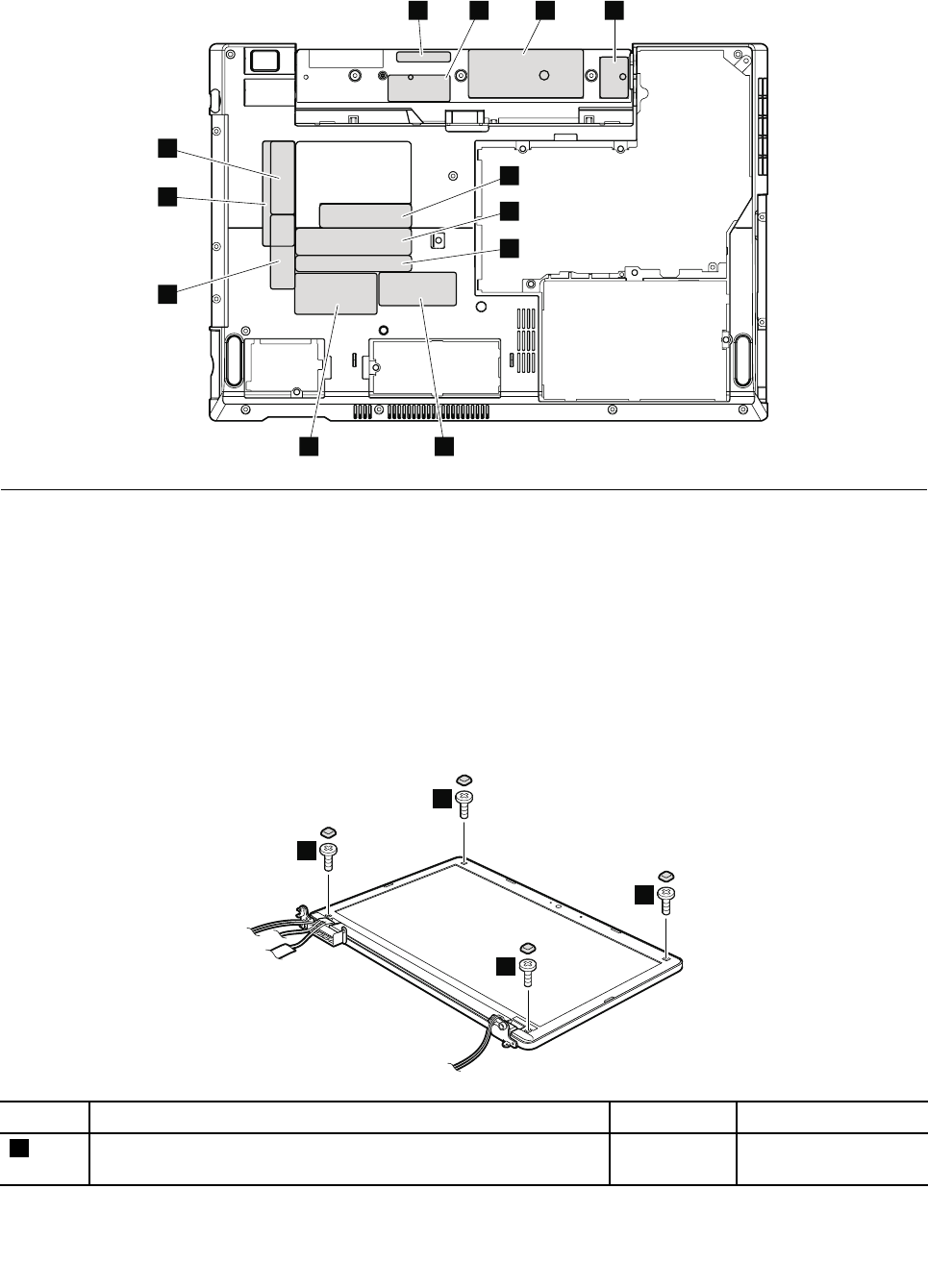
For ThinkPad Edge 14" and E40:
2
3
5
6
7
8
9
10
12
11
4
1
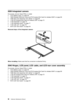
2010 LCD front bezel
For access, remove these FRUs in order:
•
“1010 Battery pack” on page 58
•
“1080 Wireless WAN slot cover and PCI Express Mini Card for wireless WAN” on page 66
•
“1090 Palm rest assembly with cables” on page 69
•
“1100 PCI Express Mini Card for wireless LAN” on page 72
•
“1130 Keyboard” on page 75
•
“1140 Keyboard bezel” on page 77
•
“1150 LCD unit” on page 79
Removal steps of the LCD front bezel
1
1
1
1
Step
Screw (quantity)
Color
Torque
1
M2 × 5 mm, wafer-head, nylon-coated (4), with rubber caps
Black
0.181 Nm
(1.85 kgf-cm)
94
Hardware Maintenance Manual
Plik PDF · ·
Pytania o Sharp VL-E40S
Nie ma jeszcze pytań o tę instrukcję. Zadaj pierwsze.
Powiązane produkty i podręczniki dla Kamery Sharp VL-E40S
- Kamery Sharp VL-Z1S Instrukcja Użytkownika
 (88 stron)
- Kamery Sharp VL-A10K Informacje Techniczne
 (71 stron)
- Kamery Sharp VL-NZ50S Instrukcja Użytkownika
 (60 stron)
- Kamery Sharp VL-Z3H Dokumentacja
(120 stron)
- Kamery Sharp VL-Z950S-E-T Instrukcja Użytkownika
 (133 strony)
- Kamery Sharp VL-Z500H Dokumentacja
(128 stron)
- Kamery Sharp VL-Z100S Instrukcja Użytkownika
(96 stron)
- Kamery Sharp VL-Z7S Instrukcja Użytkownika
 (80 stron)
- Kamery Sharp VL-Z8H Dokumentacja
(124 strony)
- Kamery Sharp VL-ME100S Instrukcja Użytkownika
 (132 strony)
- Kamery Sharp VL-Z100S Dokumentacja
(96 stron)
- Kamery Sharp VL-Z500S Dokumentacja
(128 stron)
- Kamery Sharp VL-A10K Informacje Techniczne
(52 strony)
- Kamery Sharp VL-NZ50E Dokumentacja
(73 strony)
- Kamery Sharp VL-Z3S Instrukcja Użytkownika
(118 stron)
- Kamery Sharp VL-Z1H Dokumentacja
(88 stron)
- Kamery Sharp VL-Z950S Instrukcja Użytkownika
 (77 stron)
- Kamery Sharp VL-Z900H-S Instrukcja Użytkownika
 (206 stron)
- Kamery Sharp VL-WD450S Dokumentacja
(112 stron)
- Kamery Sharp VL-Z800S-E-S Instrukcja Użytkownika
 (129 stron)