Sharp VL-E40S Informacje Techniczne Strona 10: Groundingrequirements
 1
 2
 3
 4
 5
 6
 7
 8
 9
 10
 11
 12
 13
 14
 15
 16
 17
 18
 19
 20
 21
 22
 23
 24
 25
 26
 27
 28
 29
 30
 31
 32
 33
 34
 35
 36
 37
 38
 39
 40
 41
 42
 43
 44
 45
 46
 47
 48
 49
 50
 51
 52
 53
 54
 55
 56
 57
 58
 59
 60
 61
 62
 63
 64
 65
 66
 67
 68
 69
 70
 71
 72
 73
 74
 75
 76
 77
 78
 79
 80
 81
 82
 83
 84
 85
 86
 87
 88
 89
 90
 91
 92
 93
 94
 95
 96
 97
 98
 99
 100
 101
 102
 103
 104
 105
 106
 107
 108
 109
 110
 111
 112
 113
 114
 115
 116
 117
 118
 119
 120
 121
 122
 123
 124
 125
 126
 127
 128
 129
 130
 131
 132
 133
 134
 135
 136
 137
 138
 139
 140
 141
 142
 143
 144
 145
 146
 147
 148
 149
 150
 151
 152
 153
 154
 155
 156
 157
 158

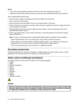
Notes:
1. Use product-specific ESD procedures when they exceed the requirements noted here.
2. Make sure that the ESD protective devices you use have been certified (ISO 9000) as fully effective.
When handling ESD-sensitive parts:
• Keep the parts in protective packages until they are inserted into the product.
• Avoid contact with other people.
• Wear a grounded wrist strap against your skin to eliminate static on your body.
• Prevent the part from touching your clothing. Most clothing is insulative and retains a charge even when
you are wearing a wrist strap.
• Use a grounded work mat to provide a static-free work surface. The mat is especially useful when
handling ESD-sensitive devices.
• Select a grounding system, such as those listed below, to provide protection that meets the specific
service requirement.
Note:
The use of a grounding system to guard against ESD damage is desirable but not necessary.
– Attach the ESD ground clip to any frame ground, ground braid, or green-wire ground.
– When working on a double-insulated or battery-operated system, use an ESD common ground or
reference point. You can use coax or connector-outside shells on these systems.
– Use the round ground prong of the ac plug on ac-operated computers.
Grounding requirements
Electrical grounding of the computer is required for operator safety and correct system function. Proper
grounding of the electrical outlet can be verified by a certified electrician.
Safety notices (multilingual translations)
The safety notices in this section are provided in the following languages:
• English
• Arabic
• Brazilian Portuguese
• French
• German
• Hebrew
• Japanese
• Korean
• Spanish
• Traditional Chinese
DANGER
4
Hardware Maintenance Manual
Plik PDF · ·
Pytania o Sharp VL-E40S
Nie ma jeszcze pytań o tę instrukcję. Zadaj pierwsze.
Powiązane produkty i podręczniki dla Kamery Sharp VL-E40S
- Kamery Sharp VL-Z1S Instrukcja Użytkownika
 (88 stron)
- Kamery Sharp VL-A10K Informacje Techniczne
 (71 stron)
- Kamery Sharp VL-NZ50S Instrukcja Użytkownika
 (60 stron)
- Kamery Sharp VL-Z3H Dokumentacja
(120 stron)
- Kamery Sharp VL-Z950S-E-T Instrukcja Użytkownika
 (133 strony)
- Kamery Sharp VL-Z500H Dokumentacja
(128 stron)
- Kamery Sharp VL-Z100S Instrukcja Użytkownika
(96 stron)
- Kamery Sharp VL-Z7S Instrukcja Użytkownika
 (80 stron)
- Kamery Sharp VL-Z8H Dokumentacja
(124 strony)
- Kamery Sharp VL-ME100S Instrukcja Użytkownika
 (132 strony)
- Kamery Sharp VL-Z100S Dokumentacja
(96 stron)
- Kamery Sharp VL-Z500S Dokumentacja
(128 stron)
- Kamery Sharp VL-A10K Informacje Techniczne
(52 strony)
- Kamery Sharp VL-NZ50E Dokumentacja
(73 strony)
- Kamery Sharp VL-Z3S Instrukcja Użytkownika
(118 stron)
- Kamery Sharp VL-Z1H Dokumentacja
(88 stron)
- Kamery Sharp VL-Z950S Instrukcja Użytkownika
 (77 stron)
- Kamery Sharp VL-Z900H-S Instrukcja Użytkownika
 (206 stron)
- Kamery Sharp VL-WD450S Dokumentacja
(112 stron)
- Kamery Sharp VL-Z800S-E-S Instrukcja Użytkownika
 (129 stron)