Sharp AL-1610 Instrukcja Użytkownika Strona 24
- Strona / 47
- Spis treści
- BOOKMARKI

- FOR YOUR PROTECTION 2
- CONTENTS Page 3
- CAUTIONS 4
- MAIN FEATURES 5
- PART NAMES AND FUNCTIONS 6
- COPIER INSTALLATION 10
- CAUTIONS ON HANDLING 11
- CHECKING PACKED COMPONENTS 12
- AND ACCESSORIES 12
- GETTING STARTED 13
- Power on 14
- LOADING COPY PAPER 15
- Front guide 16
- Left guide 16
- TD CARTRIDGE REPLACEMENT 17
- DRUM CARTRIDGE REPLACEMENT 19
- MISFEED REMOVAL 21
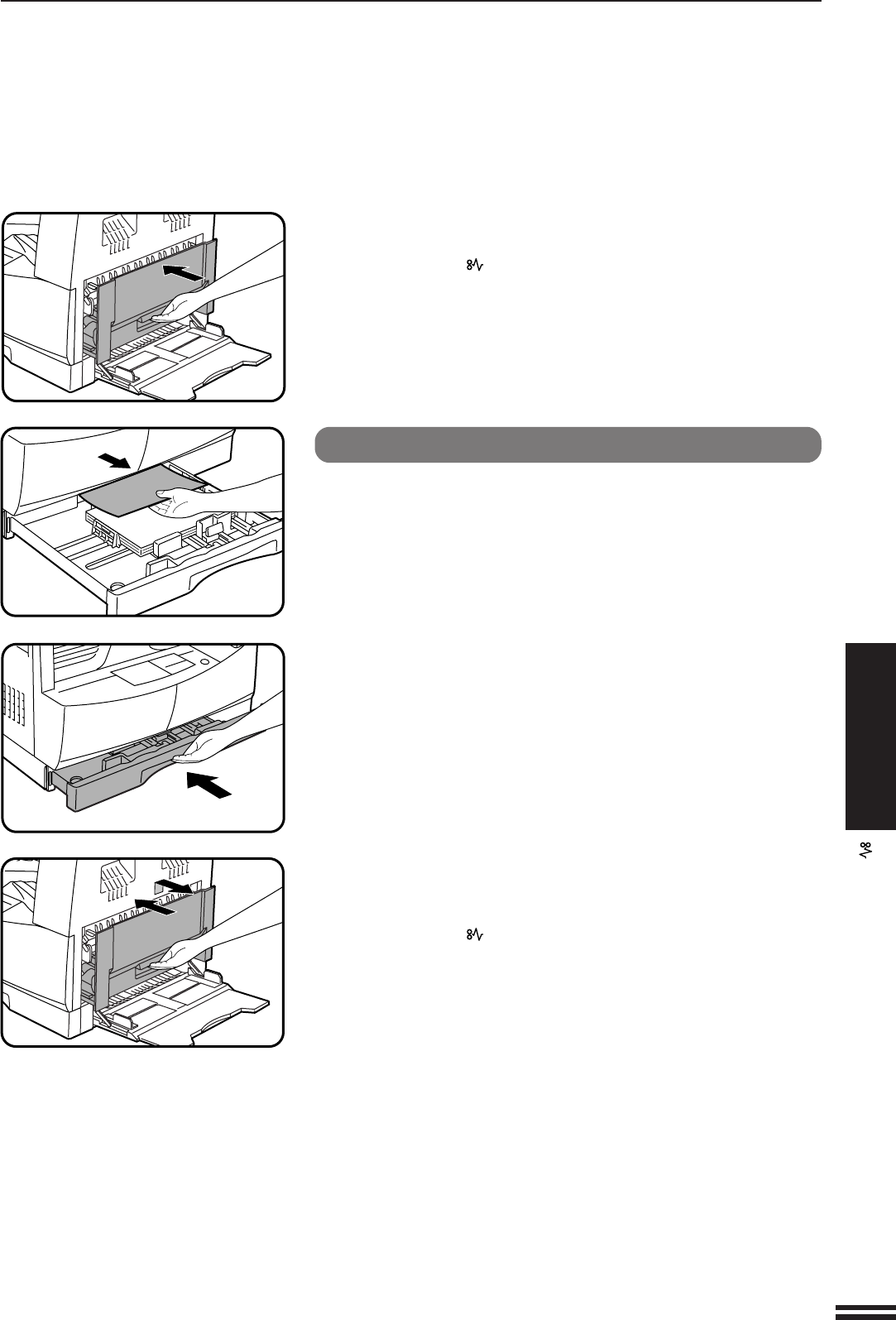
- Misfeed in the paper tray 24
- USER PROGRAMS 25
- POWER SAVE MODES 27
- Setting the power save modes 28
- Copying from the preheat mode 28
- USER MAINTENANCE 29
- COPIER TROUBLE? 31
- Self-diagnostic function 32
- SUPPLIES 33
- GENUINE SUPPLIES 34
- GENERAL INFORMATION 35
- Moving instructions 35
- TD cartridge lock 35
- SPECIFICATIONS 36
- MATERIAL SAFETY DATA SHEET 40
- For users in the USA 46
- AL-1600/AL-1610 47
- SHARP CORPORATION 47
Powiązane produkty i podręczniki dla Drukarki Sharp AL-1610
 (28 strony)
(88 strony)
(2 strony)
(849 strony)
(32 strony)
(84 strony)
(52 strony)
(2 strony)
(116 strony)
(144 strony)
(67 strony)
(76 strony)
(220 strony)
(248 strony)
(152 strony)
(28 strony)
(88 strony)
(2 strony)
(849 strony)
(32 strony)
(84 strony)
(52 strony)
(2 strony)
(116 strony)
(144 strony)
(67 strony)
(76 strony)
(220 strony)
(248 strony)
(152 strony)
© 2020, manymanuals.pl. Wszelkie prawa zastrzeżone. | 0.068 s |
 Manymanuals.com
 Manymanuals.de
 Manymanuals.fr
 Manymanuals.it
 Manymanuals.pl
 Manymanuals.cz
 Manymanuals.es
 Manymanuals-pt.com
Komentarze do niniejszej Instrukcji