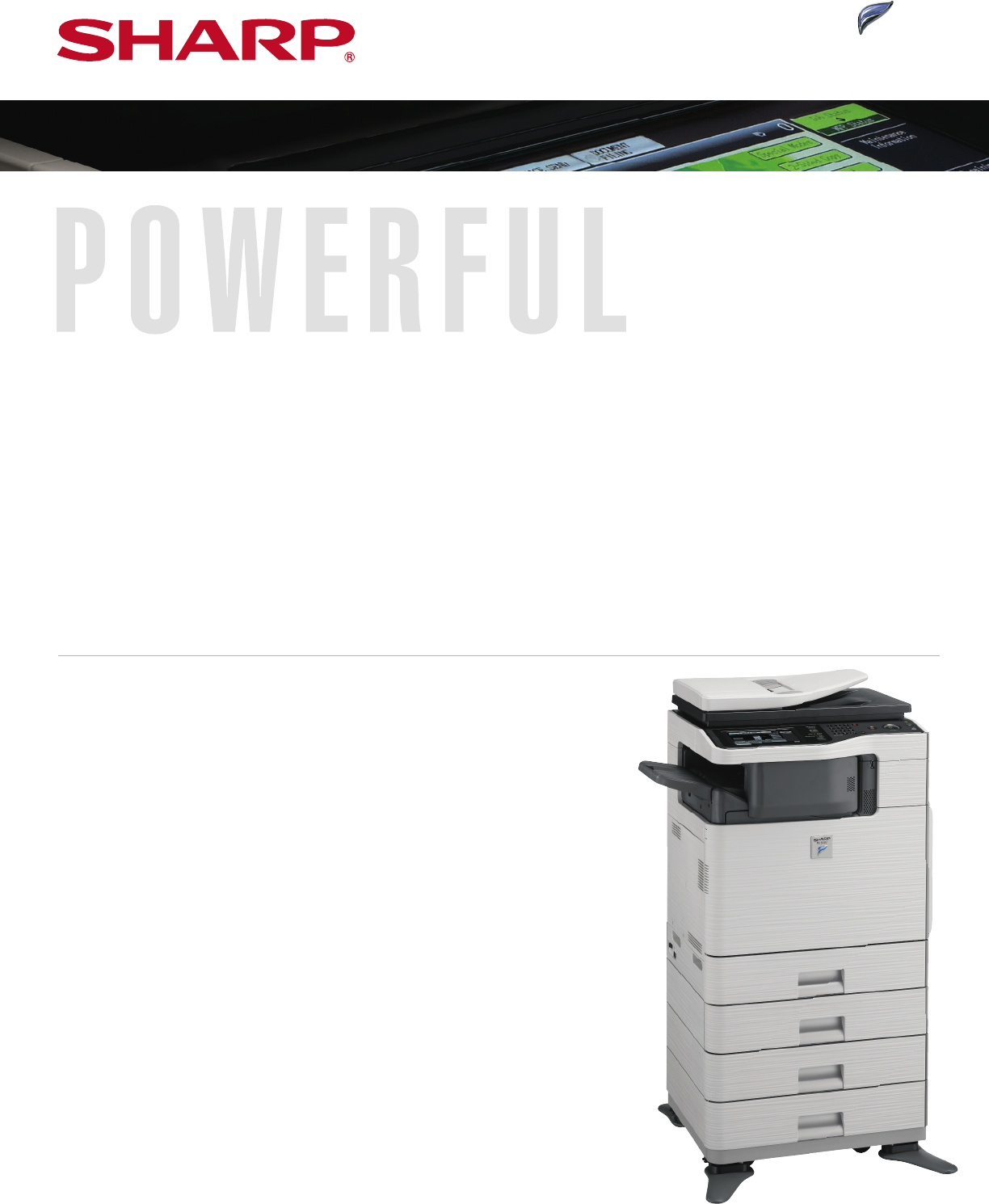
Sharp MX-B402 Arkusz Specyfikacji Strona 1

Przeglądaj online lub pobierz Arkusz Specyfikacji dla Drukarki laserowe / LED Sharp MX-B402. Sharp MX-B402 Specification Sheet Instrukcja obsługi

  • Pobierz
  • Dodaj do moich podręczników
  • Drukuj
  • Strona
    / 2
  • Spis treści
  • BOOKMARKI
  • Oceniono. / 5. Na podstawie oceny klientów
Przeglądanie stron 0
Sharp combines the simplicity and convenience
of network printers with the multi-tasking
productivity of MFPs to achieve the best of both
worlds. The MX-B402 is an exciting example of
the SHARP
®
Frontier Series, bringing exceptionally crisp output closer to your workgroup with a hybrid design that has a small footprint to fit into
environments others won’t, yet isn’t small on functionality. The large 7"
wide-screen color touch-panel simplifies operation by providing an intuitive
user interface to keep ahead of today’s fast-paced office document distribution needs. Incorporating common controller architecture, this model
provides uniform functionality and operability as found in Sharp’s award-winning MFP product line. Engineered to help reduce operating costs and
downtime, the MX-B402 is easier than ev
er to set up, monitor, and maintain. This model offers modular expandability, remote-access capabilities, and a
value-added approach to network and software integration. The latest in a long line of innovative products from today’s fastest-growing name in office
electronics, it also offers Sharp’s award-winning SHARP OSA
®
platform and the optional industry-leading Sharp security suite to help protect data
and control access. In addition, its ease and versatility will change your mind about MFPs. More power, less complexity...that’s work without limits.
MX-B402
n Crisp black-and-white documents can be quickly
and accurately produced at speeds up to 40
pages per minute, and print resolutions up to
1200 x 1200 dpi.
n Powerful 800 MHz controller for true
multi-tasking performance and increased
multi-functional productivity.
n The high-yield toner cartridge provides
double the lifespan versus its predecessor.
n The refillable developer system helps lower
cost per copy and i
ncreases environmental
sustainability.
n Large 7" high-resolution, wide-screen color
touch-panel with intuitive graphical user interface
makes advanced copying, printing, scanning and
faxing functions easy-to-use.
n The optional, space-saving Inner Finisher not
only provides exceptional productivity, but also
automates time-consuming tasks such as
stapling, sorting and offset stacking.
n The optional Business Card Feeder can help
automate contact database entry.
n Standard 50-sheet reversing single pass
document feeder supports full-color scanning.
n Sharp’s ImageSEND™ technology securely scans
documents to seven types of destinations at
speeds up to 35 images per minute.
n Sharp’s easy-to-use Document Filing System
provides a high-capacity up to 50 GB of hard
drive space for fast document storage and
retrieval, with th
umbnail view and image
preview.
n Standard PCL
®
6/PCL5e printing system with
direct print function and available Postscript
©
3™ and Windows
®
XPS options.
n The optional Super G3 Fax Kit provides intelligent
Inbound Fax Routing.
n Third-generation Sharp OSA development platform
enables users to access network applications,
helping to reduce redundancy and streamline
workflow.
n Offers Sharp’s latest award-winning multi-level
document and network security suite, which
conforms to the IEEE-2600™ 2008 security
standard for MFP devices.
n The cutting-edge Sharp Remote Front Panel
feature allows administrators and help
desk professionals to access and control the
device from a remote PC workstation.
POWERFUL PERFORMANCE ANYWHERE YOU NEED IT
Sharps MX-B402 offers productivity in action to speed
output and streamline document workflow for enhanced
performance.
Przeglądanie stron 0
1 2

Podsumowanie treści

Strona 1

Sharp combines the simplicity and convenienceof network printers with the multi-tasking productivity of MFPs to achieve the best of both worlds. The M

Strona 2 - MX-B402 SPECIFICATIONS

© 2014 Sharp Electronics Corporation. All rights reserved. Printed in U.S.A. 08/14 • CPD-3856 MX-B402 SPECIFICATIONSSHARP ELECTRONICS COR

Komentarze do niniejszej Instrukcji

Brak uwag

Samsung SM-R760 manuály

Uživatelské manuály a uživatelské příručky pro Telefony Samsung SM-R760.
Poskytujeme 1 manuály pdf Samsung SM-R760 ke stažení zdarma podle typů dokumentů: Uživatelský manuál


Samsung SM-R760 Uživatelský manuál (97 strany)


Značka: Samsung | Kategorie: Telephones | Velikost: 3.03 MB |


Tabulka s obsahem

Mode d’emploi

1

Table des matières

2

Applications

3

Application Samsung Gear

4

À lire avant utilisation

6

Présentation de l’appareil

8

Démarrage

10

Batterie

12

Mode Économie d’énergie

15

Installer la Gear

16

Remplacer le bracelet

17

Allumer et éteindre la Gear

19

Redémarrer la Gear

20

Fonctions de base

24

Allumer et éteindre l’écran

25

Naviguer dans l’écran

25

Revenir à l’écran précédent

26

Utiliser le cadran

27

Sélectionner un élément

28

Régler des valeurs

28

Écran tactile

29

Maintenir appuyé

30

Faire glisser

30

Appuyer deux fois

31

Volet d’état

32

Écouter de la musique

33

Mode Hors-ligne

33

Mode Ne pas déranger

33

Régler le volume

33

Régler la luminosité

33

Écran Horloge

34

Modifier l'écran Horloge

34

Notifications

35

Supprimer des notifications

36

Saisir du texte

37

Utiliser la saisie vocale

38

Utiliser des émoticônes

38

Changer de mode de saisie

39

Modifier la langue de saisie

39

Utiliser le clavier

40

Messages SOS

41

Localiser ma Gear

42

Téléphone

44

Rejeter un appel

45

Appels manqués

45

Passer des appels

46

Options en cours d’appel

46

Contacts

47

S Health

48

Mettre la Gear en place

49

Journal 24 h

51

Exercice

54

S’entraîner avec la Gear

55

Informations complémentaires

60

Altimètre baro

61

Configurer l’alti-baromètre

63

Lecteur musique

64

Créer un rappel

66

Afficher l’alarme du rappel

66

Planning

67

Utiliser S Voice

68

Paramétrer la langue

69

Horloge mondiale

70

Afficher des photos

72

Supprimer des photos

72

News Briefing

73

Rech. mon tél

73

Obtenir des applis

74

Paramètres

75

Appareil

76

Affichage

77

Messages

77

Connexions

78

Localisation

80

Sécurité

81

Accessibilité

81

Éco. d’énergie

81

Informations sur la Gear

82

Connexion au nouveau tél

82

Connexion au téléphone

82

Mettre la Gear à jour

83

À propos

85

Cadrans suggérés

85

PARAMÈTRES

86

Envoi contenu vers Gear

87

Envoi de demandes SOS

88

Connexion à la Gear

89

Messages rapides

89

Samsung Galaxy Apps

90

À propos de Samsung Gear

91

Dépannage

92

Redémarrer l’appareil

93

Forcer le redémarrage

93

Réinitialiser l’appareil

93

Retirer la batterie

96

Droits d’auteur

97


Další produkty a příručky pro Telefony Samsung

Modely Typ Dokumentu
GT-I9195I Uživatelský manuál   Samsung GT-I9195I Manuel utilisateur, 118 stránky
SM-P905 Uživatelský manuál   Samsung SM-P905 Manuel de l'utilisateur (Lollipop), 169 stránky
GT-I7500 Uživatelský manuál   Samsung GT-I7500 Manuel utilisateur, 97 stránky
GT-B2100 Uživatelský manuál   Samsung GT-B2100 Manuel utilisateur, 71 stránky
GT-S5780 Uživatelský manuál   Samsung GT-S5780 Manuel utilisateur [en] , 146 stránky
SM-T395 Uživatelský manuál   Samsung SM-T395 Manuel de l'utilisateur (Nougat), 155 stránky
GT-I8190 Uživatelský manuál   Samsung GT-I8190 Manuel de l'utilisateur, 114 stránky
GT-I8350 Uživatelský manuál   Samsung GT-I8350 Manuel utilisateur, 112 stránky
SM-N910F Uživatelský manuál   Samsung Galaxy Note 4 Manuel de l'utilisateur (Marshmallow), 177 stránky
GT-N8020 Uživatelský manuál   Samsung Galaxy Note (10.1, 4G) Manuel utilisateur, 169 stránky
SM-N9005 Uživatelský manuál   Samsung SM-N9005 Manuel de l'utilisateur (Lollipop), 165 stránky
GT-N8020 Uživatelský manuál   Samsung Galaxy Note (10.1, 4G) Manuel de l'utilisateur, 183 stránky
SM-J250Y/DS Uživatelský manuál   Samsung SM-J250Y/DS Manuel de l'utilisateur (Nougat), 123 stránky
GT-E2550D Uživatelský manuál   Samsung GT-E2550 Manuel de l'utilisateur, 65 stránky
GT-B2100 Uživatelský manuál   Samsung GT-B2100 Manuel de l'utilisateur, 71 stránky
SM-G870F Uživatelský manuál   Samsung SM-G870F Manuel de l'utilisateur (LL), 150 stránky
SM-T235 Uživatelský manuál   Samsung SM-T235 Manuel utilisateur, 122 stránky
GT-B2710 Uživatelský manuál   Samsung GT-B2710 Manuel utilisateur, 88 stránky
SM-A720F/DS Uživatelský manuál   Samsung Galaxy A3 2017 User manual, 156 stránky
GT-I8190N Uživatelský manuál   Samsung GT-I8190N Manuel de l'utilisateur, 118 stránky