Sharp SF-461 Dokumentacja Strona 6

  • Pobierz
  • Dodaj do moich podręczników
  • Drukuj
Przeglądanie stron 5
4
GETTING STARTED
Power on and off
POWER ON AND OFF
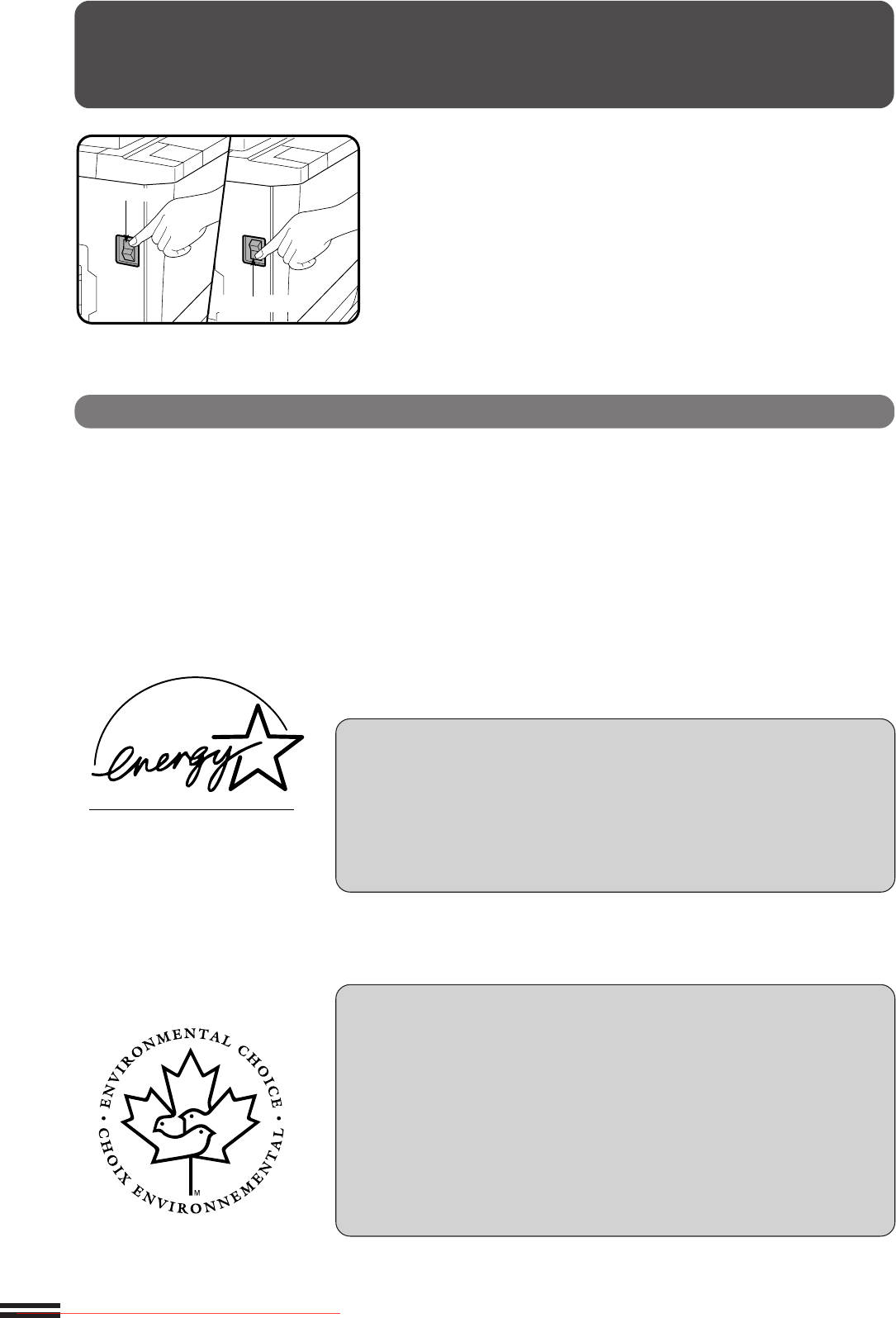
The power switch is located on the left side of the copier. When the
power switch is turned to the “ON” position, the message “WARMING
UP. PLEASE WAIT.” will appear in the message display. Warming
up takes about 100 seconds. Once the copier is ready, the message
display will change to “READY TO COPY.”, and the START key
indicator will light up, indicating that copying is possible.
If the copier has been programmed in the auditing mode, the
message “ENTER YOUR ACCOUNT NUMBER. -----” will appear
after warming up. Once a valid account number has been entered,
the message will change to “READY TO COPY.” and the START key
indicator will light up.
Power save modes
The copier has two power save modes to reduce overall power
consumption and thereby reduce the cost of operation and to conserve
natural resources to help reduce environmental pollution. The two
power save modes are preheat mode and auto power shut-off mode.
KEY OPERATOR
The preheat activation time and the auto power shut-off time have
been preset at the factory to 15 min. for preheat mode and 60 min. for
auto power shut-off mode. These times can be changed as described in
the key operator’s guide section. It is suggested that you set
appropriate times according to the actual usage of the copier.
Power on
Power off
Auto power shut-off mode
If the auto power shut-off mode is enabled, the copier will automatically
turn off the power once a programmed length of time has elapsed without
any copier operation after the last copy of a run is made or the power is first
turned on. The power switch will automatically be turned to the “OFF”
position.
To turn the power back on, simply turn the power switch to the “ON”
position.
KEY OPERATOR See page 87 for setting the auto power shut-off timer. See
page 96 for enabling or disabling the auto power shut-off mode.
Preheat mode
The copier will enter the mode once the set time has elapsed without any
copier operation after the last copy of a run is made or power is turned on.
When the copier enters the preheat mode, the message “PREHEAT
MODE. PRESS ANY KEY ON THE OPERATION PANEL TO RESTORE
THE COPIER TO “READY TO COPY”.” will appear.
In this condition, the fuser in the copier is maintained at a lower heat level
thereby saving power. The preheat level is, however, high enough to allow
the copier to come to a ready condition or begin copying approximately 30
seconds after any key input is made.
To copy from the preheat mode, make desired copier selections and press
the START key using the normal copying procedure.
KEY OPERATOR See page 91 for information on setting the preheat mode.
The ENERGY STAR
®
guidelines
are applied to the products only
in Europe, Australia and New
Zealand. The products that meet
the ENERGY STAR
®
guidelines
carry the logo shown above. The
products without the logo may
not meet the ENERGY STAR
®
guidelines.
The Environmental Choice
Program guidelines are applied to
the products only in Canada.
Downloaded From ManualsPrinter.com Manuals
Przeglądanie stron 5
1 2 3 4 5 6 7 8 9 10 11 ... 103 104

Komentarze do niniejszej Instrukcji

Brak uwag

Samsung SM-R760 manuály

Uživatelské manuály a uživatelské příručky pro Telefony Samsung SM-R760.
Poskytujeme 1 manuály pdf Samsung SM-R760 ke stažení zdarma podle typů dokumentů: Uživatelský manuál


Samsung SM-R760 Uživatelský manuál (97 strany)


Značka: Samsung | Kategorie: Telephones | Velikost: 3.03 MB |


Tabulka s obsahem

Mode d’emploi

1

Table des matières

2

Applications

3

Application Samsung Gear

4

À lire avant utilisation

6

Présentation de l’appareil

8

Démarrage

10

Batterie

12

Mode Économie d’énergie

15

Installer la Gear

16

Remplacer le bracelet

17

Allumer et éteindre la Gear

19

Redémarrer la Gear

20

Fonctions de base

24

Allumer et éteindre l’écran

25

Naviguer dans l’écran

25

Revenir à l’écran précédent

26

Utiliser le cadran

27

Sélectionner un élément

28

Régler des valeurs

28

Écran tactile

29

Maintenir appuyé

30

Faire glisser

30

Appuyer deux fois

31

Volet d’état

32

Écouter de la musique

33

Mode Hors-ligne

33

Mode Ne pas déranger

33

Régler le volume

33

Régler la luminosité

33

Écran Horloge

34

Modifier l'écran Horloge

34

Notifications

35

Supprimer des notifications

36

Saisir du texte

37

Utiliser la saisie vocale

38

Utiliser des émoticônes

38

Changer de mode de saisie

39

Modifier la langue de saisie

39

Utiliser le clavier

40

Messages SOS

41

Localiser ma Gear

42

Téléphone

44

Rejeter un appel

45

Appels manqués

45

Passer des appels

46

Options en cours d’appel

46

Contacts

47

S Health

48

Mettre la Gear en place

49

Journal 24 h

51

Exercice

54

S’entraîner avec la Gear

55

Informations complémentaires

60

Altimètre baro

61

Configurer l’alti-baromètre

63

Lecteur musique

64

Créer un rappel

66

Afficher l’alarme du rappel

66

Planning

67

Utiliser S Voice

68

Paramétrer la langue

69

Horloge mondiale

70

Afficher des photos

72

Supprimer des photos

72

News Briefing

73

Rech. mon tél

73

Obtenir des applis

74

Paramètres

75

Appareil

76

Affichage

77

Messages

77

Connexions

78

Localisation

80

Sécurité

81

Accessibilité

81

Éco. d’énergie

81

Informations sur la Gear

82

Connexion au nouveau tél

82

Connexion au téléphone

82

Mettre la Gear à jour

83

À propos

85

Cadrans suggérés

85

PARAMÈTRES

86

Envoi contenu vers Gear

87

Envoi de demandes SOS

88

Connexion à la Gear

89

Messages rapides

89

Samsung Galaxy Apps

90

À propos de Samsung Gear

91

Dépannage

92

Redémarrer l’appareil

93

Forcer le redémarrage

93

Réinitialiser l’appareil

93

Retirer la batterie

96

Droits d’auteur

97


Další produkty a příručky pro Telefony Samsung

Modely Typ Dokumentu
GT-I9195I Uživatelský manuál   Samsung GT-I9195I Manuel utilisateur, 118 stránky
SM-P905 Uživatelský manuál   Samsung SM-P905 Manuel de l'utilisateur (Lollipop), 169 stránky
GT-I7500 Uživatelský manuál   Samsung GT-I7500 Manuel utilisateur, 97 stránky
GT-B2100 Uživatelský manuál   Samsung GT-B2100 Manuel utilisateur, 71 stránky
GT-S5780 Uživatelský manuál   Samsung GT-S5780 Manuel utilisateur [en] , 146 stránky
SM-T395 Uživatelský manuál   Samsung SM-T395 Manuel de l'utilisateur (Nougat), 155 stránky
GT-I8190 Uživatelský manuál   Samsung GT-I8190 Manuel de l'utilisateur, 114 stránky
GT-I8350 Uživatelský manuál   Samsung GT-I8350 Manuel utilisateur, 112 stránky
SM-N910F Uživatelský manuál   Samsung Galaxy Note 4 Manuel de l'utilisateur (Marshmallow), 177 stránky
GT-N8020 Uživatelský manuál   Samsung Galaxy Note (10.1, 4G) Manuel utilisateur, 169 stránky
SM-N9005 Uživatelský manuál   Samsung SM-N9005 Manuel de l'utilisateur (Lollipop), 165 stránky
GT-N8020 Uživatelský manuál   Samsung Galaxy Note (10.1, 4G) Manuel de l'utilisateur, 183 stránky
SM-J250Y/DS Uživatelský manuál   Samsung SM-J250Y/DS Manuel de l'utilisateur (Nougat), 123 stránky
GT-E2550D Uživatelský manuál   Samsung GT-E2550 Manuel de l'utilisateur, 65 stránky
GT-B2100 Uživatelský manuál   Samsung GT-B2100 Manuel de l'utilisateur, 71 stránky
SM-G870F Uživatelský manuál   Samsung SM-G870F Manuel de l'utilisateur (LL), 150 stránky
SM-T235 Uživatelský manuál   Samsung SM-T235 Manuel utilisateur, 122 stránky
GT-B2710 Uživatelský manuál   Samsung GT-B2710 Manuel utilisateur, 88 stránky
SM-A720F/DS Uživatelský manuál   Samsung Galaxy A3 2017 User manual, 156 stránky
GT-I8190N Uživatelský manuál   Samsung GT-I8190N Manuel de l'utilisateur, 118 stránky