Sharp MX-PNX1D Dokumentacja Strona 14
- Strona / 28
- Spis treści
- BOOKMARKI

- QUICK START GUIDE 1
- Important safety instructions 2
- Caution! 3
- Notice for users in the UK 4
- SOFTWARE LICENCE 5
- MATERIAL SAFETY DATA SHEET 5
- Contents 6
- Operation Guide (PC) 7
- Operation Guide (Built-in) 7
- Software Setup Guide (CD-PDF) 7
- CAUTIONS 10
- CAUTION 11
- Turning on the power 12
- Turning off the power 12
- Restarting the machine 12
- HOME SCREEN 13
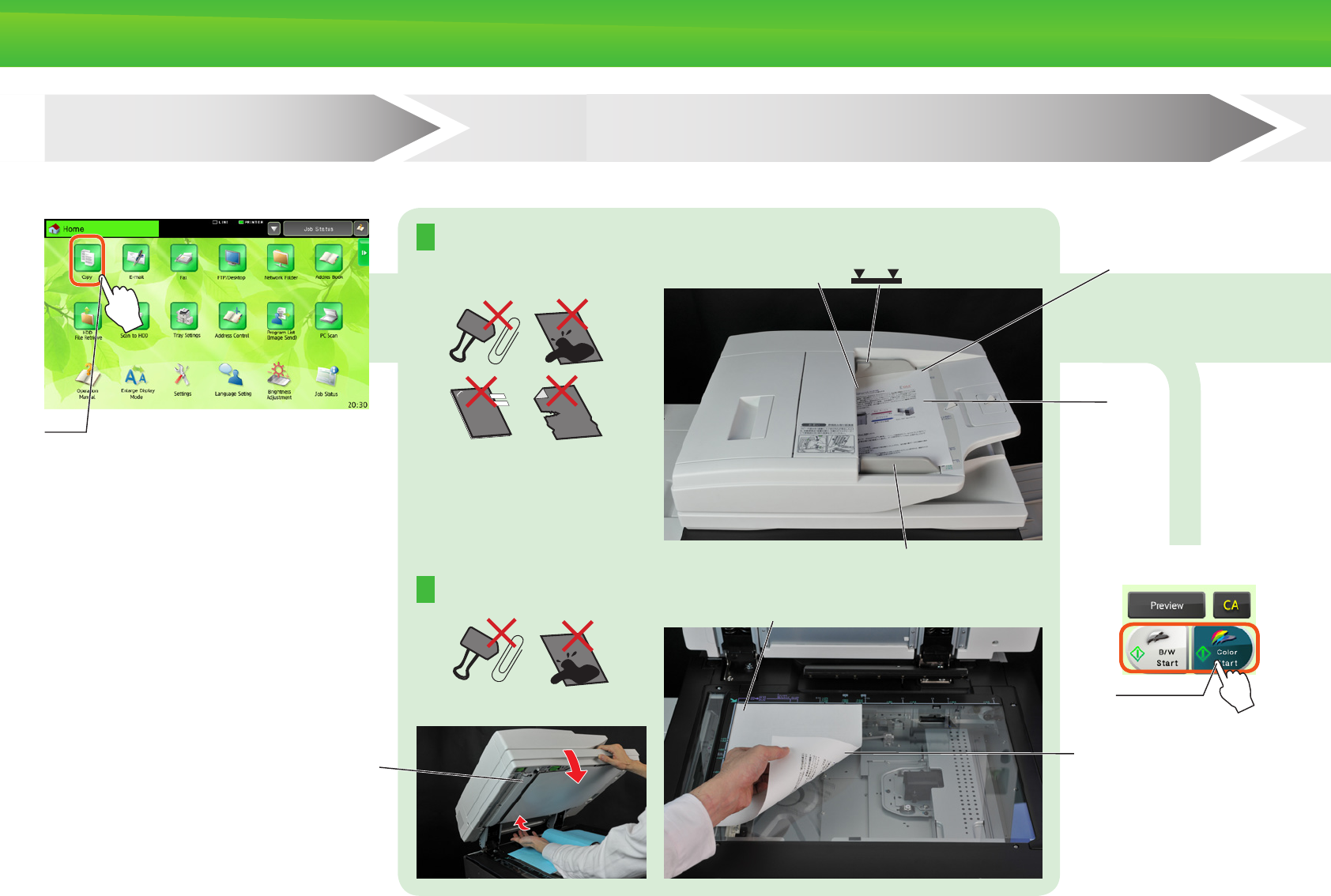
- OVERVIEW OF COPY OPERATION 14
- Conrmation 15
- Output settings Editing 15
- Document ling 15
- Scan the original 15
- OVERVIEW OF OTHER OPERATIONS 16
- MAINTENANCE 17
- SPECIFICATIONS 18
- Automatic document feeder 19
- Finisher 19
- Exclusive stand 19
- Finisher (large stacker) 21
- Punch module (for nisher) 21
- GENUINE SUPPLIES 23
- Noise emission values 24
- Settings mode password 25
- INFORMATION ON DISPOSAL 26
- TRADEMARK ACKNOWLEDGMENTS 27
- TINSE4954GHZ1 28
Powiązane produkty i podręczniki dla Kopiarki Sharp MX-PNX1D
 (90 strony)
(108 strony)
(16 strony)
(90 strony)
(108 strony)
(16 strony)
 (102 strony)
(116 strony)
(128 strony)
(140 strony)
(35 strony)
(12 strony)
(116 strony)
(102 strony)
(116 strony)
(128 strony)
(140 strony)
(35 strony)
(12 strony)
(116 strony)
 (44 strony)
(12 strony)
(32 strony)
(125 strony)
(111 strony)
(33 strony)
(44 strony)
(12 strony)
(32 strony)
(125 strony)
(111 strony)
(33 strony)
© 2020, manymanuals.pl. Wszelkie prawa zastrzeżone. | 0.017 s |
 Manymanuals.com
 Manymanuals.de
 Manymanuals.fr
 Manymanuals.it
 Manymanuals.pl
 Manymanuals.cz
 Manymanuals.es
 Manymanuals-pt.com
Komentarze do niniejszej Instrukcji