Sharp LL-S201A Instrukcje Operacyjne Strona 12

  • Pobierz
  • Dodaj do moich podręczników
  • Drukuj
  • Strona
    / 15
  • Spis treści
  • BOOKMARKI
  • Oceniono. / 5. Na podstawie oceny klientów
Przeglądanie stron 11
12
E
n
Finger actions
TIPS
The screen may not respond correctly in the following
cases:
Touching is too quick
The distance between the two points is too short
Operation with the touch pen is not possible.
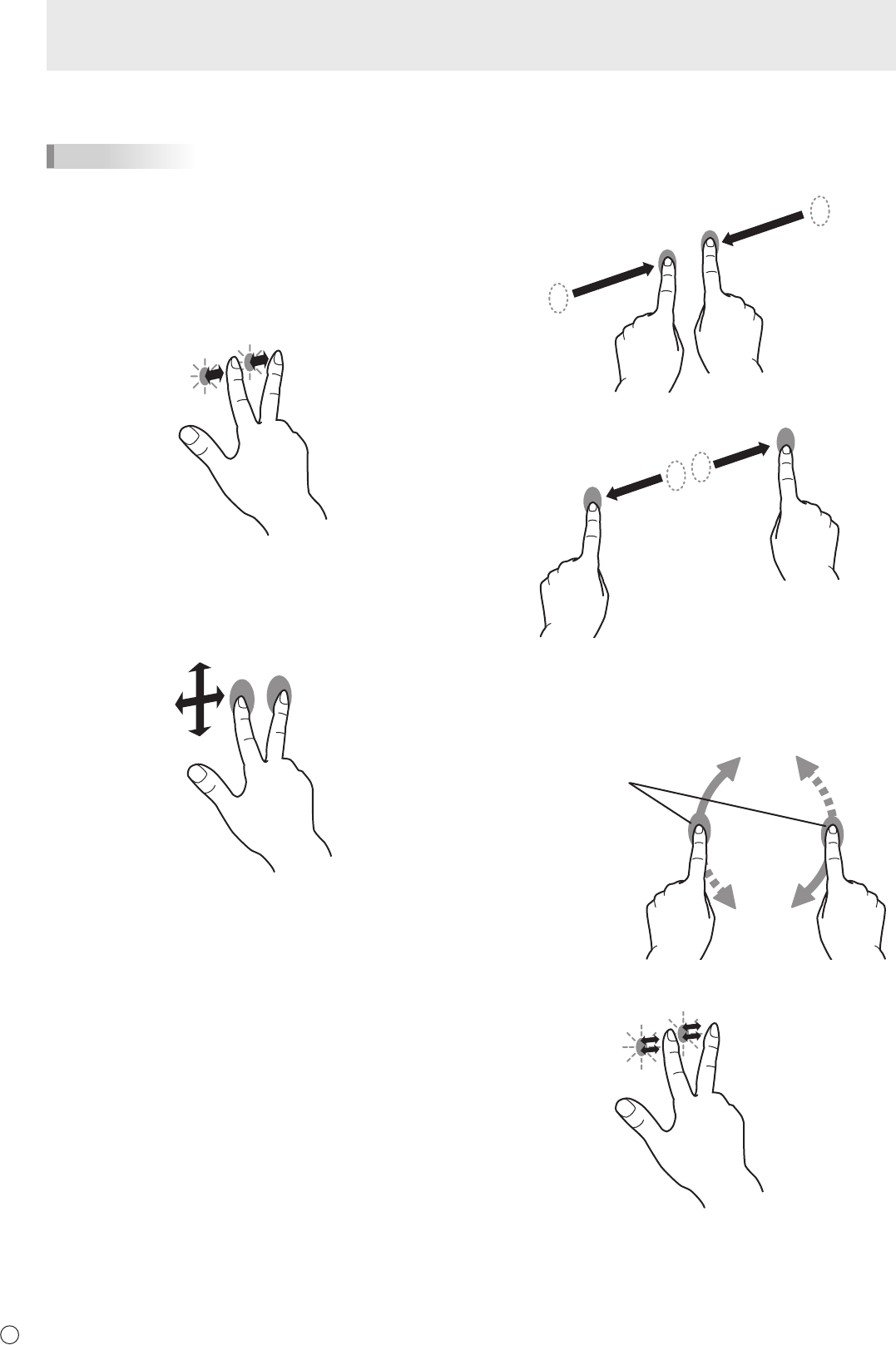
Clickortapwithtwongers
Same action as a secondary click.
Scrollwithtwongers
Use in screens that can be scrolled.
With your two ngers touching the screen, move in the
direction you want to scroll. The screen scrolls in the direction
of the movement.
The scroll direction can be changed.
Pinchwithtwongers
Use in a screen that is capable of reduction/enlargement.
Touch the screen with two ngers and move your ngers
closer together to reduce the view, or apart to enlarge the
view.
Reduction
Enlargement
Rotatewithtwongers
Use this action in a screen that is capable of image rotation.
Touch the screen with two ngers and rotate to rotate the
screen in that direction.
Rotate two ngers in the
same direction.
Double-tapwithtwongers
Use smart zoom.
Touch Action
Przeglądanie stron 11
1 2 ... 7 8 9 10 11 12 13 14 15

Komentarze do niniejszej Instrukcji

Brak uwag