Sharp Z-336J Instrukcja Użytkownika Strona 211
- Strona / 224
- Spis treści
- ROZWIĄZYWANIE PROBLEMÓW
- BOOKMARKI

- JW-20FL5 1
- JW-20FLT 1
- Safety Precautions 3
- Caution 4
- Table of Contents 6
- Chapter 1: Outline 11
- 4-1 JW-20FL5 14
- 4-2 JW-20FLT 15
- 4-3 Z-336J 16
- 4-4 JW-50FL 17
- Chapter 5: Installation 18
- 5-2 Installation of Z-336J 19
- Allocation of Z-336J 21
- I/O relay 21
- 5-3 JW-50FL 25
- Chapter 6: Connection/Wiring 26
- 6-2 Connection 27
- Item Specifications 28
- Supply voltage 28
- Current capacity 28
- 12 VDC –5% 28
- 0.5 A minimum 28
- 10BASE-T twisted 29
- 10BASE-T connector 29
- [3] Connection of Z-336J 30
- 10BASE-T twisted pair cable 32
- [4] Connection of JW-50FL 33
- Chapter 7: Use Guide 35
- Link segment 3 37
- Segment A 37
- Segment C 37
- [2] 10BASE-T system 38
- Class C 1 1 0 X 39
- Network address 39
- (20 bits) 39
- Host address 39
- (8 bits) 39
- 7-2 FL-net 40
- [3] Data communication type 43
- [4] Transfer data volume 44
- Message frame 45
- 1024 byes 45
- Message transfer 46
- [9] Message transfers 53
- Request message 59
- Response message 59
- Network parameter 59
- Operation 61
- Chapter 8: Cyclic Transfer 65
- 8-1 Setting procedures 67
- Z-500 series Z-511J Next page 68
- (H) --- --- 000000 to 177777 69
- Set value (HEX) 01 C0 71
- Continued on the next page 73
- From the previous page 76
- Node N−1 Node N 77
- Spacing between data 77
- Chapter 9: Message Transfers 78
- Parameter address 79
- 77 Start switch 79
- Communication 80
- +301 Execute sending data 80
- 9-2 Transmission buffer 81
- Files 0 88
- (3) For the JW50H/70H/100H 91
- 9-5 Computer link function 93
- Communication control 94
- +301 Transfer the data 94
- (H) 08(H),09(H) 08(H),09(H) 97
- (4) Table of commands 99
- Ë Command 100
- Ë Response 100
- COM RSLT WMOD 100
- (8) = 0103(H) 102
- Set/reset relay (COM = 30(H)) 103
- Timer and counter 104
- L, H = Number of data to read 105
- File number 0 106
- 34 00 00 08 04 00 00 4F 32 01 107
- 34 00 00 00 08 04 00 107
- 44 08 84 00 04 00 109
- 54 08 84 00 04 00 81 00 00 04 110
- 54 00 08 84 00 04 00 110
- Reading program (COM = 04(H)) 111
- Write program (COM = 14(H)) 112
- Read date (COM = A2(H)) 113
- Set date (COM = B2(H)) 114
- (H) to 23(H): BCD) 115
- (H) to 59(H): BCD) 115
- Set time (COM = B3(H)) 116
- (H): Operating 117
- (H): Release halt 118
- (H): Halt 118
- Chapter 9: Message transfers 119
- 0 : Frame type 0 120
- 0 : Transit slot number 120
- Support 122
- [2] Example operation 123
- LN TX RX 12V T PE HE 123
- S7 S6 S5 S4 S3 S2 S1 S0 123
- [2] Operation status flag 127
- [6] Network management table 130
- (8), 256 bytes at 132
- (H) is 1 sec 138
- Chapter 12: Parameters 139
- (H) 81(H) 82(H) 83(H) 140
- 12-3 How to set parameters 141
- JW50H JW-50CUH 142
- JW70H JW-70CUH 142
- JW100H JW-100CUH 142
- Chapter 13: Troubleshooting 144
- Network address Node number 148
- 192.168.250 1 to 249 148
- Chapter 14: Specifications 150
- (Unit: mm) 151
- Basic rack panel 151
- 14-2 Z-336J 152
- 14-3 JW-50FL 153
- (2) FL-net specifications 154
- Chapter 15: Appendix 155
- [3] 10BASE-T Specifications 157
- [1] Small scale configuration 159
- (Maximum cable length: 160
- Device addressNetwork address 167
- [5] FL-net sub net mask 168
- [6] TCP/IP, UDP/IP protocols 168
- [7] FL-net port number 168
- [8] FL-net data format 169
- Ethernet header 170
- User data 170
- FL-net header 170
- IP header 170
- UDP header 170
- 64 to 96 byes 171
- Less than 1500 byes 171
- FA link data 171
- Less than 1024 bytes 171
- Table of transaction codes 172
- Name Details 180
- [2] Parts related to 10BASE5 184
- M6 bolts 141 185
- LAN transceiver 185
- Tap connector 185
- [3] 10BASE-T related items 194
- 87654321 195
- Cable tension Max. 25 kg 197
- Cable weight 188 kg/km 197
- Center of the 2.5 m mark 201
- Item Setting 204
- When connected to a node ON 204
- (160 x 130 x 1.0) 206
- (180 x 180 x 1.0) 207
- Ground terminal (G-TM) 209
- Class D or better 209
- [2] 10BASE-T (UTP) 210
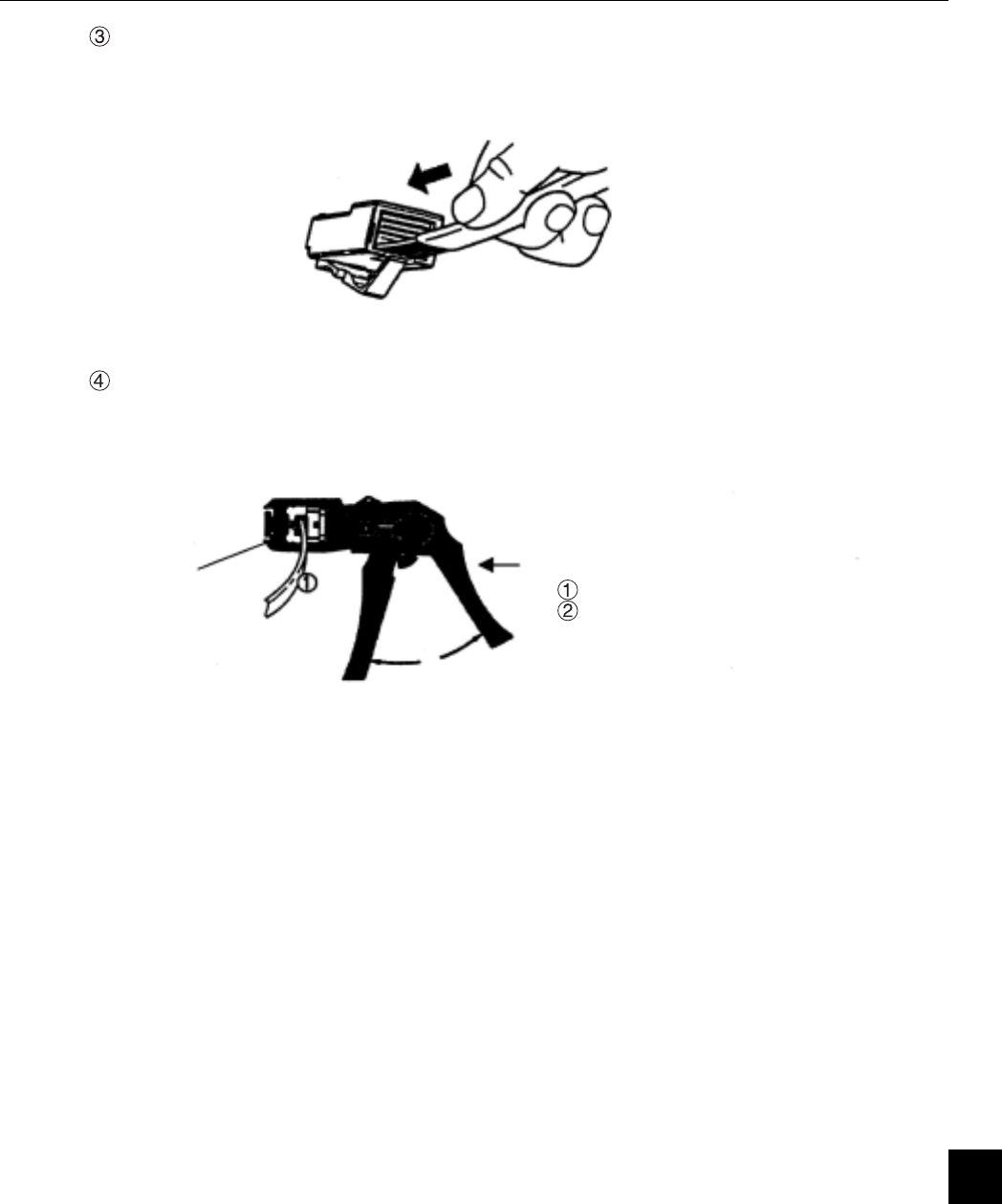
- UTP connector 211
- Insert the connector 211
- Crimp with the tool 211
- CableModule (device)Hub ect 217
- Alphabetical Index 218
Powiązane produkty i podręczniki dla Drukarki Sharp Z-336J
 (92 strony)
(81 strony)
(372 strony)
(188 strony)
(92 strony)
(81 strony)
(372 strony)
(188 strony)

 (172 strony)
(140 strony)
(72 strony)
(710 strony)
(156 strony)
(140 strony)
(32 strony)
(20 strony)
(380 strony)
(181 strony)
(799 strony)
(655 strony)
(88 strony)
(118 strony)
(121 strony)
(46 strony)
(172 strony)
(140 strony)
(72 strony)
(710 strony)
(156 strony)
(140 strony)
(32 strony)
(20 strony)
(380 strony)
(181 strony)
(799 strony)
(655 strony)
(88 strony)
(118 strony)
(121 strony)
(46 strony)
© 2020, manymanuals.pl. Wszelkie prawa zastrzeżone. | 0.046 s |
 Manymanuals.com
 Manymanuals.de
 Manymanuals.fr
 Manymanuals.it
 Manymanuals.pl
 Manymanuals.cz
 Manymanuals.es
 Manymanuals-pt.com
Komentarze do niniejszej Instrukcji