Sharp SX663 Podręcznik Użytkownika Strona 8
- Strona / 156
- Spis treści
- ROZWIĄZYWANIE PROBLEMÓW
- BOOKMARKI

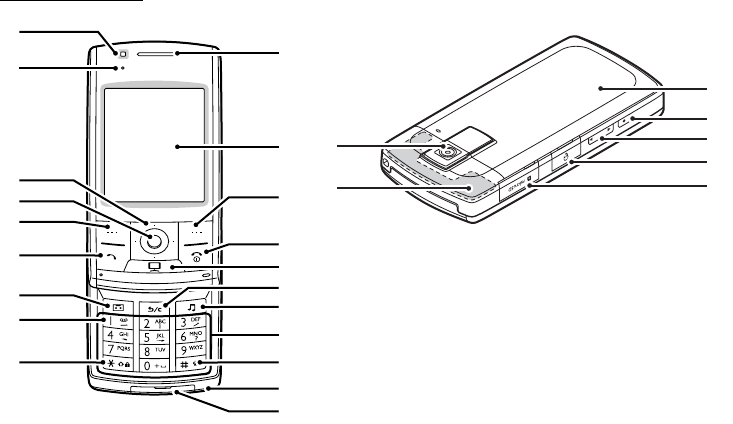
- Introduction 1
- 2 Introduction 2
- Useful Functions and Services 3
- Contents 4
- Contents 5 5
- List of Menu Functions 6
- List of Menu Functions 7 7
- Getting Started 8
- Getting Started 9 9
- 10 Getting Started 10
- 4. Replace the battery cover 11
- 12 Getting Started 12
- Charging the Battery 13
- 1. Turn off the phone 14
- Connecting the Handsfree Kit 15
- Turning Your Phone On and Off 16
- Getting Started 17 17
- Display Indicators 18
- Getting Started 19 19
- Navigating Functions 20
- Making a Voice Call 21
- Speed Dialling 22
- Redialling 22
- Answering a Voice Call 22
- In Call Menu (Voice Call) 23
- Making a Video Calling 26
- Answering a Video Calling 26
- In Call Menu (Video Calling) 27
- 2. Select “Mirror Image” 29
- 3. Select “On” or “Off” 29
- 30 Entering Characters 30
- Changing the Input Language 31
- Changing the Input Method 31
- 32 Entering Characters 32
- 2. Press IGJ to display the 34
- Entering Characters 35 35
- Chinese User Dictionary 36
- 1. Press H, K, I and long 37
- 1. Press M and highlight “S” 37
- 3. Long press N to enter “ ” 38
- 4. Long press O to enter “ ” 38
- 2. Select “Add Symbol” 38
- Using Templates 39
- Insert Phonebook Entries 39
- Using the Menu 40
- Call Manager 41
- Searching for an Entry 42
- Dialling from the Phonebook 43
- 44 Call Manager 44
- Call Manager 45 45
- Editing Phonebook Entries 46
- Call Manager 47 47
- Deleting Phonebook Entries 48
- Managing the Phonebook 48
- Call Manager 49 49
- 50 Call Manager 50
- Multimedia 51
- 52 Multimedia 52
- Streaming Player 53
- (M 7-2) 53
- Music Player 54
- Multimedia 55 55
- FM Radio 56
- (M 7-4) 56
- Mobile TV 57
- Taking Pictures 58
- Recording Video Clips 59
- Video Camera Modes 59
- 1. Select the desired option 60
- 1. Select the desired size 62
- 1. Select the desired mode 63
- 2. Select the desired frame 64
- 3. Press B 64
- 1. Select “Full Viewfinder” 64
- Messages 66
- Messages 67 67
- 4. Select the desired data 68
- Messages 69 69
- 70 Messages 70
- Messages 71 71
- 72 Messages 72
- Cell Broadcasts 73
- (M 4-9) 73
- Area Info 74
- Messaging Settings 74
- (M 4-10) (M 4-11) 74
- Messages 75 75
- 76 Messages 76
- 1. Select “MMS Accounts” 77
- 1. Select “Email Accounts” 78
- Browser 79 79
- Navigating a WAP or Web Page 80
- Browser 81 81
- 82 Browser 82
- Browser 83 83
- Pictures 84
- SD Videos 85
- Music and Sounds 86
- (M 6-4) 86
- Text Templates 87
- (M 6-7) 87
- Other Documents 88
- Common Option Menus 88
- (M 6-8) 88
- 90 Gallery 90
- Memory Status 91
- (M 6-9) 91
- Games & Applications 92
- Games & Applications 93 93
- Java™ Settings 94
- (M 1-2) 94
- 2. Select the desired method 95
- Java™ Information 96
- (M 1-3) 96
- Organiser 97
- 98 Organiser 98
- Organiser 99 99
- (M 3-2) 100
- 1. Select “Clear All” 101
- Stopwatch 102
- (M 3-3) 102
- (M 3-4) 102
- Organiser 103 103
- 104 Organiser 104
- World Clock 105
- Countdown Timer 105
- (M 3-5) 105
- (M 3-6) 105
- Calculator 106
- Voice Recorder 107
- 108 Organiser 108
- SIM Application 109
- Settings 110
- Settings 111 111
- 112 Settings 112
- Settings 113 113
- 114 Settings 114
- Phone Settings 115
- 116 Settings 116
- 1. Select the desired time 117
- 2. Press B 117
- Settings 119 119
- 120 Settings 120
- Other Settings 121
- 122 Settings 122
- Settings 123 123
- 124 Settings 124
- Settings 125 125
- 1. Select “On” or “Off” 126
- Settings 127 127
- 128 Settings 128
- Settings 129 129
- 130 Settings 130
- Settings 131 131
- 132 Settings 132
- Call Log 133
- Call Costs 134
- Data Counter 134
- (M 11-6) 134
- (M 11-7) 134
- Connectivity 135
- 136 Connectivity 136
- Connectivity 137 137
- 1. Press [Yes] 138
- 1. Enter your handset code 138
- Off Line Mode 139
- Backup/Restore 139
- (M 12-5) 139
- (M 12-6) 139
- Connecting SX663 to Your PC 140
- Bluetooth 141
- Handset Manager 142
- Music Manager 143
- Media Management 144
- Main Control Panel 144
- Sync Manager 145
- Troubleshooting 146
- Bluetooth 147
- Conditions of Use 148
- Environment 151
- FCC NOTICE 152
- Out of Warranty List 154
- Index 155 155
- 156 Index 156
Powiązane produkty i podręczniki dla Telefony komórkowe Sharp SX663
 (121 strony)
 (165 strony)
 (22 strony) (388 strony)
(128 strony)
(166 strony)
(107 strony)
(22 strony) (388 strony)
(128 strony)
(166 strony)
(107 strony)
© 2020, manymanuals.pl. Wszelkie prawa zastrzeżone. | 0.058 s |
 Manymanuals.com
 Manymanuals.de
 Manymanuals.fr
 Manymanuals.it
 Manymanuals.pl
 Manymanuals.cz
 Manymanuals.es
 Manymanuals-pt.com
Komentarze do niniejszej Instrukcji