GB-13
Note:
Halfway through the grilling time an audible signal will sound twice this will remind you to turn the food over to ensure even browning.
Please be aware that the oven will not stop automatically during grilling.
Turnover the food halfway through, close the door and then press the START/+30sec./ENTER button to continue grilling.
2. GRILL/COMBI. COOKING
The GRILL/COMBI. COOKING feature enables a combination microwave power with grill and/or convection as well as the combination of
grill and convection. GRILL/COMBI. means to cook by microwave power, grill power and/or convection power alternately. The combination
cooking reduces cooking time and provides a crisp, brown nish giving you the convenience of fast cooking with a traditional appetising
appearance.
There are 4 choices for the combination as shown in the chart below:
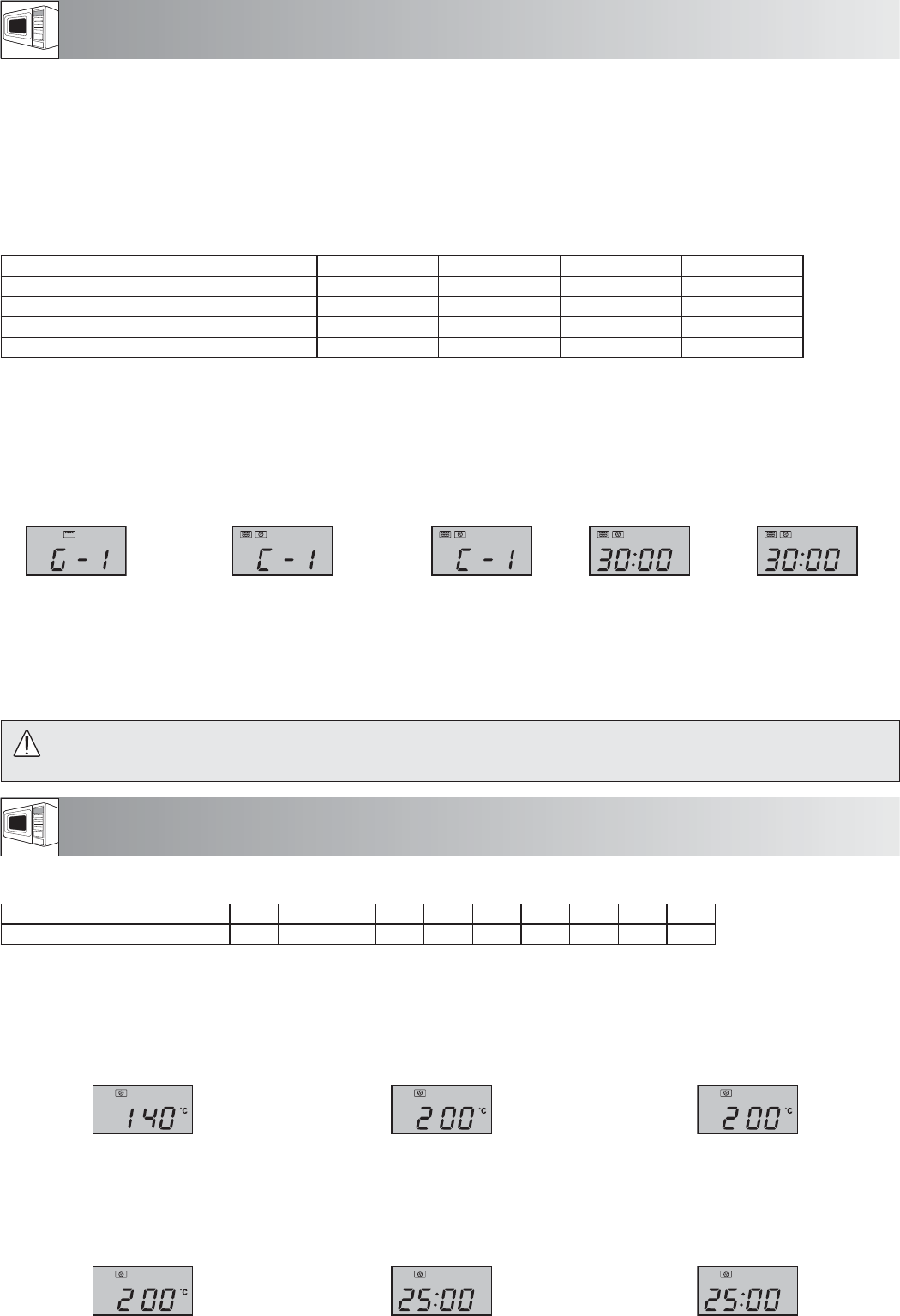
Press GRILL/COMBI. button Display Microwave Grill Convection
twice C-1 ••
3 times C-2 ••
4 times C-3 ••
5 times C-4 •• •
• = available
Example for Microwave and Convection:
To cook for 30 minutes using the combination of microwave and convection (C-1).
1. Press GRILL/COMBI.
button once. G-1
will illuminate on
the display.
GRILL/COMBI. x1
2. Select C-1 by pressing the button
GRILL/COMBI once or turn the
ENTRY dial until the display
will show C-1. At the same time
microwave and convection
indicator will illuminate.
3. Press the START/
+30sec./ENTER
button to con rm
the cooking
mode.
4. Use the ENTRY
dial to input the
cooking time (30
minutes).
5. Press the START/+30sec./
ENTER button to start
the cooking. (The display
will count down through
the programmed cooking
time.)
NOTES for GRILL and COMBI COOKING:
• It is not necessary to preheat the grill.
• When browning food place it either on the low or high rack or in a deep container on the truntable.
• You may detect smoke or a burning smell when using the grill for the first time. This is normal and not a sign that the oven has
malfunctioned. To avoid this problem, when rst using the oven, heat the oven without food for 20 minutes on grill and then on convection
at 230°C.
IMPORTANT: During operation, to allow smoke or smells to disperse open a window.
WARNING:
The door, outer cabinet, oven cavity and accessories will become very hot during operation. To prevent burns, always use
thick oven gloves.
GRILL COOKING/COMBI COOKING
CONVECTION COOKING
Your oven can be used as a conventional oven using the convection facility, there are 10 pre-set oven temperatures. Preheating is
recommended for better results. The temperature can be chosen from 140°C to 230°C in 10°C increments.
Press CONVECTION button 1 2 3 4 5 6 7 8 9 10
Oven Temp (°C) 140 150 160 170 180 190 200 210 220 230
Example 1: To cook with preheating
To preheat to 200°C and cook for 25 minutes at 200°C.
1. Press the CONVECTION button once and
the temperature indicator will ash on
the display and the convection indicator
will illuminate.
CONVECTION x1
2. Enter the desired preheat temperature
by pressing the CONVECTION button (6
times) or turn the ENTRY dial until the
display shows 200.
3. Press the START/+30sec./ENTER button to
con rm the temperature.
4. Press the START/+30sec./ENTER button
once more to start preheating. When
the preheated temperature has been
reached an audible signal will sound
twice to remind you to put the food into
the oven. The current temperature will
ash in the display.
5. Open the door, place the food inside
the oven and close the door. Use the
ENTRY dial to input the cooking time
(25 minutes).
6. Press the START/+30sec./ENTER button to
start cooking.
The display will count down through the
programmed cooking time. The convection
indicator will ash.

 (24 strony)
 (73 strony)
 (22 strony)
 Manymanuals.com
 Manymanuals.de
 Manymanuals.fr
 Manymanuals.it
 Manymanuals.pl
 Manymanuals.cz
 Manymanuals.es
 Manymanuals-pt.com
Komentarze do niniejszej Instrukcji