Sharp R-210A Dokumentacja Strona 18

  • Pobierz
  • Dodaj do moich podręczników
  • Drukuj
  • Strona
    / 43
  • Spis treści
  • BOOKMARKI
  • Oceniono. / 5. Na podstawie oceny klientów
Przeglądanie stron 17
16
SEC R-820BK/W O/M
TINSEB007WRRZ-D31 SEC R-820BK/W O/M
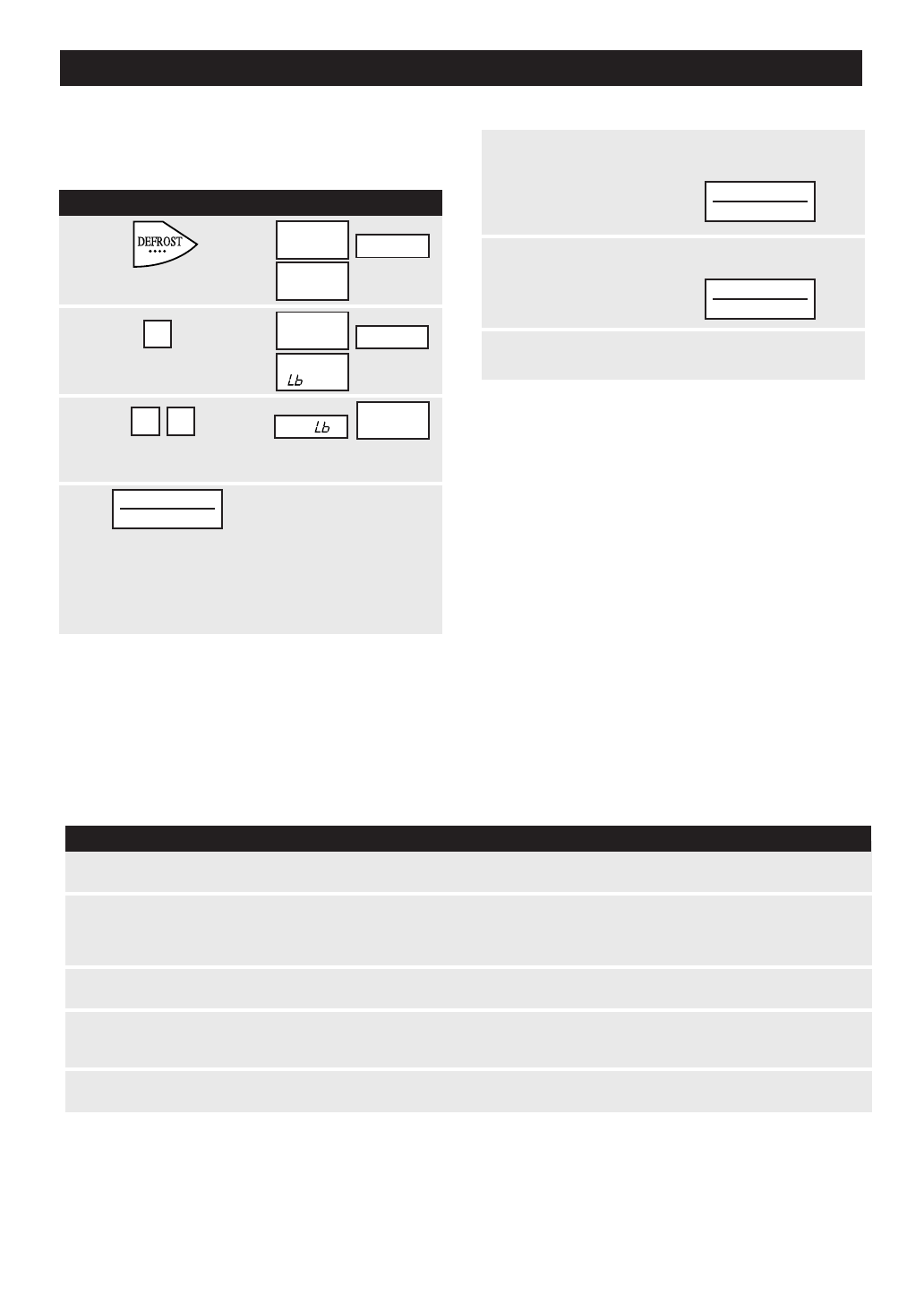
CompuDefrost automatically defrosts all the foods found
in the CompuDefrost Chart below.
Suppose you want to defrost a 2.0 pound steak.
COMPU DEFROST
2
PROCEDURE DISPLAY
1
Touch Compu
Defrost pad once.
Touch number 2
pad to select steak.
2
3
Enter weight by touching the number pads 2
and 0. (Ex: 2.0 lb steak.)
SELECT
FOOD
NUMBER
4
Touch Start/Touch On pad.
2 0
2.0
START
TOUCH ON
5
After the 1st stage, open the door. Turn steak
over and shield any warm portions.
Close the door.
Touch Start/
Touch On pad.
After the 2nd stage, open the door. Shield any
warm portions. Close the door.
Touch Start/
Touch On pad.
6
7
After defrost cycle ends,
follow the directions.
START
TOUCH ON
START
TOUCH ON
NOTE:
1. To defrost other food or foods above or below the
weights allowed on the CompuDefrost Chart, use time
and 30% power. See Manual Defrost on page 21
2. CompuDefrost can be programmed with More or Less
Time Adjustment. Touch the Power Level pad once or
twice after entering the weight or quantity. See page
21.
3. Touch Custom Help when the HELP indicator is lighted
in the display for a helpful hint.
4. If you attempt to enter more or less than the amount
as indicated in the chart below, an error message will
appear in the display.
FOOD
AMOUNT
COMPU DEFROST CHART
PROCEDURE
Remove any thawed pieces after each stage.
Let stand, covered, for 5 to 10 minutes.
1. Ground meat
.5 - 3.0 lb
After each stage, rearrange and if there are warm or thawed
portions, shield with small flat pieces of aluminum foil. Remove
any meat or fish that is almost defrosted. Let stand, covered, for
10 to 20 minutes.
2. Steaks, chops
fish
.5 - 4.0 lb
After each stage, rearrange pieces or remove portions should they
become warm or thawed. Let stand, covered, for 10 to 20 minutes.
3. Chicken pieces
.5 - 3.0 lb
After audible signal, stir if possible. At end, stir well and let stand,
covered, for 5 to 10 minutes.
5. Casserole
2 - 6 cups
Start defrosting with fat side down. After each stage, turn roast
over and shield the warm portions with aluminum foil.
Let stand, covered, for 30 to 60 minutes.
4. Roast
2.0 - 4.0 lb
NOTE:
Check foods when oven signals. After final stage, small sections may still be icy. Let stand to continue
thawing. Do not defrost until all ice crystals are thawed.
Shielding prevents cooking from occurring before the center of the food is defrosted. Use small smooth
strips of aluminum foil to cover edges and thinner sections of the food.
SEE
LABEL
STEAK
CHOPS
OR FISH
ENTER
PRESS
START
The oven will stop and directions will be
displayed.
Follow the indicated message.
SPECIAL FEATURES
R-820B 11-19 03.5.16, 5:47 PM16
Przeglądanie stron 17
1 2 ... 13 14 15 16 17 18 19 20 21 22 23 ... 42 43

Komentarze do niniejszej Instrukcji

Brak uwag

Audiovox CDC-FDW manuals

Owner’s manuals and user’s guides for CD players Audiovox CDC-FDW.
We providing pdf manuals Audiovox CDC-FDW for download free by document types:


More products and manuals for CD players Audiovox

Models Document Type
ACC-52 User Manual   Audiovox ACC-52 User's Manual, 20 pages
CE148 User Manual     Audiovox CE148 User's Manual, 6 pages
XCH10RF User Manual     Audiovox XCH10RF User's Manual, 23 pages
P-99A User Manual     Audiovox P-99A User's Manual, 48 pages
CE151MP User Manual   Audiovox CE151MP User's Manual, 8 pages
MP3 User Manual   Audiovox MP3 User's Manual, 2 pages
811-870091-170 User Manual   Audiovox 811-870091-170 User's Manual, 2 pages
CD Alarm Clock User Manual     Audiovox CD Alarm Clock User's Manual [en] , 6 pages
Portable CD System User Manual     Audiovox Portable CD System User's Manual [en] , 6 pages
Prestige P953ESP User Manual   Audiovox Prestige P953ESP User's Manual, 20 pages
CE1000X User Manual   Audiovox CE1000X User's Manual, 7 pages
CE147 User Manual   Audiovox CE147 User's Manual, 2 pages
VM9026 Owner's Manual   Audiovox VM9026 Owner's Manual, 48 pages
Dvd3100 User Manual   Audiovox Dvd3100 User's Manual, 22 pages
DM8710-8JAS User Manual   Audiovox DM8710-8JAS User's Manual, 2 pages
DVD4000 Owner's Manual   Audiovox DVD4000 Owner`s manual, 14 pages
GC-600 Owner's Manual   Audiovox GC-600 Owner`s manual, 13 pages
D1909 - DVD Player - 9 Owner's Manual   Audiovox D1909 - DVD Player - 9 Owner`s manual, 20 pages
VE706 Operations Instructions   Audiovox VE706 Operating instructions, 21 pages
P48 User Manual   Audiovox P48 User`s manual, 42 pages