Sharp PC-MM1 Instrukcja Użytkownika Strona 107
- Strona / 123
- Spis treści
- ROZWIĄZYWANIE PROBLEMÓW
- BOOKMARKI


- Notice for Users in the USA 3
- Warning 4
- Copyright 4
- CAUTION: 5
- Safety Precautions 6
- Battery Precautions 7
- Wireless LAN Precautions 8
- Caution 9
- About This Manual 10
- Manual Conventions 12
- Table of Contents 13
- Overview of Computer 16
- Status Indicators 17
- Quick Setup 19
- Setting Up Windows 24
- Turning Off Your Computer 26
- Basic Operations 27
- Using AC Adapter 28
- Resetting System 29
- Using Glide Pad 30
- Changing Configuration 31
- Using Keyboard 32
- Controlling Volume 33
- Adjusting Display 34
- ( 35
- Sharing Your Computer 37
- Battery and Power Management 41
- Charging Battery Pack 42
- Checking Battery Level 42
- Low Battery Indication 43
- Conditioning Battery Pack 44
- Power Management 47
- • You press Fn+F12( ) 50
- • The battery level is low 50
- Peripherals 51
- Handling Floppy Disk 53
- Inserting Floppy Disk 54
- Ejecting Floppy Disk 54
- Formatting Floppy Disk 55
- Precautions 56
- Handling CD 58
- Inserting CD 58
- Removing CD 59
- Playing CD 60
- Mode Switches 60
- Display 61
- Switching Display 62
- Audio System 64
- Connecting Headphone 65
- USB Device 66
- PC Card 67
- Ejecting PC Card 68
- Printer 71
- Communication Functions 73
- Configuring LAN Unit 75
- Wireless LAN 76
- Network Setup Utility 80
- Changing Network Settings 81
- Deleting Network 81
- Installing Modem Card 82
- Setting Up for Windows XP 82
- Configuring Modem 83
- Power Management 84
- Setup Utility 85
- Main Menu 87
- Advanced Menu 88
- Security Menu 88
- Changing Password 89
- Deleting Password 89
- Boot Menu 90
- Exit Menu 90
- Connection Cradle 91
- Setting Up Connection Cradle 93
- Front Panel 94
- Rear Panel 94
- Connecting to Host Computer 97
- Stopping Device 101
- Setting Password 103
- Appendixes 105
- Troubleshooting 107
- Trouble with Floppy Disks 110
- Trouble with Peripherals 114
- 119
- Index-1 119
- Index-2 120
Powiązane produkty i podręczniki dla Notatniki Sharp PC-MM1
 (46 strony)
(296 strony)
(97 strony)
(76 strony)
(413 strony)
(59 strony)
Whirlpool DFG 050 (AG) manuales
Manuales del propietario y guías del usuario para No Whirlpool DFG 050 (AG).
Ofrecemos 1 manuales en pdf Whirlpool DFG 050 (AG) para descargar gratis por tipos de documentos: Instrucciones de uso
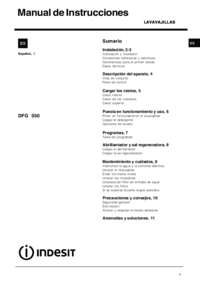
Whirlpool DFG 050 (AG) Instrucciones de uso (12 paginas)
Marca: Whirlpool | Categoria: No info | Tamaño: 0.45 MB |


Tabla de contenidos
Más productos y manuales para No Whirlpool
| Modelos | Tipo de documento |
|---|---|
| CVT 146 |
Instrucciones de uso
 Whirlpool CVT 146 Benutzerhandbuch,
10 paginas |
| F080796 |
Guia Energética
 Document 9784224 [de] ,
1 paginas |
| LPA59EI/SL |
Instrucciones de uso
 Istruzioni per l`uso,
8 paginas |
| KRDD 9010 |
Instrucciones de uso
Istruzioni per l`uso,
12 paginas
|
| 5KPEXTA | Instrucciones de uso Whirlpool 5KPEXTA Brugermanual, 15 paginas |
| F086564 |
Guia Energética
Document 9791095,
1 paginas
|
| F084674 |
Guia Energética
Document 9784719,
1 paginas
|
| F077833 |
Guia Energética
Document 9779194,
1 paginas
|
| IWD 6105 (EU) |
Instrucciones de uso
 Whirlpool IWD 6105 (EU) Manual de usuario,
24 paginas |
| BC 312 AAI |
Instrucciones de uso
 Whirlpool BC 312 AAI User manual,
40 paginas |
| IDCA 735 B (EU) |
Instrucciones de uso
  Whirlpool IDCA 735 B (EU) Manuel utilisateur,
68 paginas |
| IWDC 6125 C ECO (IT) |
Instrucciones de uso
Whirlpool IWDC 6125 C ECO (IT) Manuale utente,
12 paginas
|
| 5CO |
Instrucciones de uso
Whirlpool 5CO Benutzerhandbuch,
6 paginas
|
| TGA 281/A+ |
Manual de instalación
ISTRUZIONI PER L`USO,
4 paginas
|
| KOHCS 60600 |
Instrucciones de uso
Istruzioni per l`uso,
28 paginas
|
| KMPG 3610 IX |
Instrucciones de uso
Istruzioni per l`uso,
32 paginas
|
| C 3V P6 (W) R /HA |
Instrucciones de uso
Whirlpool C 3V P6 (W) R /HA Benutzerhandbuch,
15 paginas
|
| 5CO |
Instrucciones de uso
Whirlpool 5CO Manuel utilisateur,
6 paginas
|
| 5KN1PS |
Instrucciones de uso
Whirlpool 5KN1PS Manuel utilisateur,
6 paginas
|
| TIAA 12 (1) |
Instrucciones de uso
  Whirlpool TIAA 12 (1) Manuel utilisateur,
60 paginas |
© 2020, manymanuals.pl. Wszelkie prawa zastrzeżone. | 0.032 s |
 Manymanuals.com
 Manymanuals.de
 Manymanuals.fr
 Manymanuals.it
 Manymanuals.pl
 Manymanuals.cz
 Manymanuals.es
 Manymanuals-pt.com
Komentarze do niniejszej Instrukcji