Sharp AL-1651CS Dokumentacja Strona 26
- Strona / 40
- Spis treści
- ROZWIĄZYWANIE PROBLEMÓW
- BOOKMARKI

- AL-1651CS/1655CS/1661CS 1
- Online Manual 1
- Introduction 2
- How to Use the Online Manual 3
- Contents 4
- Basic Printing 5
- Printer Driver Settings 8
- CONTENTS INDEX 10
- Two-sided Printing 11
- Printing a Watermark 13
- Scanning Overview 15
- (part 1) 16
- (part 2) 17
- (part 3) 18
- (part 4) 19
- (part 5) 20
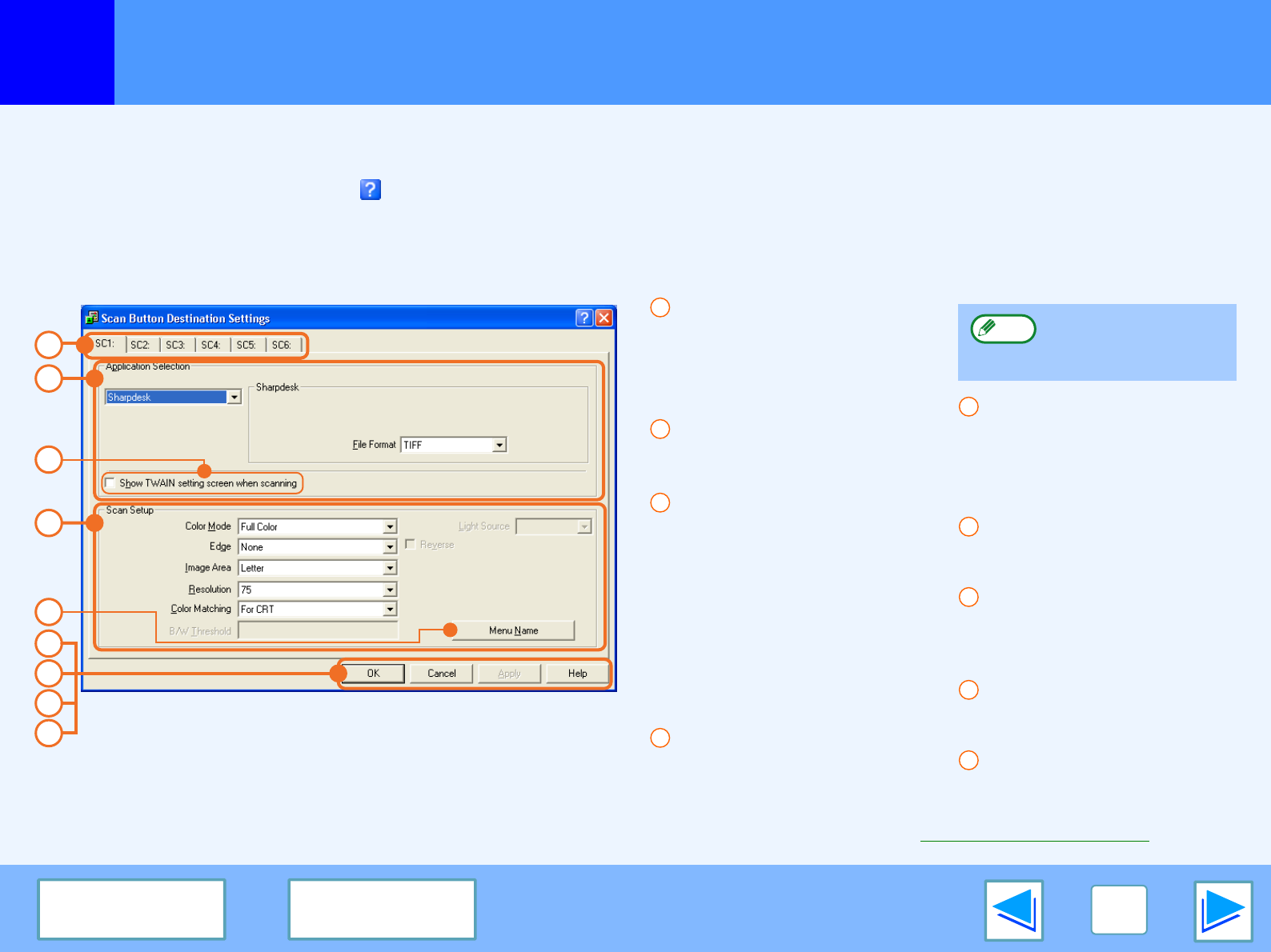
- Outline of Button Manager 26
- Button Manager Settings 27
- Troubleshooting 29
- If a Notice Page is printed 35
- Printer Driver Features 36
- About the Web Page 38
- CONTENTS 40
Powiązane produkty i podręczniki dla Kopiarki Sharp AL-1651CS
 (28 strony)
 (46 strony)
(148 strony)
(173 strony)
 (102 strony)
(12 strony)
(30 strony)
(184 strony)
(92 strony)


 (112 strony)
(52 strony)
(67 strony)
(109 strony)
(28 strony)
(91 strony)
Whirlpool DFG 050 (AG) manuales
Manuales del propietario y guías del usuario para No Whirlpool DFG 050 (AG).
Ofrecemos 1 manuales en pdf Whirlpool DFG 050 (AG) para descargar gratis por tipos de documentos: Instrucciones de uso
Whirlpool DFG 050 (AG) Instrucciones de uso (12 paginas)
Marca: Whirlpool | Categoria: No info | Tamaño: 0.45 MB |

Tabla de contenidos
Más productos y manuales para No Whirlpool
| Modelos | Tipo de documento |
|---|---|
| CVT 146 |
Instrucciones de uso
Whirlpool CVT 146 Benutzerhandbuch,
10 paginas
|
| F080796 |
Guia Energética
 Document 9784224 [de] ,
1 paginas |
| LPA59EI/SL |
Instrucciones de uso
Istruzioni per l`uso,
8 paginas
|
| KRDD 9010 |
Instrucciones de uso
Istruzioni per l`uso,
12 paginas
|
| 5KPEXTA | Instrucciones de uso Whirlpool 5KPEXTA Brugermanual, 15 paginas |
| F086564 |
Guia Energética
Document 9791095,
1 paginas
|
| F084674 |
Guia Energética
Document 9784719,
1 paginas
|
| F077833 |
Guia Energética
Document 9779194,
1 paginas
|
| IWD 6105 (EU) |
Instrucciones de uso
 Whirlpool IWD 6105 (EU) Manual de usuario,
24 paginas |
| BC 312 AAI |
Instrucciones de uso
Whirlpool BC 312 AAI User manual,
40 paginas
|
| IDCA 735 B (EU) |
Instrucciones de uso
Whirlpool IDCA 735 B (EU) Manuel utilisateur,
68 paginas
|
| IWDC 6125 C ECO (IT) |
Instrucciones de uso
Whirlpool IWDC 6125 C ECO (IT) Manuale utente,
12 paginas
|
| 5CO |
Instrucciones de uso
Whirlpool 5CO Benutzerhandbuch,
6 paginas
|
| TGA 281/A+ |
Manual de instalación
ISTRUZIONI PER L`USO,
4 paginas
|
| KOHCS 60600 |
Instrucciones de uso
Istruzioni per l`uso,
28 paginas
|
| KMPG 3610 IX |
Instrucciones de uso
Istruzioni per l`uso,
32 paginas
|
| C 3V P6 (W) R /HA |
Instrucciones de uso
Whirlpool C 3V P6 (W) R /HA Benutzerhandbuch,
15 paginas
|
| 5CO |
Instrucciones de uso
Whirlpool 5CO Manuel utilisateur,
6 paginas
|
| 5KN1PS |
Instrucciones de uso
Whirlpool 5KN1PS Manuel utilisateur,
6 paginas
|
| TIAA 12 (1) |
Instrucciones de uso
 Whirlpool TIAA 12 (1) Manuel utilisateur,
60 paginas |
© 2020, manymanuals.pl. Wszelkie prawa zastrzeżone. | 0.029 s |
 Manymanuals.com
 Manymanuals.de
 Manymanuals.fr
 Manymanuals.it
 Manymanuals.pl
 Manymanuals.cz
 Manymanuals.es
 Manymanuals-pt.com
Komentarze do niniejszej Instrukcji