Sharp XL-3000V Dokumentacja Strona 16
- Strona / 28
- Spis treści
- BOOKMARKI

- XL-3000W 1
- Special Notes 2
- Accessories 3
- Contents 3
- Precautions 4
- Controls and Indicators 5
- General Information 6
- System Connections 8
- Preparation for Use 10
- Remote Control 12
- General Control 13
- Sound Control 14
- Setting the Clock 15
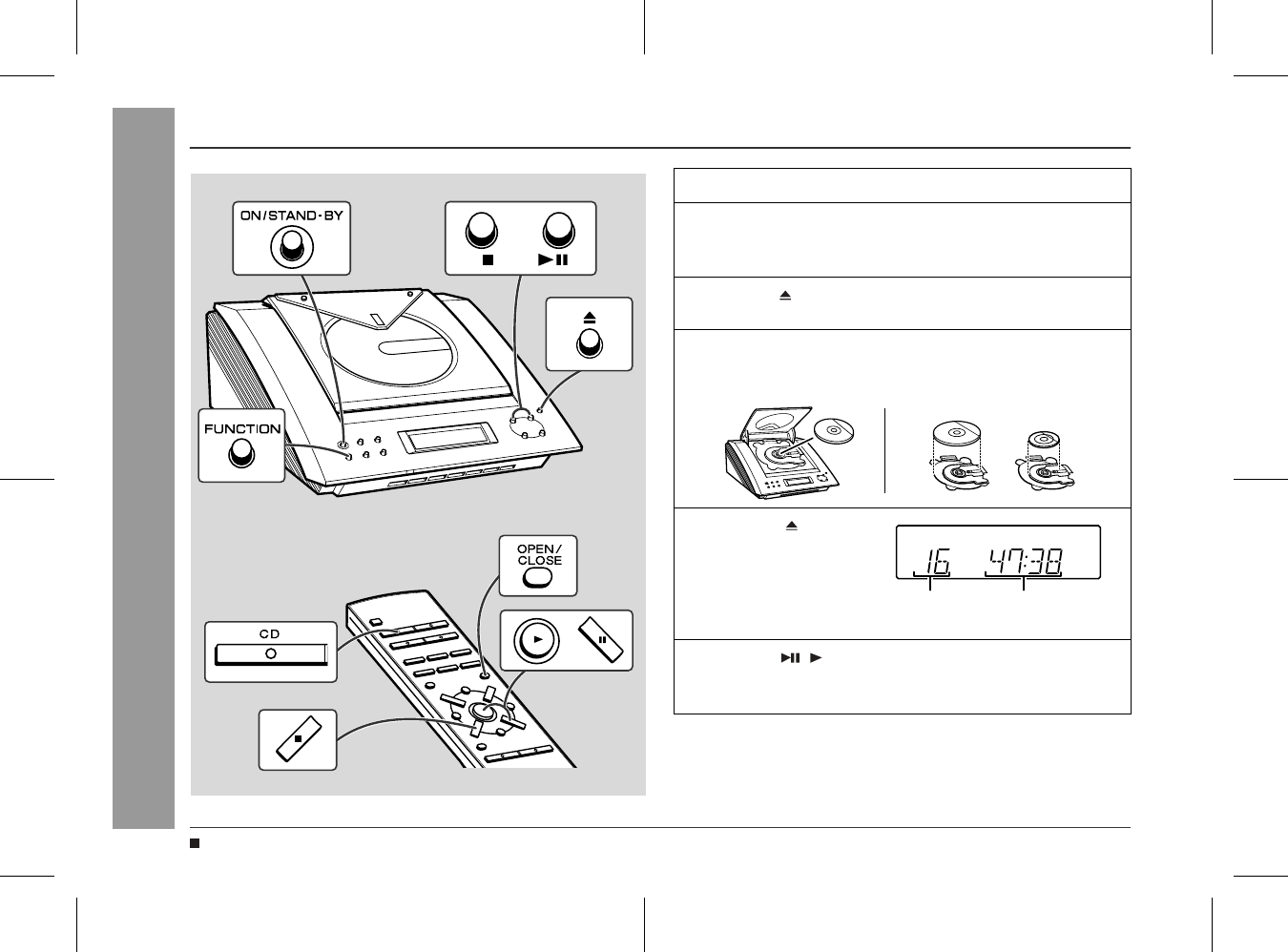
- Listening to a CD 16
- CD Playback 17
- Repeat or Random Play 18
- Programmed Play 19
- Listening to the Radio 20
- 01/3/1 XL-3000W(A)2.fm 21
- Timer and Sleep Operation 22
- Advanced Features 23
- Enhancing Your System 25
- Troubleshooting 26
- Maintenance 26
- Specifications 27
- B0103.HKTINSE0074SJZZ 28
- SHARP CORPORATION 28
Powiązane produkty i podręczniki dla odtwarzacze CD Sharp XL-3000V


 (28 strony)
(23 strony)
(40 strony)
(48 strony)
(28 strony)
(23 strony)
(40 strony)
(48 strony)
 (25 strony)
(19 strony)
(45 strony)
(37 strony)
(44 strony)
(25 strony)
(19 strony)
(45 strony)
(37 strony)
(44 strony)

 (61 strony)
(56 strony)
(60 strony)
(59 strony)
(39 strony)
(61 strony)
(56 strony)
(60 strony)
(59 strony)
(39 strony)
© 2020, manymanuals.pl. Wszelkie prawa zastrzeżone. | 0.043 s |
 Manymanuals.com
 Manymanuals.de
 Manymanuals.fr
 Manymanuals.it
 Manymanuals.pl
 Manymanuals.cz
 Manymanuals.es
 Manymanuals-pt.com
Komentarze do niniejszej Instrukcji