Sharp XL-3000V Dokumentacja
Przeglądaj online lub pobierz Dokumentacja dla odtwarzacze CD Sharp XL-3000V. Sharp XL-3000V Specifications Instrukcja obsługi
- Strona / 28
- Spis treści
- BOOKMARKI

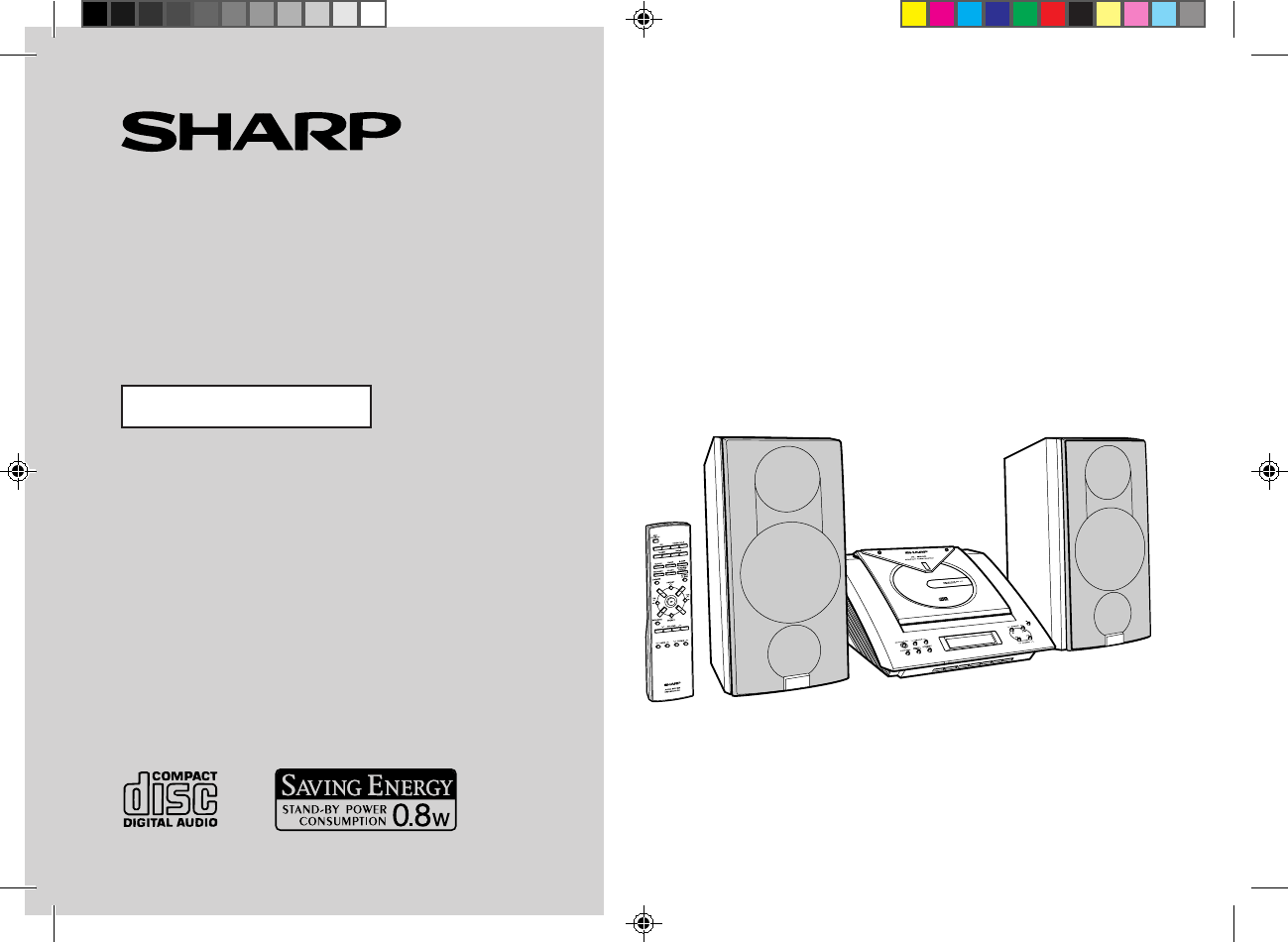
- XL-3000W 1
- Special Notes 2
- Accessories 3
- Contents 3
- Precautions 4
- Controls and Indicators 5
- General Information 6
- System Connections 8
- Preparation for Use 10
- Remote Control 12
- General Control 13
- Sound Control 14
- Setting the Clock 15
- Listening to a CD 16
- CD Playback 17
- Repeat or Random Play 18
- Programmed Play 19
- Listening to the Radio 20
- 01/3/1 XL-3000W(A)2.fm 21
- Timer and Sleep Operation 22
- Advanced Features 23
- Enhancing Your System 25
- Troubleshooting 26
- Maintenance 26
- Specifications 27
- B0103.HKTINSE0074SJZZ 28
- SHARP CORPORATION 28
Podsumowanie treści
Thank you for purchasing this SHARP product.To obtain the best performance from this product, pleaseread this manual carefully. It will guide you in o
01/3/1 XL-3000W(A)1.fm9Preparation for Use- System Connections -System Connections (continued)„Setting the AC voltage selectorCheck the setting of the
01/3/1 XL-3000W(A)1.fm10Preparation for Use- System Connections - „Setting the AM/FM intervalThe International Telecommunication Union (ITU) has estab
01/3/1 XL-3000W(A)2.fm11Preparation for Use- Remote Control -Remote Control„Battery installationPrecautions for battery use:zReplace all old batteries
01/3/1 XL-3000W(A)2.fm12Basic Operation- General Control -General Control„To turn the power onPress the ON/STAND-BY button to turn the power on.To set
01/3/1 XL-3000W(A)2.fm13Basic Operation- Sound Control -Sound Control „Adjusting the volumePress the VOLUME button to increase the volume and the VO
01/3/1 XL-3000W(A)2.fm14Basic Operation- Setting the Clock -Setting the Clock This may be operated only with the remote control.In this example, the c
01/3/1 XL-3000W(A)2.fm15CD Playback- Listening to a CD -Listening to a CD 1Press the ON/STAND-BY button to turn the power on.2Press the FUNCTION butt
01/3/1 XL-3000W(A)2.fm16CD Playback- Listening to a CD - To interrupt playback:Main unit operation:Press the button.To resume playback from the same
01/3/1 XL-3000W(A)2.fm17CD Playback- Listening to a CD / Repeat or Random Play -Listening to a CD (continued)„To locate the beginning of a track „To
01/3/1 XL-3000W(A)2.fm18CD Playback- Programmed Play -Programmed PlayYou can choose up to 20 selections for playback in the order youlike. To cancel t
01/3/1 XL-3000W(A)1.fm1Important Instruction- Special Notes -Special NotesWhen the ON/STAND-BY button is set at STAND-BY position, mainsvoltage is sti
01/3/1 XL-3000W(A)2.fm19Radio- Listening to the Radio -Listening to the RadioTo receive an FM stereo transmission:Press the FUNCTION (BAND) button to
01/3/1 XL-3000W(A)2.fm20Radio- Listening to the Memorised Station -Listening to the Memorised Station„Memorising a stationYou can store 30 AM and FM s
01/3/1 XL-3000W(A)3.fm21Advanced Features- Timer and Sleep Operation -Timer and Sleep OperationThis may be operated only with the remote control.Timer
01/3/1 XL-3000W(A)3.fm22Advanced Features- Timer and Sleep Operation - To reset or change the timer setting:Perform "Timer playback" from t
01/3/1 XL-3000W(A)3.fm23Advanced Features- Timer and Sleep Operation -Timer and Sleep Operation (continued)„Sleep operation To cancel the sleep operat
01/3/1 XL-3000W(A)3.fm24Advanced Features- Enhancing Your System -Enhancing Your SystemThe connection lead is not included. Purchase a commercially av
01/3/1 XL-3000W(A)3.fm25References- Troubleshooting / Maintenance -Troubleshooting„If trouble occursWhen this product is subjected to strong external
01/3/1 XL-3000W(A)3.fm26References- Specifications -SpecificationsAs part of our policy of continuous improvement, SHARP reservesthe right to make des
B0103.HKTINSE0074SJZZSHARP CORPORATION9906XL3000A(BACK) 2001.6.6, 2:18 PM1
01/3/1 XL-3000W(A)1.fm2General Information- Accessories / Contents -AccessoriesPlease confirm that the following accessories are included.Note:Only th
01/3/1 XL-3000W(A)1.fm3General Information- Precautions -Precautions„GeneralzPlease ensure that the equipment is positioned in a well-venti-lated area
01/3/1 XL-3000W(A)1.fm4General Information- Controls and Indicators -Controls and Indicators„Front panelReference page1. CD Compartment . . . . . . .
01/3/1 XL-3000W(A)1.fm5General Information- Controls and Indicators -Controls and Indicators (continued)„Rear panelReference page1. CD Digital Output
01/3/1 XL-3000W(A)1.fm6General Information- Controls and Indicators - „Remote controlReference page1.Remote Control Transmitter . . . . . . . . . . .
01/3/1 XL-3000W(A)1.fm7Preparation for Use- System Connections -System ConnectionsRight speakerLeft speakerFM aerialAM loop aerialVCR, DVD, etc.MD rec
01/3/1 XL-3000W(A)1.fm8Preparation for Use- System Connections - „Aerial connectionNotes:zPlacing the aerial on the unit or near the AC power lead may
Więcej dokumentów dla odtwarzacze CD Sharp XL-3000V

Powiązane produkty i podręczniki dla odtwarzacze CD Sharp XL-3000V


 (28 strony)
(23 strony)
(40 strony)
(48 strony)
(28 strony)
(23 strony)
(40 strony)
(48 strony)
 (25 strony)
(19 strony)
(45 strony)
(37 strony)
(44 strony)
(25 strony)
(19 strony)
(45 strony)
(37 strony)
(44 strony)

 (61 strony)
(56 strony)
(60 strony)
(59 strony)
(39 strony)
(61 strony)
(56 strony)
(60 strony)
(59 strony)
(39 strony)
© 2020, manymanuals.pl. Wszelkie prawa zastrzeżone. | 0.039 s |
 Manymanuals.com
 Manymanuals.de
 Manymanuals.fr
 Manymanuals.it
 Manymanuals.pl
 Manymanuals.cz
 Manymanuals.es
 Manymanuals-pt.com
Komentarze do niniejszej Instrukcji