Sharp XL-1500H Dokumentacja Strona 20

  • Pobierz
  • Dodaj do moich podręczników
  • Drukuj
  • Strona
    / 39
  • Spis treści
  • BOOKMARKI
  • Oceniono. / 5. Na podstawie oceny klientów
Przeglądanie stron 19
01/12/12 1500H_E2.fm
E-14
ENGLISH
XL-1500H
XL-1600H
CD Playback
- Repeat or random play -
To locate the beginning of a track
To locate the desired portion
Notes:
z
Normal playback will resume when the or button is
released.
z
When the end of the last track is reached during fast forward,
"END" will appear on the display and CD operation will be
paused. When the beginning of the first track is reached during
fast reverse, playback will start when you release the button.
z
The or button on the remote control allows you to locate
the desired portion.
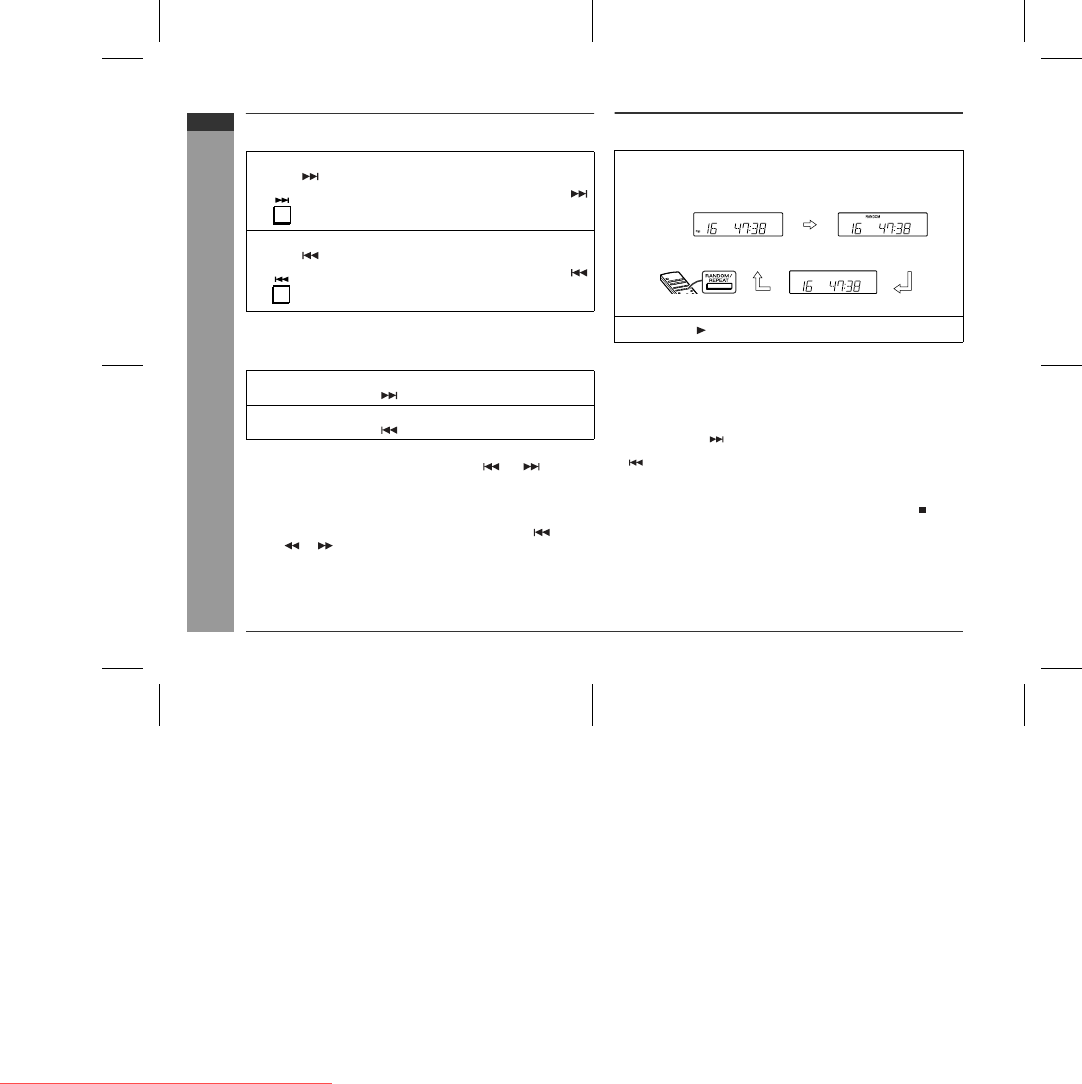
Repeat or random play
You can select one of the CD playback mode; "Repeat play", "Random
play" and "Normal play".
To repeat a programmed sequence:
Perform steps 1 - 5 in the "Programmed Play" section and then select the
repeat playback.
Notes:
z
In random play, the CD player will select and play tracks automatically.
(You cannot select the order of the tracks.)
z
If you press the button during random play, you can move to the
track selected next by the random operation. On the other hand, the
button does not allow you to move to the previous track. The
beginning of the track being played will be located.
Caution:
After performing repeat or random play, be sure to press the button.
Otherwise, the disc will play continuously.
To cancel repeat or random play:
Press the RANDOM/REPEAT button on the remote control repeatedly to
select the normal playback mode.
To move to the beginning of the next track:
Press the button for less than 0.5 seconds during playback.
z
You can skip to any track by pressing the
button repeatedly until the desired track
number appears.
To restart the track being played:
Press the button for less than 0.5 seconds during playback.
z
You can skip to any track by pressing the
button repeatedly until the desired track
number appears.
For audible fast forward:
Press and hold down the button during playback.
For audible fast reverse:
Press and hold down the button during playback.
1
When in the CD mode, press the RANDOM/REPEAT
button on the remote control repeatedly to select the
playback mode.
Repeat playback mode Random playback mode
Normal playback mode
2
Press the button to start playback.
Downloaded from www.Manualslib.com manuals search engine
Downloaded From Disc-Player.com Sharp Manuals
Przeglądanie stron 19
1 2 ... 15 16 17 18 19 20 21 22 23 24 25 ... 38 39

Komentarze do niniejszej Instrukcji

Brak uwag