Sharp CD-G20000P Instrukcje Operacyjne
Przeglądaj online lub pobierz Instrukcje Operacyjne dla odtwarzacze CD Sharp CD-G20000P. Sharp CD-G20000P Operating instructions Instrukcja obsługi
- Strona / 48
- Spis treści
- ROZWIĄZYWANIE PROBLEMÓW
- BOOKMARKI

- CD-G20000 1
- CP-G20000S 1
- SPECIAL NOTES 2
- IMPORTANT SAFETY INSTRUCTIONS 3
- 06/2/7 CD-G20000_E1.fm 4
- TINSEA128AWZZ 4
- Special Note 5
- Contents 5
- Precautions 6
- Controls and indicators 7
- General Information 10
- System connections 11
- Preparation for Use 12
- Remote control 16
- Subwoofer control 17
- General control 18
- Basic Operation 19
- CD or MP3/WMA disc Playback 20
- Listening to the radio 31
- Tape Playback 33
- Recording on a cassette tape 34
- Tape Recording 35
- Advanced Features 37
- Troubleshooting chart 42
- References 43
- Specifications 46
- 06/2/7 CD-G20000_B.fm 48
- CONSUMER LIMITED WARRANTY 48
Podsumowanie treści
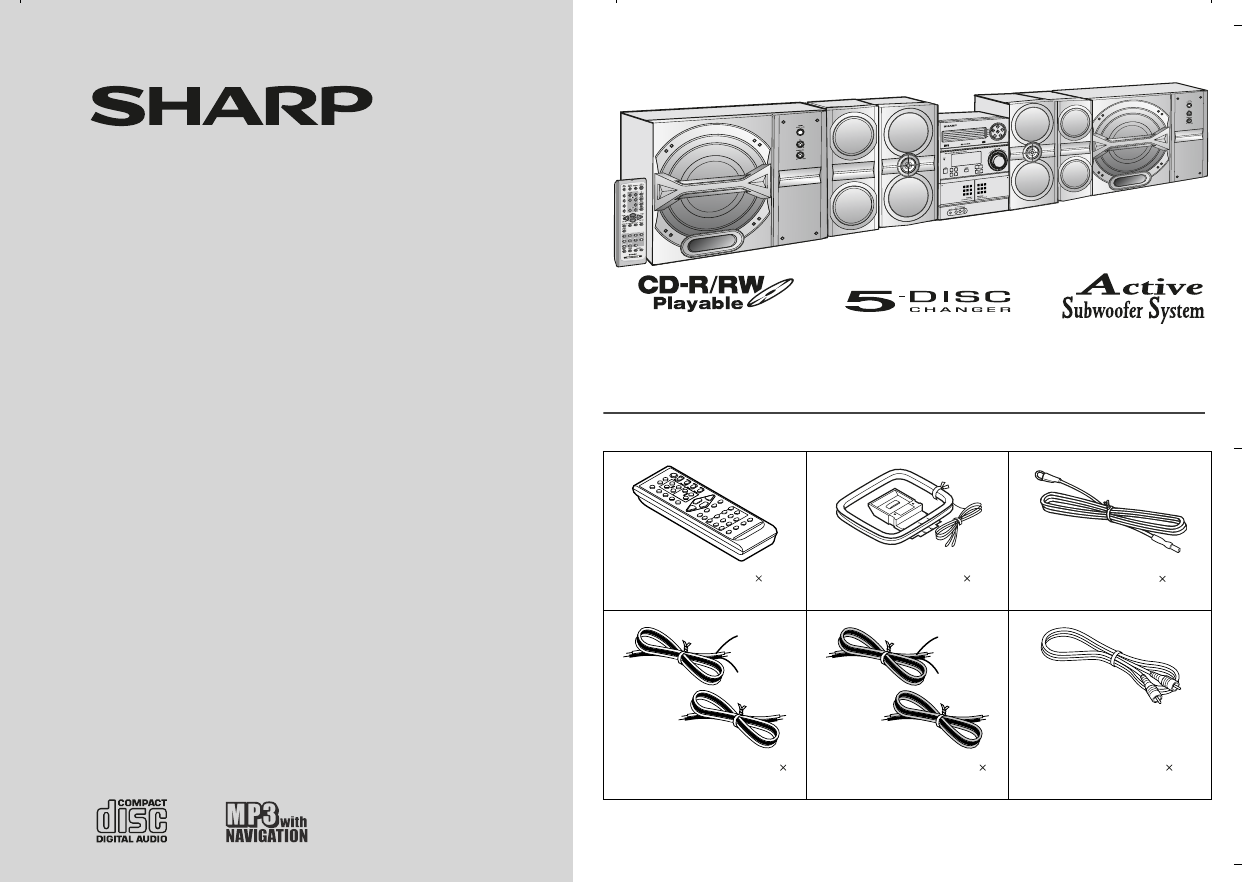
06/2/7 CD-G20000_FR.fmTINSZA128AWZZMINI COMPONENT SYSTEMMODELCD-G20000SPEAKER SYSTEMMODELCP-G20000SOPERATION MANUALThank you for purchasing this SHARP
06/2/7 CD-G20000_E1.fm 10 General Information CP-G20000SCD-G20000 TINSEA128AWZZ Controls and indicators (continued) Remote control Reference page1.
1106/2/14 CD-G20000_E2.fmTINSEA128AWZZPreparation for UseCP-G20000SCD-G20000System connections75 OHMSFM GND AMANTENNAVIDEOOUTRIGHTRATED SPEAKER IMPEDA
1206/2/14 CD-G20000_E2.fmTINSEA128AWZZPreparation for UseCP-G20000SCD-G20000System connections (continued) Antenna connection Note: Placing the anten
13 06/2/14 CD-G20000_E2.fmTINSEA128AWZZ Preparation for Use CP-G20000SCD-G20000 Placing the speaker system To enjoy the surround effect, we recomme
14 06/2/14 CD-G20000_E2.fmTINSEA128AWZZ Preparation for Use CP-G20000SCD-G20000 System connections (continued) Connecting the subwoofer Use the sub
15 06/2/14 CD-G20000_E2.fmTINSEA128AWZZ Preparation for Use CP-G20000SCD-G20000 Cooling fan: The main unit and the active subwoofer are built with a
16 06/2/14 CD-G20000_E2.fmTINSEA128AWZZ Preparation for Use CP-G20000SCD-G20000 Remote control Battery installation Precautions for battery use:
17 06/2/14 CD-G20000_E2.fmTINSEA128AWZZ Preparation for Use CP-G20000SCD-G20000 Subwoofer control Power switch Press the POWER ON/OFF button to t
18 06/2/14 CD-G20000_E2.fmTINSEA128AWZZ Basic Operation CP-G20000SCD-G20000 General control To turn the power on Press the ON/STAND-BY button to
19 06/2/14 CD-G20000_E2.fmTINSEA128AWZZ Basic Operation CP-G20000SCD-G20000 Setting the clock (Remote Control only) In this example, the clock is se
06/2/7 CD-G20000_E1.fm2Important InstructionTINSEA128AWZZCP-G20000SCD-G20000SPECIAL NOTESCAUTION: TO REDUCE THE RISK OF ELECTRIC SHOCK,DO NOT REMOVE C
2006/2/14 CD-G20000_E2.fmTINSEA128AWZZCD or MP3/WMA disc PlaybackCP-G20000SCD-G20000Listening to a CD or MP3/WMA discThis system can play back a stand
2106/2/14 CD-G20000_E2.fmTINSEA128AWZZCD or MP3/WMA disc PlaybackCP-G20000SCD-G20000 1 Press the POWER ON/STAND-BY button to turn the poweron.2 Press
2206/2/14 CD-G20000_E2.fmTINSEA128AWZZCD or MP3/WMA disc PlaybackCP-G20000SCD-G20000Listening to a CD or MP3/WMA disc (continued) Playback will begin
2306/2/14 CD-G20000_E2.fmTINSEA128AWZZCD or MP3/WMA disc PlaybackCP-G20000SCD-G20000 Notes for CD: Notes for MP3/WMA discs: Track up/track down is p
2406/2/14 CD-G20000_E2.fmTINSEA128AWZZCD or MP3/WMA disc PlaybackCP-G20000SCD-G20000Advanced CD or MP3/WMA disc playback To specify a disc to playYou
2506/2/14 CD-G20000_E2.fmTINSEA128AWZZCD or MP3/WMA disc PlaybackCP-G20000SCD-G20000 Repeat playRepeat play can play all 5 discs, all tracks on a ch
2606/2/14 CD-G20000_E2.fmTINSEA128AWZZCD or MP3/WMA disc PlaybackCP-G20000SCD-G20000Advanced CD or MP3/WMA disc playback (continued) Programmed playY
2706/2/14 CD-G20000_E2.fmTINSEA128AWZZCD or MP3/WMA disc PlaybackCP-G20000SCD-G20000MP3/WMA navigation (only for MP3/WMA files) MP3/WMA navigation:Yo
2806/2/14 CD-G20000_E2.fmTINSEA128AWZZCD or MP3/WMA disc PlaybackCP-G20000SCD-G20000MP3/WMA navigation (only for MP3/WMA files) (continued) File sear
2906/2/14 CD-G20000_E2.fmTINSEA128AWZZCD or MP3/WMA disc PlaybackCP-G20000SCD-G20000 Character search (for folder or title 1/2/3)By entering a name
06/2/7 CD-G20000_E1.fm3TINSEA128AWZZImportant Instruction CP-G20000SCD-G20000 IMPORTANT SAFETY INSTRUCTIONS1 Read Instructions - All the safety and op
3006/2/14 CD-G20000_E2.fmTINSEA128AWZZCD or MP3/WMA disc PlaybackCP-G20000SCD-G20000MP3/WMA navigation (only for MP3/WMA files) (continued) Programme
3106/2/14RadioCD-G20000_E3.fmTINSEA128AWZZCP-G20000SCD-G20000Listening to the radio Auto power on function:When you press any of the following buttons
32 06/2/14 Radio CD-G20000_E3.fmTINSEA128AWZZ CP-G20000SCD-G20000 Listening to the radio (continued) Memorizing a station You can store 40 AM and F
33 06/2/14 Tape Playback CD-G20000_E3.fmTINSEA128AWZZ CP-G20000SCD-G20000 Listening to a cassette tape (TAPE 1 or TAPE 2) Tape playback Auto power
34 06/2/14 Tape Playback CD-G20000_E3.fmTINSEA128AWZZ CP-G20000SCD-G20000 Listening to a cassette tape (TAPE 1 or TAPE 2) (continued) Various ta
35 06/2/14 Tape Recording CD-G20000_E3.fmTINSEA128AWZZ CP-G20000SCD-G20000 Recording from a CD (or MP3 disc) To stop recording: Press the button.
36 06/2/14 Tape Recording CD-G20000_E3.fmTINSEA128AWZZ CP-G20000SCD-G20000 Recording on a cassette tape (continued) To perform programmed recording:T
37 06/2/14 Advanced Features CD-G20000_E3.fmTINSEA128AWZZ CP-G20000SCD-G20000 Timer and sleep operation (Remote Control only) Timer playback: The un
3806/2/14Advanced FeaturesCD-G20000_E3.fmTINSEA128AWZZCP-G20000SCD-G20000Timer and sleep operation (Remote Control only) (continued)4 Within 10 second
3906/2/14Advanced FeaturesCD-G20000_E3.fmTINSEA128AWZZCP-G20000SCD-G20000 Note: Checking the timer setting in the timer stand-by mode:Canceling the ti
06/2/7 CD-G20000_E1.fm 4 Important Instruction TINSEA128AWZZ CP-G20000SCD-G20000 IMPORTANT SAFETY INSTRUCTIONS (continued)15 Outdoor Antenna Groundin
4006/2/14Advanced FeaturesCD-G20000_E3.fmTINSEA128AWZZCP-G20000SCD-G20000Timer and sleep operation (Remote Control only) (continued) Sleep operationT
4106/2/14Advanced FeaturesCD-G20000_E3.fmTINSEA128AWZZCP-G20000SCD-G20000Enhancing your systemThe connection cord is not included. Purchase a commerci
4206/2/14Advanced FeaturesCD-G20000_E3.fmTINSEA128AWZZCP-G20000SCD-G20000Enhancing your system (continued) Headphones Before plugging in or unplugg
4306/2/14ReferencesCD-G20000_E3.fmTINSEA128AWZZCP-G20000SCD-G20000 Cassette deck Remote control Tuner CondensationSudden temperature changes, s
4406/2/14ReferencesCD-G20000_E3.fmTINSEA128AWZZCP-G20000SCD-G20000Troubleshooting chart (continued) If trouble occursWhen this product is subjected t
4506/2/14ReferencesCD-G20000_E3.fmTINSEA128AWZZCP-G20000SCD-G20000Maintenance Cleaning the tape-handling parts Dirty heads, capstans or pinch roller
4606/2/14ReferencesCD-G20000_E3.fmTINSEA128AWZZCP-G20000SCD-G20000SpecificationsAs part of our policy of continuous improvement, SHARP reservesthe rig
4706/2/15ReferencesCD-G20000_E3.fmTINSEA128AWZZCP-G20000SCD-G20000 Tuner Cassette deck Front speaker Rear speaker Active subwooferFrequency rang
06/2/7 CD-G20000_B.fmTINSEA128AWZZSHARP ELECTRONICS CORPORATIONSharp Plaza, Mahwah, New Jersey 07430-2135SHARP CORPORATIONzCONSUMER LIMITED WARRANTYSH
06/2/7 CD-G20000_E1.fm 5 General Information TINSEA128AWZZ CP-G20000SCD-G20000 Special Note Supply of this product does not convey a license nor im
06/2/7 CD-G20000_E1.fm 6 General Information CP-G20000SCD-G20000 TINSEA128AWZZ Precautions General Please ensure that the system is positioned in
06/2/7 CD-G20000_E1.fm 7 General Information TINSEA128AWZZ CP-G20000SCD-G20000 Controls and indicators Front panel Reference page1. Disc Trays . .
06/2/7 CD-G20000_E1.fm 8 General Information CP-G20000SCD-G20000 TINSEA128AWZZ Controls and indicators (continued) Display Reference page1. Disc Nu
06/2/7 CD-G20000_E1.fm 9 General Information TINSEA128AWZZ CP-G20000SCD-G20000 Front speaker 1. Woofers2. Tweeter3. Bass Reflex Duct4. Speaker Te
Powiązane produkty i podręczniki dla odtwarzacze CD Sharp CD-G20000P
 (16 strony)
 (64 strony)
 (2 strony) (68 strony)
(12 strony)
(54 strony)
(124 strony)
(108 strony)
(88 strony)
(56 strony)
(68 strony)
(116 strony)
(72 strony)
(2 strony) (68 strony)
(12 strony)
(54 strony)
(124 strony)
(108 strony)
(88 strony)
(56 strony)
(68 strony)
(116 strony)
(72 strony)
© 2020, manymanuals.pl. Wszelkie prawa zastrzeżone. | 0.031 s |
 Manymanuals.com
 Manymanuals.de
 Manymanuals.fr
 Manymanuals.it
 Manymanuals.pl
 Manymanuals.cz
 Manymanuals.es
 Manymanuals-pt.com
Komentarze do niniejszej Instrukcji