Sharp CD-E250E Dokumentacja Strona 13

  • Pobierz
  • Dodaj do moich podręczników
  • Drukuj
  • Strona
    / 32
  • Spis treści
  • BOOKMARKI
  • Oceniono. / 5. Na podstawie oceny klientów
Przeglądanie stron 12
03/2/17 CD-E250E(E)2.fm
13
CD-E250E
Basic Operation
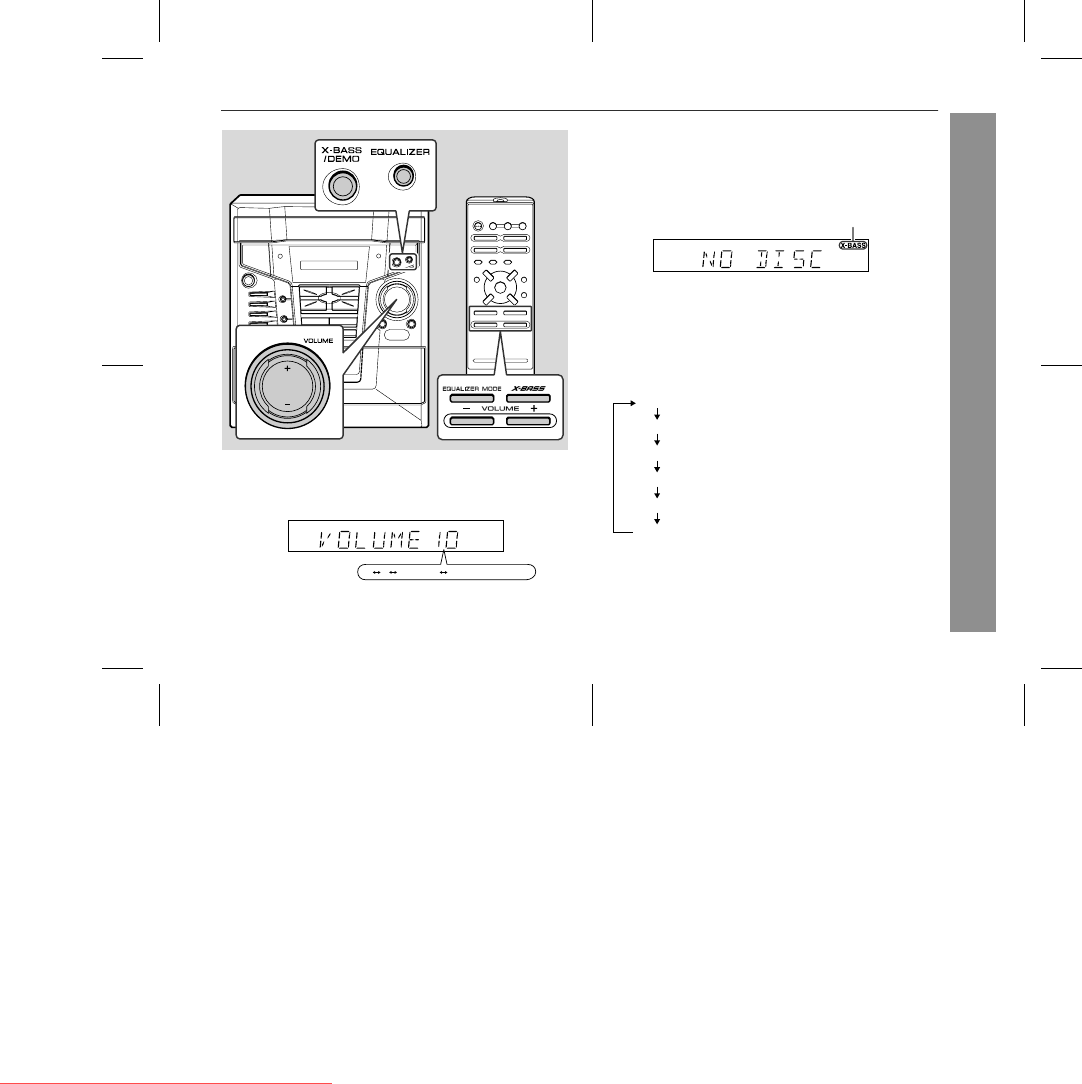
Sound control
! Volume control
Press the VOLUME (+ or -) button to increase or decrease the vol-
ume.
! Bass control
When the power is first turned on, the unit will enter the extra bass
mode which emphasises the bass frequencies, and "X-BASS" will
appear. To cancel the extra bass mode, press the X-BASS/DEMO
(X-BASS) button.
! Equaliser
When the EQUALIZER (EQUALIZER MODE) button is pressed, the
current mode setting will be displayed. To change to a different
mode, press the EQUALIZER (EQUALIZER MODE) button repeat-
edly until the desired sound mode appears.
12 29 30 (MAXIMUM)0
.....
X-BASS indicator
FLAT
The sound is not modified.
ROCK
Bass and treble are emphasised.
POPS
Bass and treble are slightly emphasised.
JAZZ
Treble is slightly emphasised.
CLASSIC
Treble is cut a little.
VOCAL
Vocals (midrange tones) are emphasised.
Downloaded from www.Manualslib.com manuals search engine
Downloaded From Disc-Player.com Sharp Manuals
Przeglądanie stron 12
1 2 ... 8 9 10 11 12 13 14 15 16 17 18 ... 31 32

Komentarze do niniejszej Instrukcji

Brak uwag