Sharp WQ-290H Dokumentacja Strona 9
- Strona / 24
- Spis treści
- BOOKMARKI

- MICROWAVE OVEN 1
- WARRANTY 2
- SPECIAL NOTES 4
- OVEN DIAGRAM 5
- INSTALLATION INSTRUCTIONS 5
- OPERATION OF CONTROL PANEL 6
- Getting Started 7
- Clock Setting 7
- Stop/Clear 7
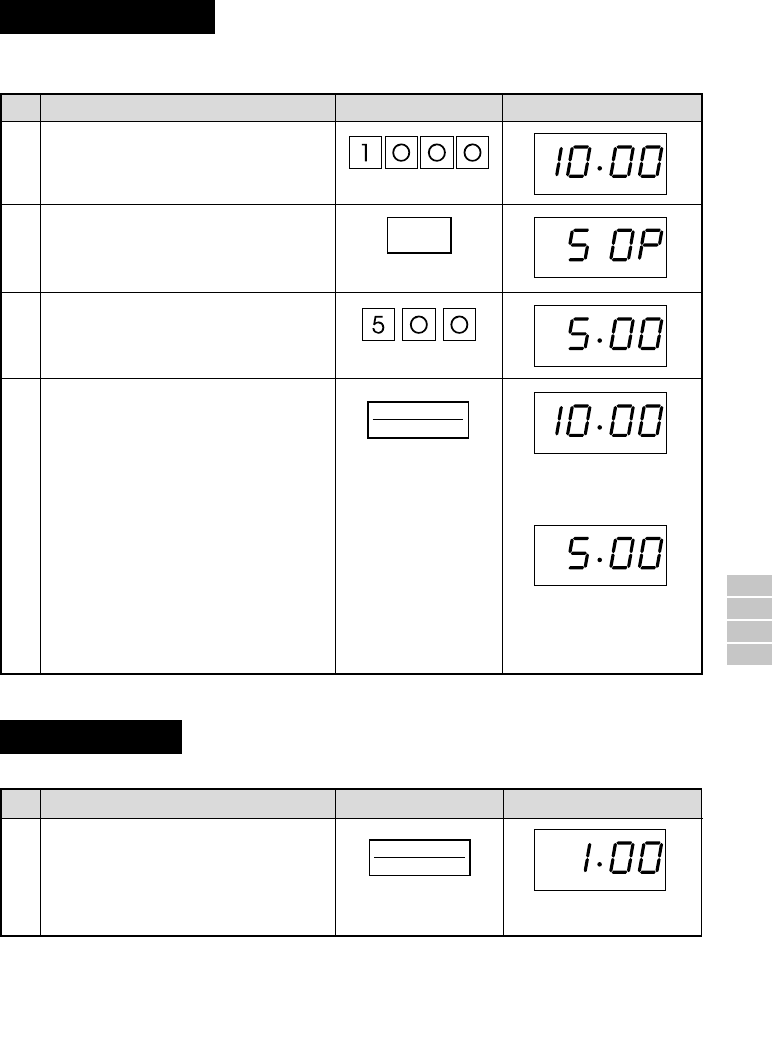
- Sequence Cooking 9
- Instant Cook™ 9
- AUTOMATIC OPERATIONS 11
- Express Defrost 12
- Easy Defrost 13
- Less/More Setting 14
- Child Lock 15
- Demonstration Mode 15
- SPECIFICATIONS 16
- CARE AND CLEANING 16
- SERVICE CALL CHECK 16
- COOKING GUIDES 17
- HELPFUL HINTS 18
- ( ) 19
- EXPRESS DEFROST MENU GUIDE 21
- EASY DEFROST MENU GUIDE 22
- FRESH VEGETABLE CHART 23
- FROZEN VEGETABLE CHART 24
- REHEATING-FOOD CHART 24
Powiązane produkty i podręczniki dla Odtwarzacze kasetowe Sharp WQ-290H
 (88 strony)
 (33 strony)
 (53 strony)
 (112 strony)
(33 strony)
(124 strony)
(36 strony)
(112 strony)
(33 strony)
(124 strony)
(36 strony)
© 2020, manymanuals.pl. Wszelkie prawa zastrzeżone. | 0.038 s |
 Manymanuals.com
 Manymanuals.de
 Manymanuals.fr
 Manymanuals.it
 Manymanuals.pl
 Manymanuals.cz
 Manymanuals.es
 Manymanuals-pt.com
Komentarze do niniejszej Instrukcji