Sharp CD G14000 Instrukcje Operacyjne
Przeglądaj online lub pobierz Instrukcje Operacyjne dla odtwarzacze CD Sharp CD G14000. Sharp CD G14000 Operating instructions Instrukcja obsługi
- Strona / 48
- Spis treści
- ROZWIĄZYWANIE PROBLEMÓW
- BOOKMARKI

- CD-G14000 1
- SPECIAL NOTES 2
- IMPORTANT SAFETY INSTRUCTIONS 3
- Important Instruction 4
- General Information 10
- System connections 11
- Preparation for Use 12
- Remote control 16
- Subwoofer control 17
- General control 18
- Basic Operation 19
- CD or MP3/WMA disc Playback 20
- Listening to the radio 30
- Tape Playback 32
- Recording on a cassette tape 33
- Tape Recording 34
- Advanced Features 36
- Enhancing your system 40
- Troubleshooting chart 41
- References 42
- Maintenance 44
- Specifications 45
- Specifications (continued) 46
- 08/1/28 CD-G14000_BACK.fm 48
- TINSEA128AWZZ 48
- CONSUMER LIMITED WARRANTY 48
Podsumowanie treści
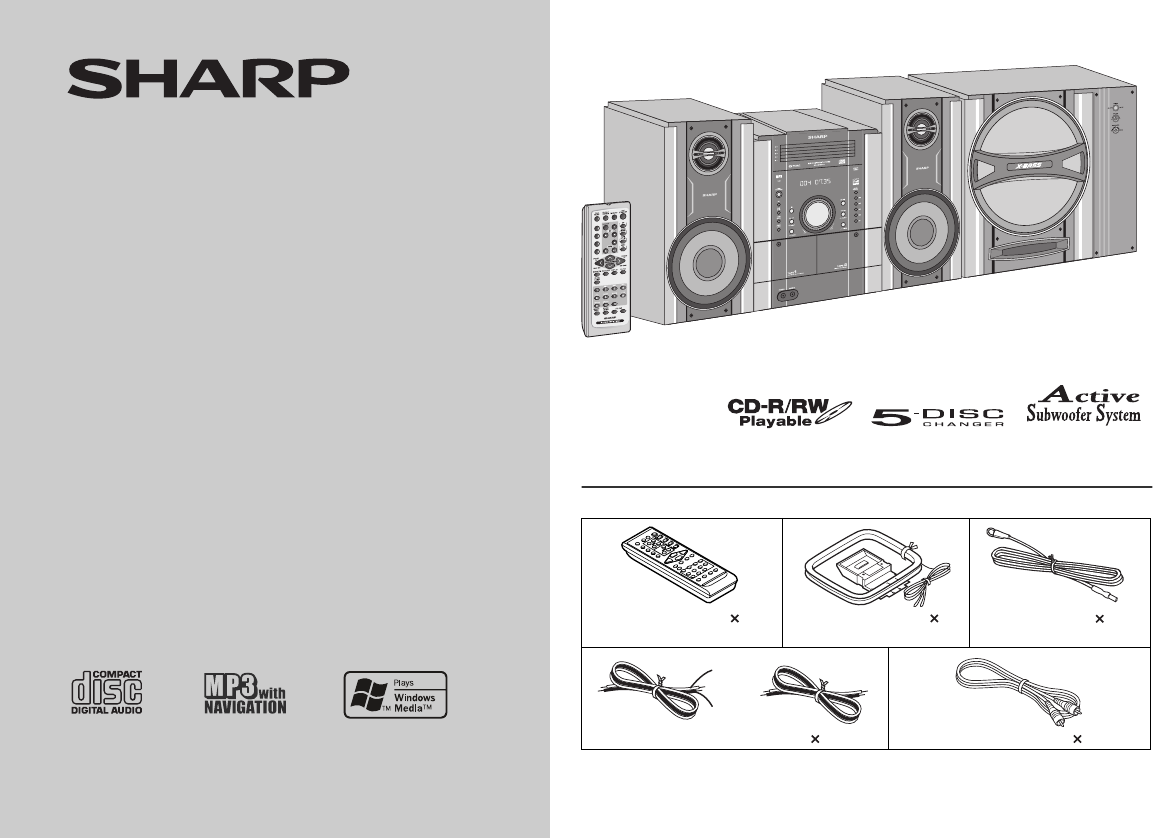
08/1/15 CD-G14000_FRONT.fm TINSZA128AWZZ MINI COMPONENT SYSTEM MODEL CD-G14000 OPERATION MANUAL T hank you for purchasing this SHARP product.To obtai
08/1/15 CD-G14000_EN.fm 10 General Information TINSEA128AWZZ CD-G14000 Controls and indicators (continued) Remote control Reference page1. Remote C
CD-G14000 08/1/15 CD-G14000_EN.fm 11 Preparation for Use TINSEA128AWZZ System connections75 OHMSFMGNDAMANTENNARATED SPEAKER IMPEDANCE : 6 OHMS MIN.Su
08/1/15 CD-G14000_EN.fm 12 Preparation for Use TINSEA128AWZZ CD-G14000 System connections (continued) Antenna connection Note: Placing the antenna
CD-G14000 08/1/15 CD-G14000_EN.fm 13 Preparation for Use TINSEA128AWZZ Placing the speaker system To enjoy the surround effect, we recommend that
08/1/15 CD-G14000_EN.fm14Preparation for UseTINSEA128AWZZCD-G14000System connections (continued) Connecting the subwooferUse the subwoofer cable to c
CD-G1400008/1/15 CD-G14000_EN.fm15Preparation for UseTINSEA128AWZZ Cooling fan:The main unit and the active subwoofer are built with a cooling fan att
08/1/15 CD-G14000_EN.fm16Preparation for UseTINSEA128AWZZCD-G14000Remote control Battery installation Precautions for battery use: Replace all old b
CD-G1400008/1/15 CD-G14000_EN.fm17Preparation for UseTINSEA128AWZZSubwoofer control Power switchPress the POWER ON/OFF button to turn ON the Active s
08/1/15 CD-G14000_EN.fm18Basic OperationTINSEA128AWZZCD-G14000General control To turn the power onPress the ON/STAND-BY button to turn the power on.
CD-G1400008/1/15 CD-G14000_EN.fm19Basic OperationTINSEA128AWZZSetting the clock (Remote Control only) In this example, the clock is set for the 12-hou
08/1/15 CD-G14000_EN.fm 2 Important Instruction TINSEA128AWZZ CD-G14000 SPECIAL NOTESCAUTION: TO REDUCE THE RISK OF ELECTRIC SHOCK,DO NOT REMOVE COVE
08/1/15 CD-G14000_EN.fm20CD or MP3/WMA disc PlaybackTINSEA128AWZZCD-G14000Listening to a CD or MP3/WMA discThis system can play back a standard CD, CD
CD-G1400008/1/15 CD-G14000_EN.fm21CD or MP3/WMA disc PlaybackTINSEA128AWZZ Playback Playback will begin from track 1 on disc 1. After that disc fini
08/1/15 CD-G14000_EN.fm22CD or MP3/WMA disc PlaybackTINSEA128AWZZCD-G14000Listening to a CD or MP3/WMA disc (continued) Various disc functionsNotes f
CD-G14000 08/1/16 CD-G14000_EN.fm 23 CD or MP3/WMA disc Playback TINSEA128AWZZ Advanced CD or MP3/WMA disc playback To specify a disc to play You c
08/1/15 CD-G14000_EN.fm24CD or MP3/WMA disc PlaybackTINSEA128AWZZCD-G14000Advanced CD or MP3/WMA disc playback (continued) Repeat playRepeat play can
CD-G1400008/1/15 CD-G14000_EN.fm25CD or MP3/WMA disc PlaybackTINSEA128AWZZ Programmed playYou can choose up to 32 selections for playback in the orde
08/1/16 CD-G14000_EN.fm 26 CD or MP3/WMA disc Playback TINSEA128AWZZ CD-G14000 MP3/WMA navigation (only for MP3/WMA files) MP3/WMA navigation: You
CD-G1400008/1/15 CD-G14000_EN.fm27CD or MP3/WMA disc PlaybackTINSEA128AWZZ File search (by folder or title 1/2/3)You can search and play files by fold
08/1/16 CD-G14000_EN.fm 28 CD or MP3/WMA disc Playback TINSEA128AWZZ CD-G14000 MP3/WMA navigation (only for MP3/WMA files) (continued) Character se
CD-G1400008/1/15 CD-G14000_EN.fm29CD or MP3/WMA disc PlaybackTINSEA128AWZZ Programmed play (for folder, title 1/2/3)Folders or titles can be programm
CD-G14000 08/1/15 CD-G14000_EN.fm 3 TINSEA128AWZZ Important Instruction IMPORTANT SAFETY INSTRUCTIONSElectricity is used to perform many useful funct
08/1/15 CD-G14000_EN.fm30RadioTINSEA128AWZZCD-G14000Listening to the radio Auto power on function:When you press any of the following buttons, the uni
CD-G1400008/1/15 CD-G14000_EN.fm31RadioTINSEA128AWZZ Memorizing a stationYou can store 40 AM and FM stations in memory and recall them atthe push of
08/1/15 CD-G14000_EN.fm32Tape PlaybackTINSEA128AWZZCD-G14000Listening to a cassette tape (TAPE 1 or TAPE 2) Tape playbackAuto power on function:When
CD-G1400008/1/15 CD-G14000_EN.fm33Tape RecordingTINSEA128AWZZ Various tape functions Caution: To remove the cassette, press the button, and then o
08/1/15 CD-G14000_EN.fm34Tape RecordingTINSEA128AWZZCD-G14000Recording on a cassette tape (continued) Recording from a CD (or MP3 disc)To stop record
CD-G1400008/1/15 CD-G14000_EN.fm35Tape RecordingTINSEA128AWZZTo perform programmed recording:To stop recording:Press the button.The disc and tape wi
08/1/15 CD-G14000_EN.fm36Advanced FeaturesTINSEA128AWZZCD-G14000Timer and sleep operation (Remote Control only) Timer playback:The unit turns on and p
CD-G1400008/1/15 CD-G14000_EN.fm37Advanced FeaturesTINSEA128AWZZContinued to the next page4 Within 10 seconds, press the or button toselect “ONCE
08/1/15 CD-G14000_EN.fm38Advanced FeaturesTINSEA128AWZZCD-G14000Timer and sleep operation (Remote Control only) (continued)Note: Checking the timer se
CD-G1400008/1/15 CD-G14000_EN.fm39Advanced FeaturesTINSEA128AWZZ Sleep operationThe radio, CD, MP3 disc and cassette tape can all be turned offautoma
08/1/15 CD-G14000_EN.fm 4 Important Instruction TINSEA128AWZZ CD-G14000 IMPORTANT SAFETY INSTRUCTIONS (continued)ANTENNA LEAD IN WIREPOWER SERVICE GR
08/1/15 CD-G14000_EN.fm40Advanced FeaturesTINSEA128AWZZCD-G14000Enhancing your systemThe connection cord is not included. Purchase a commerciallyavail
CD-G1400008/1/15 CD-G14000_EN.fm41ReferencesTINSEA128AWZZ Headphones Before plugging in or unplugging the headphones, reduce thevolume. Be sure you
08/1/15 CD-G14000_EN.fm42ReferencesTINSEA128AWZZCD-G14000Troubleshooting chart (continued) Cassette deck Remote control Tuner CondensationSudden
CD-G1400008/1/15 CD-G14000_EN.fm43ReferencesTINSEA128AWZZ If trouble occursWhen this product is subjected to strong external interference(mechanical
08/1/15 CD-G14000_EN.fm44ReferencesTINSEA128AWZZCD-G14000Maintenance Cleaning the tape-handling parts Dirty heads, capstans or pinch rollers can cau
CD-G14000 08/1/17 CD-G14000_EN.fm 45 References TINSEA128AWZZ Specifications As part of our policy of continuous improvement, SHARP reservesthe right
08/1/17 CD-G14000_EN.fm 46 References TINSEA128AWZZ CD-G14000 Specifications (continued) Cassette deck Front speaker Active subwoofer Frequen
08/1/28 CD-G14000_BACK.fmTINSEA128AWZZ zCONSUMER LIMITED WARRANTYSHARP ELECTRONICS CORPORATION warrants to the first consumer purchaser that this Sha
CD-G14000 08/1/15 CD-G14000_EN.fm 5 General Information TINSEA128AWZZ Special Note Supply of this product does not convey a license nor imply any r
08/1/15 CD-G14000_EN.fm 6 General Information TINSEA128AWZZ CD-G14000 Precautions General Please ensure that the system is positioned in a well-v
CD-G14000 08/1/15 CD-G14000_EN.fm 7 General Information TINSEA128AWZZ Controls and indicators Front panel Reference page1. Disc Trays . . . . . . .
08/1/15 CD-G14000_EN.fm 8 General Information TINSEA128AWZZ CD-G14000 Controls and indicators (continued) Display Reference page1. Disc Number Indi
CD-G14000 08/1/15 CD-G14000_EN.fm 9 General Information TINSEA128AWZZ Front speaker 1. Woofer2. Tweeter3. Bass Reflex Duct4. Speaker Terminals
Powiązane produkty i podręczniki dla odtwarzacze CD Sharp CD G14000
 (112 strony)
(88 strony)
(64 strony)
(60 strony)
(112 strony)
(88 strony)
(64 strony)
(60 strony)
 (16 strony) (64 strony)
 (2 strony) (68 strony)
(12 strony)
(54 strony)
(124 strony)
(108 strony)
(88 strony)
(2 strony) (68 strony)
(12 strony)
(54 strony)
(124 strony)
(108 strony)
(88 strony)
© 2020, manymanuals.pl. Wszelkie prawa zastrzeżone. | 0.029 s |
 Manymanuals.com
 Manymanuals.de
 Manymanuals.fr
 Manymanuals.it
 Manymanuals.pl
 Manymanuals.cz
 Manymanuals.es
 Manymanuals-pt.com
Komentarze do niniejszej Instrukcji