Sharp CD-MPX870H Dokumentacja
Przeglądaj online lub pobierz Dokumentacja dla odtwarzacze CD Sharp CD-MPX870H. Sharp CD-MPX870H Specifications Instrukcja obsługi
- Strona / 57
- Spis treści
- BOOKMARKI

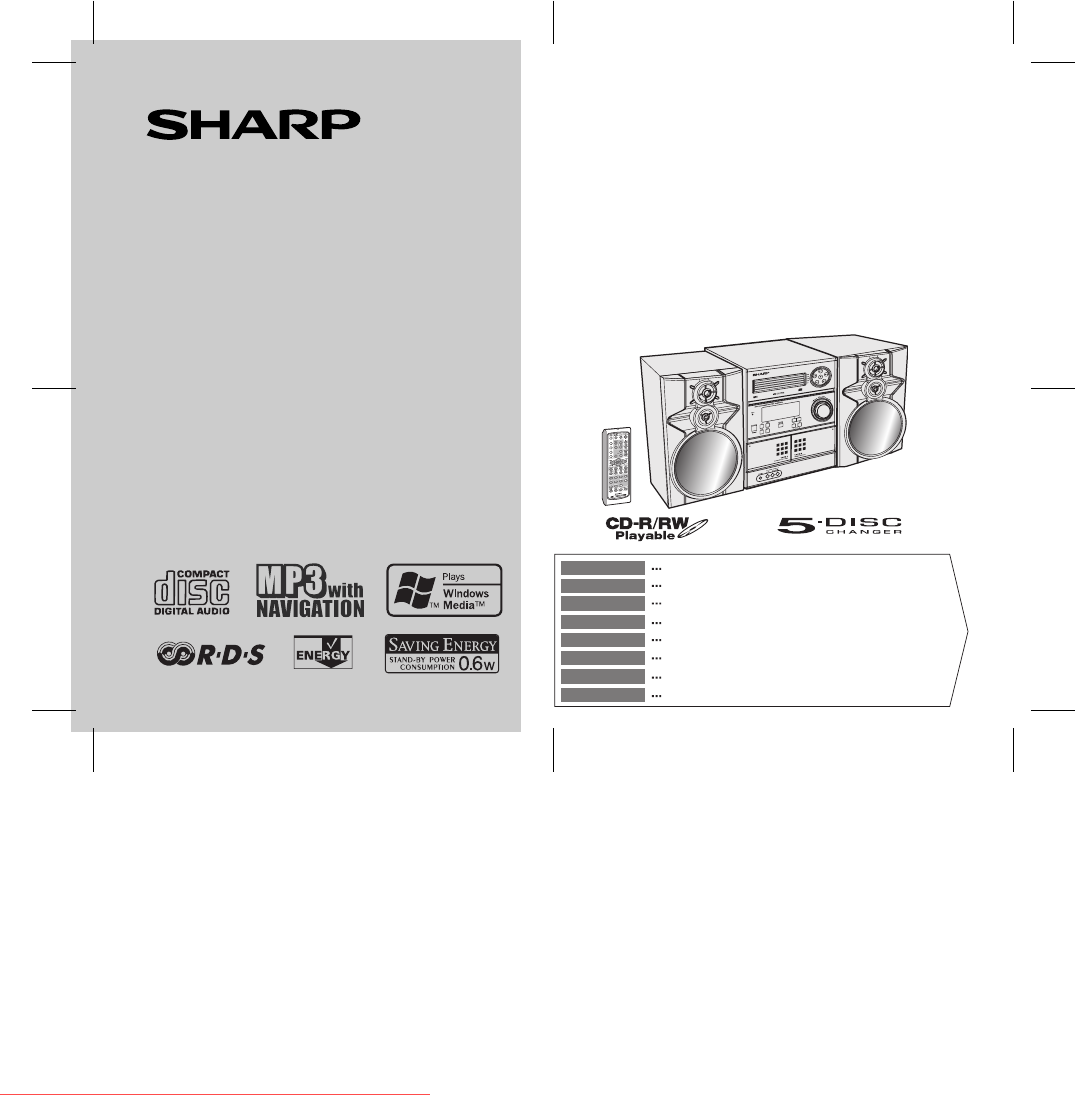
- CD-MPX870H 1
- manuals search engine 10
- Folder Title 1 30
- Title 2 Title 3 30
- TAPE 1 TAPE 2 39
- NO PS NO PTY 40
- FM 98.80 MHz 40
Podsumowanie treści
9/5/06 CD-MPX870_FRONT.fmTINSZA165AWZZMINI KOMPONENTEN SYSTEMMINI-CHAÎNESISTEMA MINIMINI KOMPONENT SYSTEMMINI SISTEMIMINI SYSTEEMSISTEMA DE MINI COMPO
ix 9/5/06 CD-MPX870_COM.fm CD-MPX870HA. Informazioni sullo smaltimento per gli utenti (privati)1. Nell'Unione europeaAttenzione: Per smaltire il
x 9/5/06 CD-MPX870HA. Informações sobre a Eliminação de Produtos para os Utilizadores (particulares)1. Na União EuropeiaAtenção: Se quiser eliminar e
03/12/17 CD-MPX870 EN.fmE-1CD-MPX870HENGLISHIntroductionThank you for purchasing this SHARP product. To obtain the bestperformance from this product,
03/12/17 CD-MPX870 EN.fm E-2 ENGLISH CD-MPX870H 81234567 General Information Precautions General Please ensure that the equipment is positioned i
03/12/17 CD-MPX870 EN.fm E-3 CD-MPX870H ENGLISH General Information Controls and indicators Front panel Reference page1. Disc Trays . . . . . . .
03/12/17 CD-MPX870 EN.fm E-4 ENGLISH CD-MPX870H 81234567 General Information Display Reference page1. Disc Number Indicators . . . . . . . . . . .
03/12/17 CD-MPX870 EN.fm E-5 CD-MPX870H ENGLISH General Information Controls and indicators (continued) Remote control Reference page1. Remote Cont
03/12/17 CD-MPX870 EN.fm E-6 ENGLISH CD-MPX870H 81234567 Preparation for Use System connectionsLeft speakerRight speaker Speaker connection (see pag
03/12/17 CD-MPX870 EN.fm E-7 CD-MPX870H ENGLISH Preparation for Use System connections (continued) Aerial connection Note: Placing the aerial on th
03/12/17 CD-MPX870 EN.fm E-8 ENGLISH CD-MPX870H 81234567 Preparation for Use AC power connection After checking all the connections have been made
i9/5/06 CD-MPX870_COM.fmCD-MPX870HBESONDERE ANMERKUNGENREMARQUES SPÉCIALESNOTAS ESPECIALESSÄRSKILDA ANMÄRKNINGARNOTE PARTICOLARIBIJZONDERE OPMERKINGEN
03/12/17 CD-MPX870 EN.fmE-9CD-MPX870HENGLISHPreparation for UseRemote control Battery installation Precautions for battery use: Replace all old batt
03/12/17 CD-MPX870 EN.fmE-10ENGLISHCD-MPX870H81234567Basic OperationGeneral control To turn the power onPress the ON/STAND-BY button to turn the pow
03/12/17 CD-MPX870 EN.fmE-11CD-MPX870HENGLISHBasic OperationSetting the clock (Remote control only) In this example, the clock is set for the 24-hour
03/12/17 CD-MPX870 EN.fmE-12ENGLISHCD-MPX870H81234567CD or MP3/WMA disc PlaybackListening to a CD or MP3/WMA disc This system can play back a standar
03/12/17 CD-MPX870 EN.fmE-13CD-MPX870HENGLISHCD or MP3/WMA disc PlaybackListening to a CD or MP3/WMA disc (continued) 1 Press the ON/STAND-BY button t
03/12/17 CD-MPX870 EN.fmE-14ENGLISHCD-MPX870H81234567CD or MP3/WMA disc Playback Playback will begin from track 1 on disc 1. After that disc finishes
03/12/17 CD-MPX870 EN.fmE-15CD-MPX870HENGLISHCD or MP3/WMA disc PlaybackListening to a CD or MP3/WMA disc (continued) Notes for CD: Notes for MP3/WMA
03/12/17 CD-MPX870 EN.fmE-16ENGLISHCD-MPX870H81234567CD or MP3/WMA disc PlaybackAdvanced CD or MP3/WMA disc playback To specify a disc to playYou c
03/12/17 CD-MPX870 EN.fmE-17CD-MPX870HENGLISHCD or MP3/WMA disc PlaybackAdvanced CD or MP3/WMA disc playback (continued) Repeat playRepeat play can p
03/12/17 CD-MPX870 EN.fmE-18ENGLISHCD-MPX870H81234567CD or MP3/WMA disc Playback Programmed playYou can choose up to 32 selections for playback in
ii9/5/06 CD-MPX870_COM.fmCD-MPX870H0203● Wanneer de ON/STAND-BY toets in de STAND-BY standstaat, loopt er nog steeds stroom (netspanning) in het toest
03/12/17 CD-MPX870 EN.fmE-19CD-MPX870HENGLISHCD or MP3/WMA disc PlaybackMP3/WMA navigation (only for MP3/WMA files) MP3/WMA navigation:You can search
03/12/17 CD-MPX870 EN.fmE-20ENGLISHCD-MPX870H81234567CD or MP3/WMA disc Playback File search (by folder or title 1/2/3)You can search and play files
03/12/17 CD-MPX870 EN.fmE-21CD-MPX870HENGLISHCD or MP3/WMA disc PlaybackMP3/WMA navigation (only for MP3/WMA files) (continued) Character search (f
03/12/17 CD-MPX870 EN.fmE-22ENGLISHCD-MPX870H81234567CD or MP3/WMA disc Playback Programmed play (for folder, title 1/2/3)Folders or titles can be
03/12/17 CD-MPX870 EN.fmE-23CD-MPX870HENGLISHRadioListening to the radioAuto power on function:When you press any of the following buttons, the unit t
03/12/17 CD-MPX870 EN.fmE-24ENGLISHCD-MPX870H81234567Radio Memorising a stationYou can store 40 AM and FM stations in memory and recall them atthe pu
03/12/17 CD-MPX870 EN.fmE-25CD-MPX870HENGLISHTape PlaybackListening to a cassette tape (TAPE 1 or TAPE 2) Tape playbackAuto power on function:When
03/12/17 CD-MPX870 EN.fmE-26ENGLISHCD-MPX870H81234567Tape Recording Various tape functions Caution: To remove the cassette, press the (TAPE ) but
03/12/17 CD-MPX870 EN.fmE-27CD-MPX870HENGLISHTape RecordingRecording on a cassette tape (continued) Recording from a CD or MP3/WMA disc To stop rec
03/12/17 CD-MPX870 EN.fmE-28ENGLISHCD-MPX870H81234567Tape RecordingTo perform programmed recording:To stop recording:Press the (TAPE ) button.The d
iii9/5/06 CD-MPX870_COM.fmCD-MPX870H● Når ON/STAND-BY-knappen er sat i STAND-BY positionen,er der stadig netspaending til stede i apparatet.Når ON/STA
03/12/17 CD-MPX870 EN.fmE-29CD-MPX870HENGLISHAdvanced FeaturesUsing the Radio Data System (RDS)RDS is a broadcasting service which a growing number of
03/12/17 CD-MPX870 EN.fmE-30ENGLISHCD-MPX870H81234567Advanced Features Using the Auto Station Programme Memory (ASPM)Whilst in the ASPM operation mod
03/12/17 CD-MPX870 EN.fmE-31CD-MPX870HENGLISHAdvanced FeaturesUsing the Radio Data System (RDS) (continued)To stop the ASPM operation before it is com
03/12/17 CD-MPX870 EN.fmE-32ENGLISHCD-MPX870H81234567Advanced Features To recall stations in memoryTo specify programmed types and select stations (P
03/12/17 CD-MPX870 EN.fmE-33CD-MPX870HENGLISHAdvanced FeaturesUsing the Radio Data System (RDS) (continued)Notes: If the display has stopped flashing
03/12/17 CD-MPX870 EN.fmE-34ENGLISHCD-MPX870H81234567Advanced FeaturesLIGHT M Classical music for general, rather than specialistappreciation. Example
03/12/17 CD-MPX870 EN.fmE-35CD-MPX870HENGLISHAdvanced FeaturesTimer and sleep operation (Remote control only)Timer playback:The unit turns on and play
03/12/17 CD-MPX870 EN.fmE-36ENGLISHCD-MPX870H81234567Advanced Features Continued to the next page4 Within 10 seconds, press the or button to
03/12/17 CD-MPX870 EN.fmE-37CD-MPX870HENGLISHAdvanced FeaturesTimer and sleep operation (Remote control only) (continued)Notes:Checking the timer sett
03/12/17 CD-MPX870 EN.fmE-38ENGLISHCD-MPX870H81234567Advanced Features Sleep operationThe radio, CD, MP3/WMA disc and cassette tape can all be turned
iv9/5/06 CD-MPX870_COM.fmCD-MPX870H Downloaded from www.Manualslib.com manuals search engine Downloaded From DvDPlayer-Manual.com Sharp Manuals
03/12/17 CD-MPX870 EN.fmE-39CD-MPX870HENGLISHAdvanced FeaturesEnhancing your systemThe connection lead is not included. Purchase a commercially avail-
03/12/17 CD-MPX870 EN.fmE-40ENGLISHCD-MPX870H81234567References Headphones Before plugging in or unplugging the headphones, reduce the vol-ume. B
03/12/17 CD-MPX870 EN.fmE-41CD-MPX870HENGLISHReferencesTroubleshooting chart (continued) Cassette deck Remote control Tuner CondensationSudden
03/12/17 CD-MPX870 EN.fmE-42ENGLISHCD-MPX870H81234567References If trouble occursWhen this product is subjected to strong external interference (me-c
03/12/17 CD-MPX870 EN.fmE-43CD-MPX870HENGLISHReferencesMaintenance Cleaning the tape-handling parts Dirty heads, capstans or pinch rollers can cau
03/12/17 CD-MPX870 EN.fmE-44ENGLISHCD-MPX870H81234567References CD player Tuner Cassette deck Front SpeakerType 5-disc multi-play compact disc p
03/11/4 CD-MPX870_BACK.fmTINSZA213AWZZ06H R AS 2 SHARP ELECTRONICS (Europe) GmbHSonninstraße 3, D-20097 HamburgSHARP CORPORATIONDownloaded from www.
CD-MPX870HMINI COMPONENT SYSTEMU PDOWNDownloaded from www.Manualslib.com manuals search engine Downloaded From DvDPlayer-Manual.com Sharp Manuals
v 9/5/06 CD-MPX870_COM.fm CD-MPX870H● VORSICHTVerwendung von Regelungen oder Einstellungen bzw.Durchführung von anderen Verfahren als die hierinangege
vi 9/5/06 CD-MPX870_COM.fm CD-MPX870HEigenschaften der LaserdiodeMaterial: GaAIAsWellenlänge: 795 nmEmissionsdauer: kontinuierlichLaser-Ausgang: max.
vii 9/5/06 CD-MPX870_COM.fm CD-MPX870HA. Entsorgungsinformationen für Benutzer aus Privathaushalten1. In der Europäischen UnionAchtung: Werfen Sie di
viii 9/5/06 CD-MPX870HA. Información sobre eliminación para usuarios particulares1. En la Unión EuropeaAtención: si quiere desechar este equipo, ¡por
Więcej dokumentów dla odtwarzacze CD Sharp CD-MPX870H
Powiązane produkty i podręczniki dla odtwarzacze CD Sharp CD-MPX870H
 (40 strony)


 (35 strony)
 (12 strony)
(40 strony)
(28 strony)
(12 strony)
(40 strony)
(28 strony)
 (28 strony)
(23 strony)
(40 strony)
(48 strony)
(25 strony)
(19 strony)
(45 strony)
(37 strony)
(44 strony)
(28 strony)
(23 strony)
(40 strony)
(48 strony)
(25 strony)
(19 strony)
(45 strony)
(37 strony)
(44 strony)
 (61 strony)
(56 strony)
(61 strony)
(56 strony)
© 2020, manymanuals.pl. Wszelkie prawa zastrzeżone. | 0.050 s |
 Manymanuals.com
 Manymanuals.de
 Manymanuals.fr
 Manymanuals.it
 Manymanuals.pl
 Manymanuals.cz
 Manymanuals.es
 Manymanuals-pt.com
Komentarze do niniejszej Instrukcji