Sharp XL-HP888H Dokumentacja
Przeglądaj online lub pobierz Dokumentacja dla Odtwarzacze kasetowe Sharp XL-HP888H. Sharp XL-HP888H Specifications [en] Instrukcja obsługi
- Strona / 55
- Spis treści
- BOOKMARKI

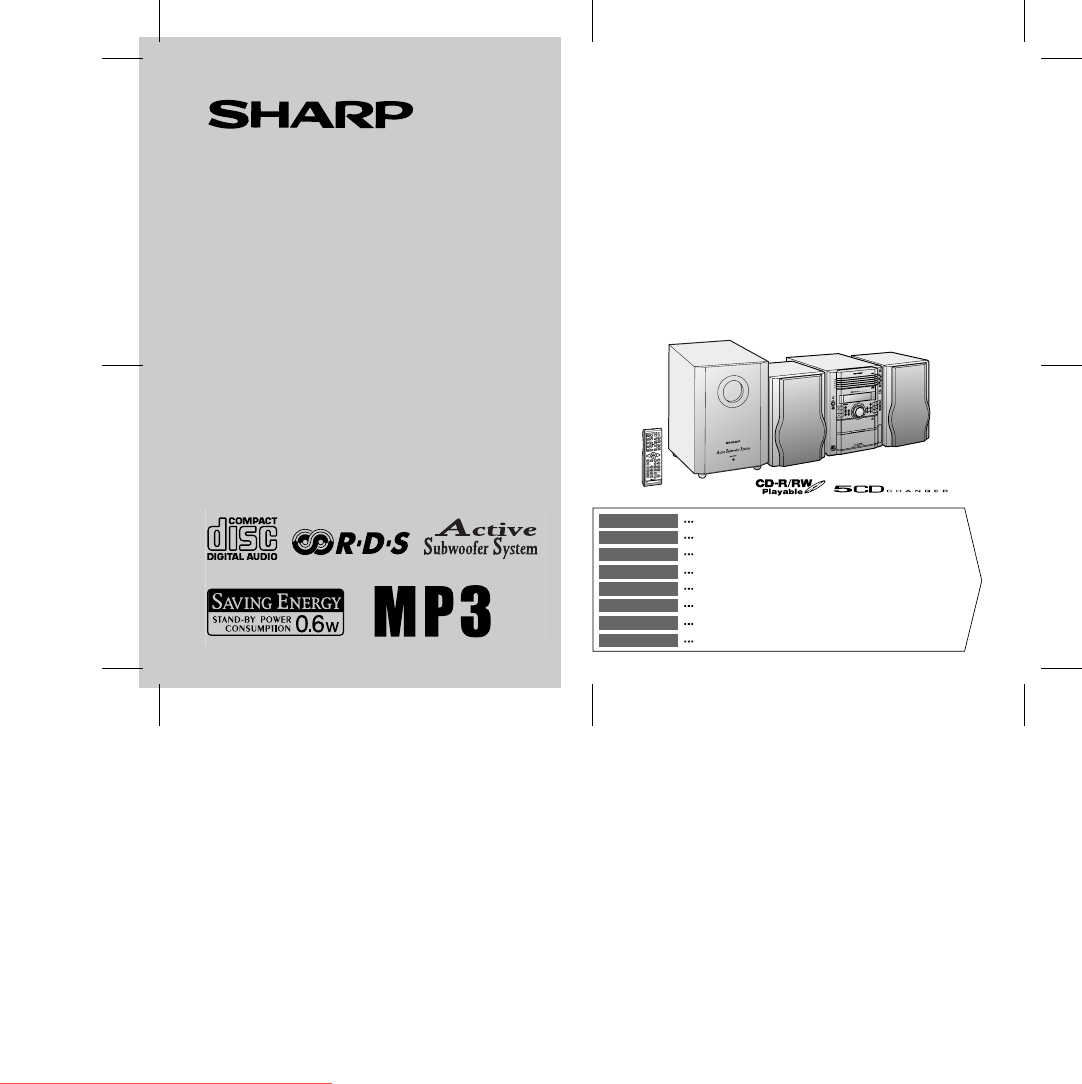
Podsumowanie treści
04/1/28 XL-HP888H(H)_FRONT.fmTINSZA041AWZZMIKRO KOMPONENTEN SYSTEMMICRO-CHAÎNESISTEMA MICROMIKRO KOMPONENT SYSTEMMICRO SISTEMIMICRO SYSTEEMSISTEMA DE
04/1/27 XL-HP888H(H)E1.fmE-3ENGLISHTINSZA041AWZZXL-HP888HGeneral InformationControls and indicators! Front panelReference page1. Disc Trays . . . . .
04/1/27 XL-HP888H(H)E1.fmE-4ENGLISHTINSZA041AWZZXL-HP888H8General Information ! DisplayReference page1.Disc Number Indicators . . . . . . . . . . . .
04/1/27 XL-HP888H(H)E1.fmE-5ENGLISHTINSZA041AWZZXL-HP888HGeneral InformationControls and indicators (continued)! Speaker system1. Tweeter2. Woofer3. B
04/1/27 XL-HP888H(H)E1.fmE-6ENGLISHTINSZA041AWZZXL-HP888H8General Information ! Remote controlReference page1.Remote Control Transmitter . . . . . .
04/1/27 XL-HP888H(H)E1.fmE-7ENGLISHTINSZA041AWZZXL-HP888HPreparation for UseSystem connections Left speakerRight speaker Speaker connection (see page
04/1/27 XL-HP888H(H)E1.fmE-8ENGLISHTINSZA041AWZZXL-HP888H8Preparation for Use ! Aerial connectionSupplied FM aerial:Connect the FM aerial wire to the
04/1/27 XL-HP888H(H)E1.fmE-9ENGLISHTINSZA041AWZZXL-HP888HPreparation for UseSystem connections (continued)! AC power connectionAfter checking all the
04/1/27 XL-HP888H(H)E1.fmE-10ENGLISHTINSZA041AWZZXL-HP888H8Preparation for UseSubwoofer connection ! Connecting the subwooferUse the subwoofer cable
04/1/27 XL-HP888H(H)E2.fmE-11ENGLISHTINSZA041AWZZXL-HP888HPreparation for UseSubwoofer control ! Power switchThe POWER indicator lights up when you p
04/1/27 XL-HP888H(H)E2.fmE-12ENGLISHTINSZA041AWZZXL-HP888H8Preparation for UseRemote control! Battery installation Precautions for battery use:"R
i04/1/28 XL-HP888H(H)_com.fmTINSZA041AWZZXL-HP888HBESONDERE ANMERKUNGENREMARQUES SPÉCIALESNOTAS ESPECIALESSÄRSKILDA ANMÄRKNINGARNOTE PARTICOLARIBIJZON
04/1/27 XL-HP888H(H)E2.fmE-13ENGLISHTINSZA041AWZZXL-HP888HBasic OperationGeneral control ! To turn the power onPress the ON/STAND-BY button to turn
04/1/27 XL-HP888H(H)E2.fmE-14ENGLISHTINSZA041AWZZXL-HP888H8Basic OperationSetting the clock In this example, the clock is set for the 24-hour (0:00) d
04/1/27 XL-HP888H(H)E2.fmE-15ENGLISHTINSZA041AWZZXL-HP888HCD or MP3 disc PlaybackListening to a CD or MP3 disc This system can also play audio CD-R a
04/1/27 XL-HP888H(H)E2.fmE-16ENGLISHTINSZA041AWZZXL-HP888H8CD or MP3 disc Playback "Playback will begin from track 1 on the disc 1. After that di
04/1/27 XL-HP888H(H)E2.fmE-17ENGLISHTINSZA041AWZZXL-HP888HCD or MP3 disc PlaybackListening to a CD or MP3 disc (continued)! Various disc functionsNote
04/1/27 XL-HP888H(H)E2.fmE-18ENGLISHTINSZA041AWZZXL-HP888H8CD or MP3 disc PlaybackAdvanced CD or MP3 disc playback ! To specify a disc to playYou can
04/1/27 XL-HP888H(H)E2.fmE-19ENGLISHTINSZA041AWZZXL-HP888HCD or MP3 disc PlaybackAdvanced CD or MP3 disc playback (continued)! Repeat playRepeat play
04/1/27 XL-HP888H(H)E2.fmE-20ENGLISHTINSZA041AWZZXL-HP888H8CD or MP3 disc Playback ! Programmed playYou can choose up to 32 selections for playback in
04/1/27 XL-HP888H(H)E3.fmE-21ENGLISHTINSZA041AWZZXL-HP888HCD or MP3 disc PlaybackMP3 navigation (only for MP3 files) MP3 navigation:You can search an
04/1/27 XL-HP888H(H)E3.fmE-22ENGLISHTINSZA041AWZZXL-HP888H8CD or MP3 disc Playback "File search (by folder or title 1/2/3)You can search and play
04/1/28 XL-HP888H(H)_com.fmiiTINSZA041AWZZXL-HP888H0203● Wanneer de ON/STAND-BY toets in de STAND-BY standstaat, loopt er nog steeds stroom (netspanni
04/1/27 XL-HP888H(H)E3.fmE-23ENGLISHTINSZA041AWZZXL-HP888HCD or MP3 disc PlaybackMP3 navigation (only for MP3 files) (continued)"Character search
04/1/27 XL-HP888H(H)E3.fmE-24ENGLISHTINSZA041AWZZXL-HP888H8CD or MP3 disc Playback "Programmed play (for folder, title 1/2/3)Folders or titles ca
04/1/27 XL-HP888H(H)E3.fmE-25ENGLISHTINSZA041AWZZXL-HP888HRadioListening to the radio Auto power on function:When you press any of the following butto
04/1/27 XL-HP888H(H)E3.fmE-26ENGLISHTINSZA041AWZZXL-HP888H8Radio " Memorising a stationYou can store 40 AM and FM stations in memory and recall t
04/1/27 XL-HP888H(H)E3.fmE-27ENGLISHTINSZA041AWZZXL-HP888HTape PlaybackListening to a cassette tape " Tape playbackAuto power on function:When y
04/1/27 XL-HP888H(H)E3.fmE-28ENGLISHTINSZA041AWZZXL-HP888H8Tape Recording " Various tape functions Caution:!To remove the cassette, press the (
04/1/27 XL-HP888H(H)E3.fmE-29ENGLISHTINSZA041AWZZXL-HP888HTape RecordingRecording on a cassette tape (continued)" Recording from a CD or MP3 disc
04/1/27 XL-HP888H(H)E3.fmE-30ENGLISHTINSZA041AWZZXL-HP888H8Tape Recording Sequential recording from several discs:To perform programmed recording:To s
04/1/27 XL-HP888H(H)E4.fmE-31ENGLISHTINSZA041AWZZXL-HP888HAdvanced FeaturesUsing the Radio Data System (RDS)RDS is a broadcasting service which a grow
04/1/27 XL-HP888H(H)E4.fmE-32ENGLISHTINSZA041AWZZXL-HP888H8Advanced Features ! Using the Auto Station Programme Memory (ASPM)Whilst in the ASPM operat
04/1/28 XL-HP888H(H)_com.fmiiiTINSZA041AWZZXL-HP888H0401_A5● Når ON/STAND-BY-knappen er sat i STAND-BY positionen,er der stadig netspaending til stede
04/1/27 XL-HP888H(H)E4.fmE-33ENGLISHTINSZA041AWZZXL-HP888HAdvanced FeaturesUsing the Radio Data System (RDS) (continued)To stop the ASPM operation bef
04/1/27 XL-HP888H(H)E4.fmE-34ENGLISHTINSZA041AWZZXL-HP888H8Advanced Features ! To recall stations in memoryTo specify programmed types and select stat
04/1/27 XL-HP888H(H)E4.fmE-35ENGLISHTINSZA041AWZZXL-HP888HAdvanced FeaturesUsing the Radio Data System (RDS) (continued)Notes:"If the display has
04/1/27 XL-HP888H(H)E4.fmE-36ENGLISHTINSZA041AWZZXL-HP888H8Advanced Features LIGHT M Classical music for general, rather than specialist appreciation.
04/1/27 XL-HP888H(H)E4.fmE-37ENGLISHTINSZA041AWZZXL-HP888HAdvanced FeaturesTimer and sleep operationTimer playback:The unit turns on and plays the des
04/1/27 XL-HP888H(H)E4.fmE-38ENGLISHTINSZA041AWZZXL-HP888H8Advanced Features Continued to the next page4Within 10 seconds, press the or button
04/1/27 XL-HP888H(H)E4.fmE-39ENGLISHTINSZA041AWZZXL-HP888HAdvanced FeaturesTimer and sleep operation (continued)Note:Checking the timer setting in the
04/1/27 XL-HP888H(H)E4.fmE-40ENGLISHTINSZA041AWZZXL-HP888H8Advanced Features ! Sleep operationThe radio, CD, MP3 disc and cassette tape can all be tur
04/1/27 XL-HP888H(H)E4.fmE-41ENGLISHTINSZA041AWZZXL-HP888HAdvanced FeaturesEnhancing your systemThe connection lead is not included. Purchase a commer
04/1/27 XL-HP888H(H)E4.fmE-42ENGLISHTINSZA041AWZZXL-HP888H8ReferencesTroubleshooting chartMany potential problems can be resolved by the owner without
04/1/28 XL-HP888H(H)_com.fmivTINSZA041AWZZXL-HP888H● Advarsel:Til at forbygge ild og stød risiko, lad vaere med at undsaettedenne indretning for drypn
04/1/27 XL-HP888H(H)E4.fmE-43ENGLISHTINSZA041AWZZXL-HP888HReferencesTroubleshooting chart (continued)" Tuner " CondensationSudden temperatur
04/1/27 XL-HP888H(H)E4.fmE-44ENGLISHTINSZA041AWZZXL-HP888H8References " Before transporting the unitRemove all CDs from the unit. Make sure there
04/1/27 XL-HP888H(H)E4.fmE-45ENGLISHTINSZA041AWZZXL-HP888HReferencesSpecificationsAs part of our policy of continuous improvement, SHARP reservesthe r
04/1/27 XL-HP888H(H)E4.fmE-46ENGLISHTINSZA041AWZZXL-HP888H8References " Speaker " Active subwooferType 2-way type speaker system5 cm (2"
04/1/20 XL-HP888H(H)_BACK.fmTINSZA041AWZZSHARP CORPORATION0401_A5TINSZA041AWZZ04A R YT 1Downloaded from www.Manualslib.com manuals search engine Down
XL-HP888H MICRO COMPONENT SYSTEMU PDOWNDownloaded from www.Manualslib.com manuals search engine Downloaded From Disc-Player.com Sharp Manuals
04/1/28 XL-HP888H(H)_com.fmvTINSZA041AWZZXL-HP888H0203● VORSICHTVerwendung von Regelungen oder Einstellungen bzw.Durchführung von anderen Verfahren al
04/1/28 XL-HP888H(H)_com.fmviTINSZA041AWZZXL-HP888H0203VAROITUS! LAITTEEN KÄYTTÄMINEN MUULLA KUIN TÄSSÄKÄYTTÖOHJEESSA MAINITULLA TAVALLA SAATTAAALTIST
E-104/1/27 XL-HP888H(H)E1.fmENGLISHTINSZA041AWZZXL-HP888HENGLISHGeneral InformationIntroductionThank you for purchasing this SHARP product. To obtain
04/1/27 XL-HP888H(H)E1.fmE-2ENGLISHTINSZA041AWZZXL-HP888H8General InformationPrecautions! General"Please ensure that the equipment is positioned
Powiązane produkty i podręczniki dla Odtwarzacze kasetowe Sharp XL-HP888H
 (36 strony)
(116 strony)
(39 strony)
(36 strony)
(116 strony)
(39 strony)
 (35 strony)
(24 strony)
(35 strony)
(24 strony)
 (88 strony)
© 2020, manymanuals.pl. Wszelkie prawa zastrzeżone. | 0.037 s |
 Manymanuals.com
 Manymanuals.de
 Manymanuals.fr
 Manymanuals.it
 Manymanuals.pl
 Manymanuals.cz
 Manymanuals.es
 Manymanuals-pt.com
Komentarze do niniejszej Instrukcji